Liferay Style Books UX: A Content Manager's Guide

Introduction
Content managers rely on Style Books to keep a site on-brand without opening a single line of CSS. Every quarter, Liferay refines that experience a little further, and the latest round of Style Books UX enhancements is aimed squarely at the people who use the tool every day, not just the developers who build the themes underneath it.
This guide explains the changes, why they are important for daily site upkeep, and how to utilize each improvement the next time you access a Style Book.
What's New in Style Books
The latest release focuses on three areas that content managers touch most often:
- Transparency control for every color field, using 8-digit hex codes.
- Clearer token linking between color fields and reusable Style Book tokens.
- Theme-scoped Style Books, which stop a page editor from ever pairing a Style Book with an incompatible theme.
Enhancement 1: Set Colors with Transparency
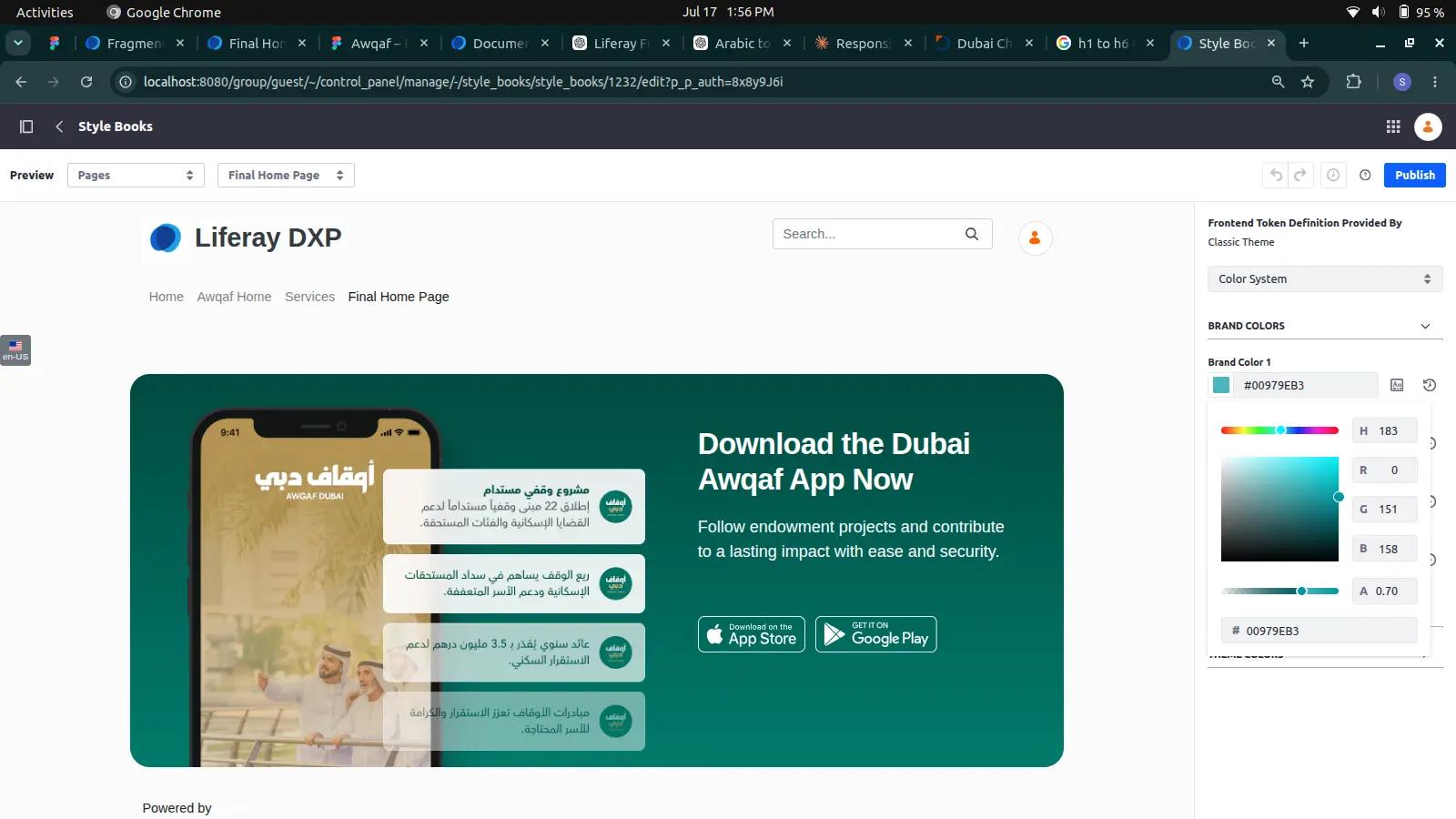
You can already choose a color visually, enter a hex code, or reuse a token value in each color field in a style book. Instead of requesting that a developer apply a semi-transparent overlay in CSS, content managers can now directly regulate opacity in that same field using an 8-digit hex-plus-alpha code (#RRGGBBAA).
How to use it:
- Open Site Menu > Design > Style Books and select the Style Book you want to edit.
- Click into any color field, such as an overlay or background color.
- Enter an 8-digit hex code, with FF being entirely opaque and 00 being fully transparent. The last two digits determine the opacity.
- Save and preview the page to confirm the transparency renders as expected.
Enhancement 2: Link and Detach Style Book Tokens
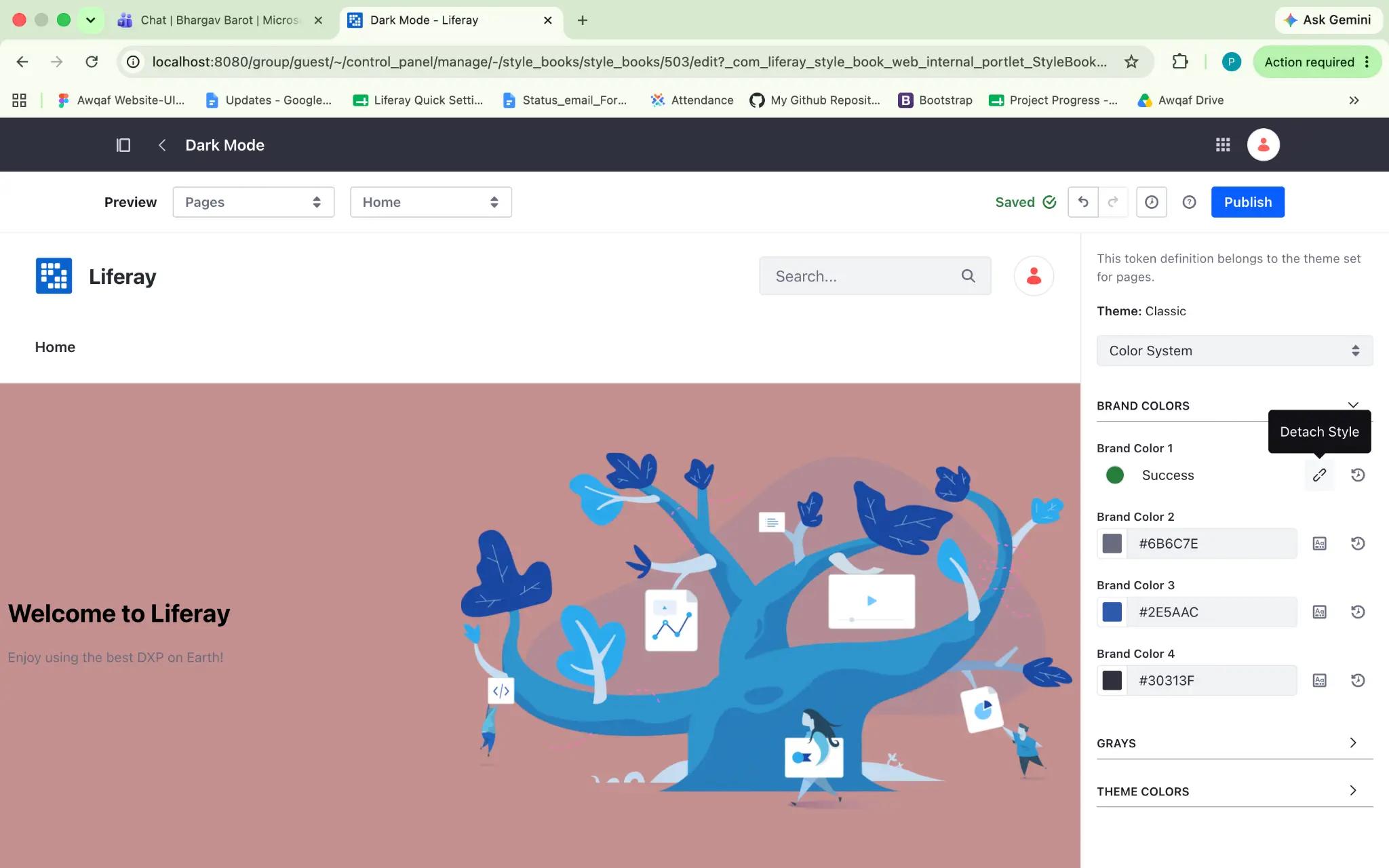
Color fields can be tied to a token value from elsewhere in the same Style Book, so a single update cascades everywhere that token is used. The button for this now makes the linked state explicit: once a field is tied to a token, the Value from Stylebook button is replaced with a Detach Token button, so it's obvious at a glance which fields are following a shared token and which are set independently.
How to use it:
- Open a color field and click Value from Stylebook.
- Choose a token from any of the general color categories to reuse its value.
- The button now says Detach Token. This verifies that the field is connected and will automatically update in the event that the token changes.
- Click Detach Token at any time to break the link while keeping the current color value in place.
Enhancement 3: Theme-Scoped Style Books
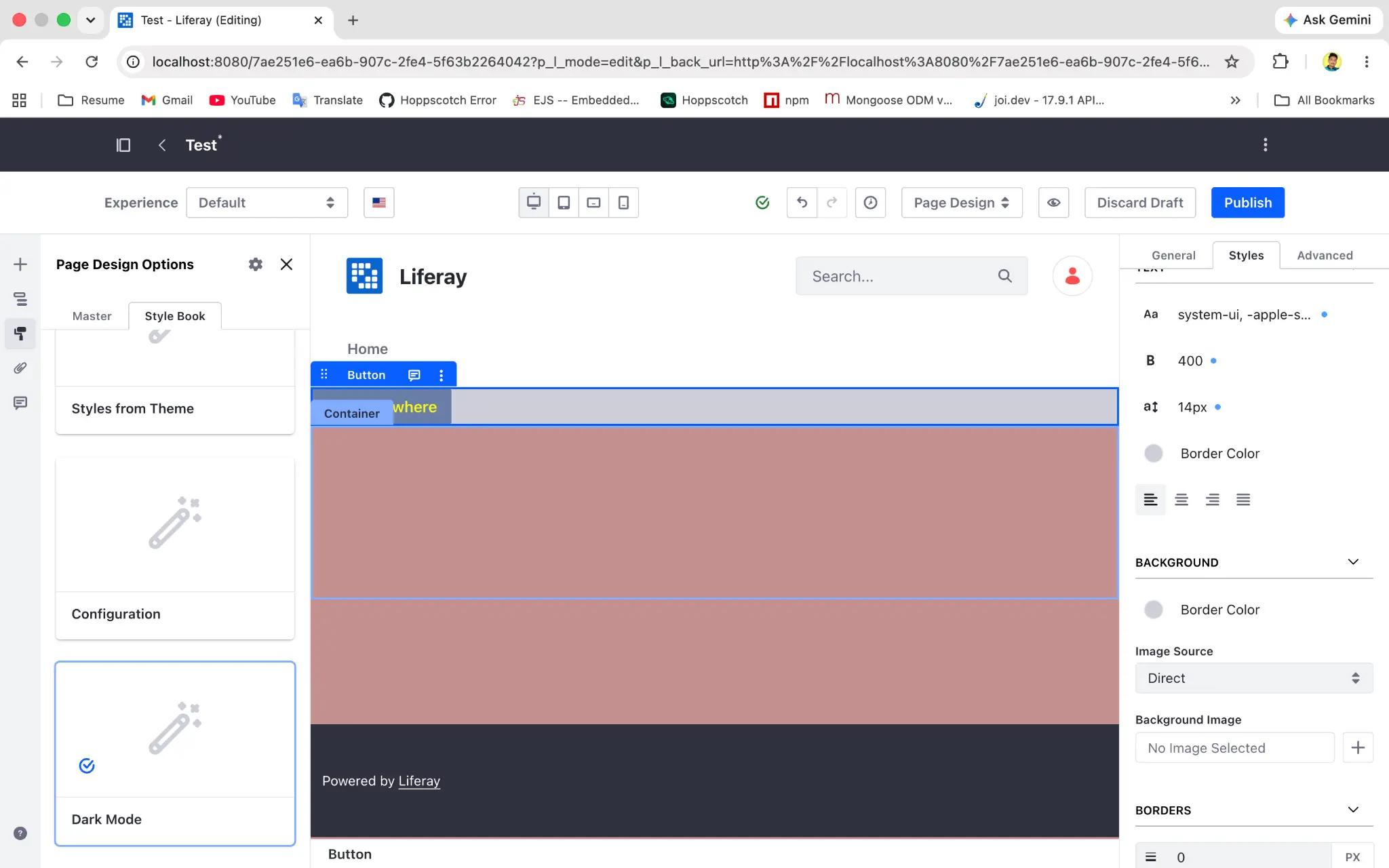
Style Books read their available colors, fonts, and spacing options from a frontend token definition supplied by a theme or Theme CSS client extension. When a style book and a page's theme don't define the same tokens, edits can silently fail to apply. Theme-scoped Style Books close that gap: each Style Book now declares which theme or Theme CSS client extension it targets, and the page editor can no longer select a Style Book that isn't compatible with the page's theme.
For content managers, this mostly shows up as fewer surprises: the Style Book picker only offers options that will actually work on the page you're editing.
How to use it:
- Go to Site Menu > Design > Style Books and open (or create) a Style Book.
- Confirm the theme or Theme CSS client extension it's targeting in the Style Book's settings.
- On a page, go to Design > Style Books from the page editor and pick a Style Book. Here only compatible options will be listed.
- If a style book you expect is missing from the list, check that its target theme matches the site's public pages theme.
Why These Changes Matter
- No Guesswork: Content managers see immediately whether a field is linked to a token or set on its own.
- Less Dependence on CSS: Transparency and layered colors no longer require a developer hand-off.
- Fewer Broken Pages: Theme-scoped Style Books prevent editors from applying a Style Book; the theme can't render correctly.
Conclusion
None of these enhancements change what Style Books are really for, and they still let content managers keep a site on-brand from the UI without editing a theme. What's changed is how much of that work can now be done confidently and independently, with clearer feedback at every step and fewer chances to apply a style book that quietly doesn't fit the page.
The next time you're refreshing a site's colors, take a look at the transparency field, the token-linking buttons, and the Style Book picker on a page. The improvements are small individually, but together they remove a lot of the guesswork from everyday site maintenance.


