Object Actions + webhooks: triggering external systems on record change

Introduction:
When we connect systems to Liferay, it is usually a lot of work. We have to use API polls or write Java code. With Webhook activities, Liferay can immediately transfer information to another program. This occurs whenever someone adds, updates, or removes something from the system.
This is like a notification system. When something happens, Liferay tells applications like Google Sheets or Slack. Liferay Object Actions can also do this. It sends a message to another program whenever something is added, changed, or removed from Liferay. This message is similar to a note that describes what occurred and is sent to the program so that it can take appropriate action.
Prerequisites:
- Liferay DXP/Community
Environment Requirements:
- Java
- Liferay
How to Configure a Webhook Action:
- Open the Global Menu -> Control Panel -> Objects.
- Click on the specific Object you want to add the action to and go to the Actions tab.
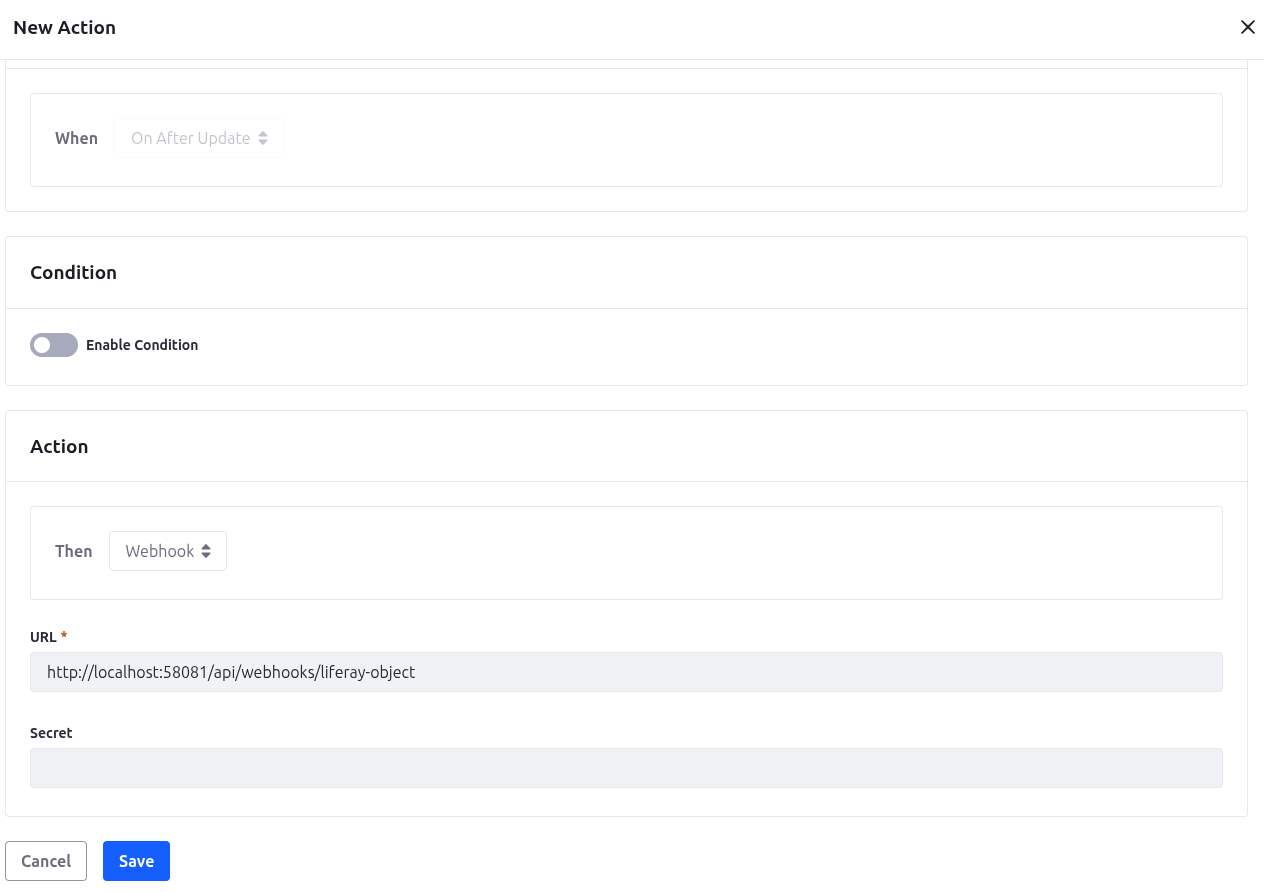
- Now click on Add. Give your action a name and make sure the action is set to Active.
- Define Trigger (Action Builder):
- Select a trigger event, such as On After Add, On After Update, or On After Delete.
- If you like, you can use the Expression Builder to set certain rules. For example, the Webhook Action will only operate if the Status field is Approved.
- Then choose Webhook as the type of action you desire.
- Target URL and Secret: Enter the endpoint URL where the external system is listening and the secret code.
- Save the action and ensure the Object itself is published to activate the automation.
- Target URL and Secret: Enter the endpoint URL where the external system is listening and the secret code.
- Save the action and ensure the Object itself is published to activate the automation.
1@RestController
2@RequestMapping("/api/webhooks")
3public class LiferayWebhookController {
4    private static final Logger logger =      LoggerFactory.getLogger(LiferayWebhookController.class);
5    private static final ObjectMapper objectMapper = new ObjectMapper();
6
7    @PostMapping("/liferay-object")
8    public ResponseEntity<String> post(
9            @RequestBody(required = false) String json,
10            @RequestHeader Map<String, String> headers) {
11
12        try {
13            // Parse the JSON payload
14            Map<String, Object> payload = objectMapper.readValue(json, Map.class);
15
16            // Extract the object entry and its values
17            Map<String, Object> objectEntry = (Map<String, Object>) payload.get("objectEntry");
18            if (objectEntry != null) {
19                Map<String, Object> values = (Map<String, Object>) objectEntry.get("values");
20
21                logger.info("=== WEBHOOK RECEIVED ===");
22                logger.info("Action: {}", payload.get("objectActionTriggerKey"));
23                logger.info("Task ID: {}", values != null ? values.get("taskId") : "N/A");
24                logger.info("Task Name: {}", values != null ? values.get("taskName") : "N/A");
25                logger.info("Description: {}", values != null ? values.get("description") : "N/A");
26                logger.info("Task Status: {}", values != null ? values.get("taskStatus") : "N/A");
27                logger.info("Assignee: {}", values != null ? values.get("r_taskAssignee_userERC") : "N/A");
28            }
29        } catch (Exception e) {
30            logger.error("Error parsing webhook payload", e);
31        }
32
33        return ResponseEntity.ok("{\"status\": \"success\"}");
34    }
35}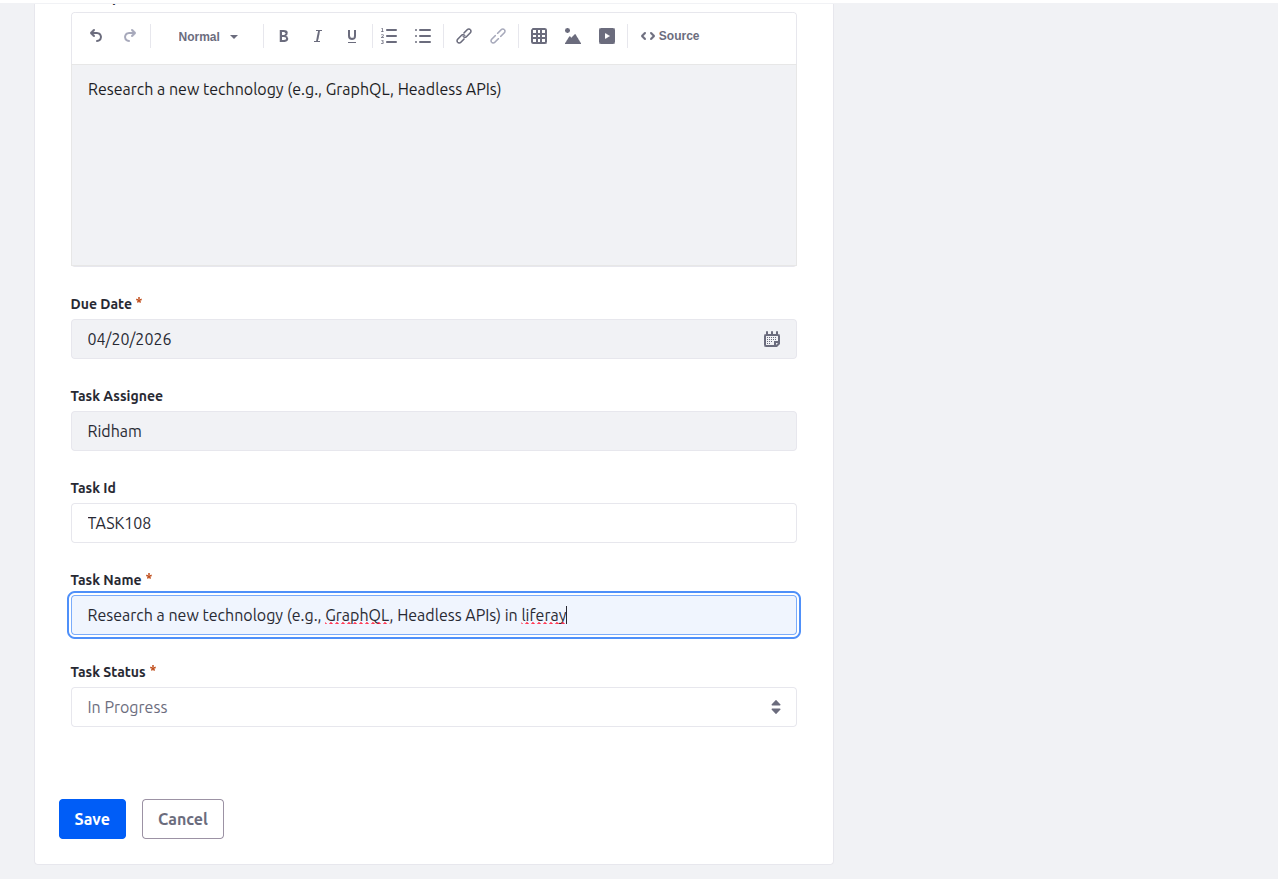

Common Use Cases:
- Workflow orchestration involves triggering external BPMN processes in technologies such as Camunda.
- External Logic: Delegating difficult calculations or third-party service requests (such as opening a JIRA ticket) to a microservice.
Conclusion:
In conclusion, Liferay Object Webhooks are a key low-code feature for creating responsive, event-driven systems. They allow smooth integration between Liferay and the larger enterprise environment by offering a quick, real-time option instead of traditional API polling methods. By sending data only in response to specific events, webhooks greatly lower server load and network traffic compared to scheduled batch processing methods.


