Liferay
Servlet Filter in Liferay 7.2

Bhargav Vaghasiya•Dec 10, 2020
Introduction
Servlet filter provides a filter layer between the client and the servlet. When the client invokes the request, at that time servlet filter will perform the pre-process steps to filter the request before completing the request, also it will perform the post-processing steps before sending it to the client.
Here are some common filter usage cases.
- Logging
- Auditing
- Transaction management
- Security
1) Create a module project.
- Go to Liferay workspace project → modules → new.
- Select other → Liferay → Liferay Module Project and Click on “Next”.
- Enter the project name.
- Select “Project Template Name” as “war-hook” and click on “Next”.
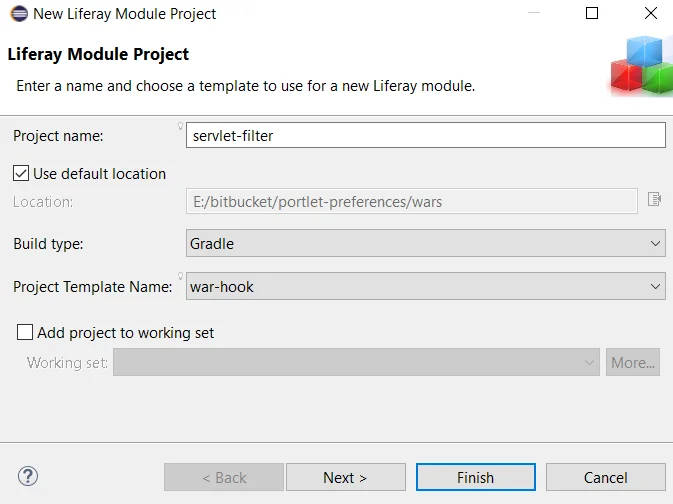
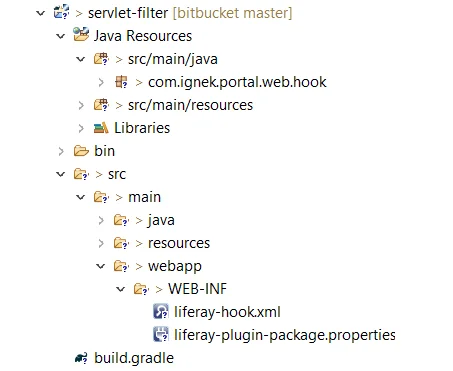
- Enter a Package name and click on the “Finish”. The necessary file structure will be created as below.
2) Create a servlet filter class and implement with the Filter class.
1// ServletFilter.java
2package com.ignek.portal.web.hook;
3
4public class ServletFilter implements Filter {
5
6	@Override
7	public void init(FilterConfig filterConfig) throws ServletException {
8		System.out.println("Called ServletFilter.init(" + filterConfig + ") where hello="
9				+ filterConfig.getInitParameter("hello"));
10	}
11
12	@Override
13	public void doFilter(ServletRequest servletRequest, ServletResponse servletResponse,
14			FilterChain filterChain)throws IOException, ServletException {
15
16		String uri = (String) servletRequest.getAttribute(WebKeys.INVOKER_FILTER_URI);
17
18		System.out.println("Called ServletFilter.doFilter(" + servletRequest + ", "
19				+ servletResponse + ", "+ filterChain + ") for URI " + uri);
20
21		filterChain.doFilter(servletRequest, servletResponse);
22	}
23
24	@Override
25	public void destroy() {
26	}
27}
Filter interface provides the following life cycle methods.
- init(): It is used to initialize the filter.
- doFilter(): It is used to perform filtering tasks.
- destroy(): Clean up the filter’s unneeded resources.
3) Add below mapping in Liferay-hook.xml.
1// liferay-hook.xml
2<?xml version="1.0"?>
3<!DOCTYPE hook PUBLIC "-//Liferay//DTD Hook 7.2.0//EN" "http://www.liferay.com/dtd/liferay-hook_7_2_0.dtd">
4
5<hook>
6	<portal-properties>portal.properties</portal-properties>
7	<servlet-filter>
8		<servlet-filter-name>ServletFilter</servlet-filter-name>
9		<servlet-filter-impl>com.ignek.portal.web.hook.ServletFilter</servlet-filter-impl>
10		<init-param>
11			<param-name>hello</param-name>
12			<param-value>world</param-value>
13		</init-param>
14	</servlet-filter>
15	<servlet-filter-mapping>
16	<servlet-filter-name>ServletFilter</servlet-filter-name>
17		<url-pattern>/group/*</url-pattern>
18		<url-pattern>/user/*</url-pattern>
19		<url-pattern>/web/*</url-pattern>
20		<url-pattern>*.jsp</url-pattern>
21		<dispatcher>REQUEST</dispatcher>
22		<dispatcher>FORWARD</dispatcher>
23	</servlet-filter-mapping>
24</hook>
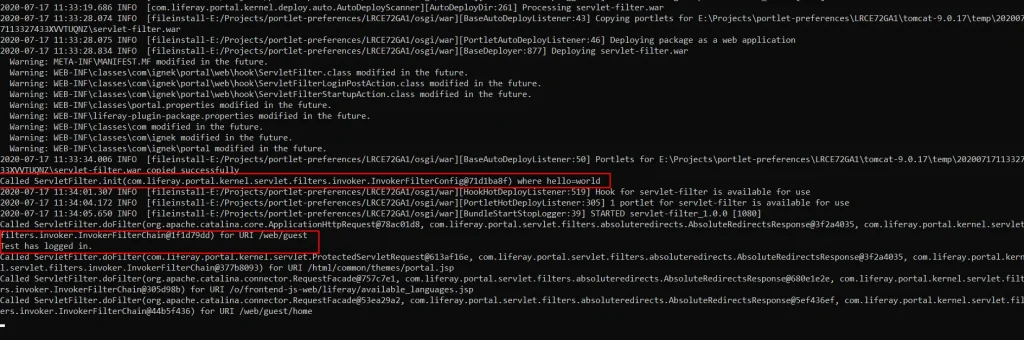
4) Now, you can deploy it in the Liferay server and observe the logs in the terminal(cmd).