Microsoft Teams integration with Liferay

Introduction:
- Are you looking for a way to connect Microsoft Teams with your Liferay portal? If so, you’ve come to the right place.
- Microsoft Teams is an incredibly useful platform for joining meetings and keeping track of events.
- It is powered by Microsoft Graph APIs, which allow users to create meetings and events with ease.
- The Microsoft Graph APIs provide a comprehensive range of capabilities to manage and control the events, such as creating, updating, and deleting events.
- They also allow for customization of the events, such as setting up reminders, adding notes, and inviting participants.
- M365 and Microsoft Graph are required to use Microsoft APIs.
- M365's admin portal allows us to modify permissions and uses.
Prerequisites:
- Liferay (Any version)
- An Microsoft account
- Knowledge of API
- Knowledge of HTTP request and response.
Environmental Requirements:
- Browser
- Liferay
- Eclipse IDE
- Gradle
Microsoft Teams Account Creation and Permissions
Follow these steps to create a Microsoft admin account and assign permissions:
1. The first step is to create a Microsoft developer account. For that go to “https://developer.microsoft.com/en-us/microsoft-365/dev-program”.
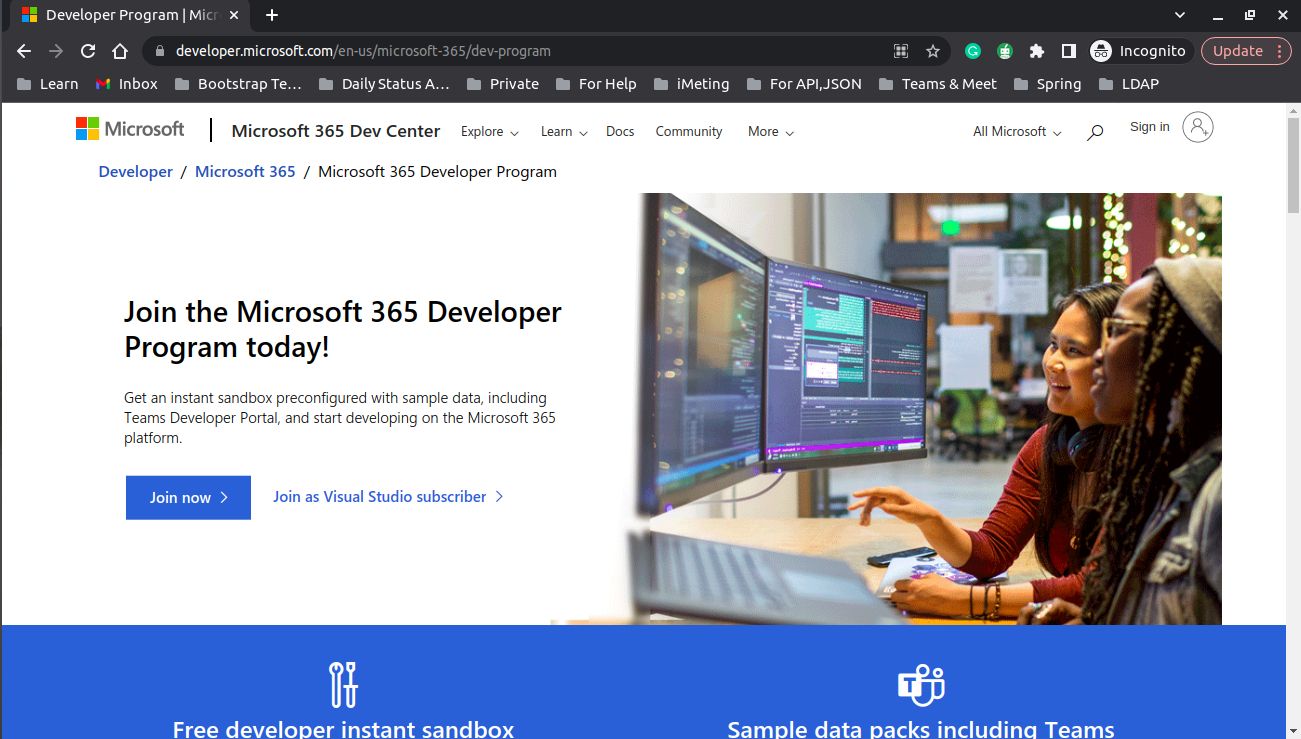
- Here you can see the “join now” button. When you click on it, it will redirect you to the Microsoft sign-in page. Just sign in with your Microsoft account.
- You can see the page below. Here you get a 90 day free developer subscription for testing purposes.
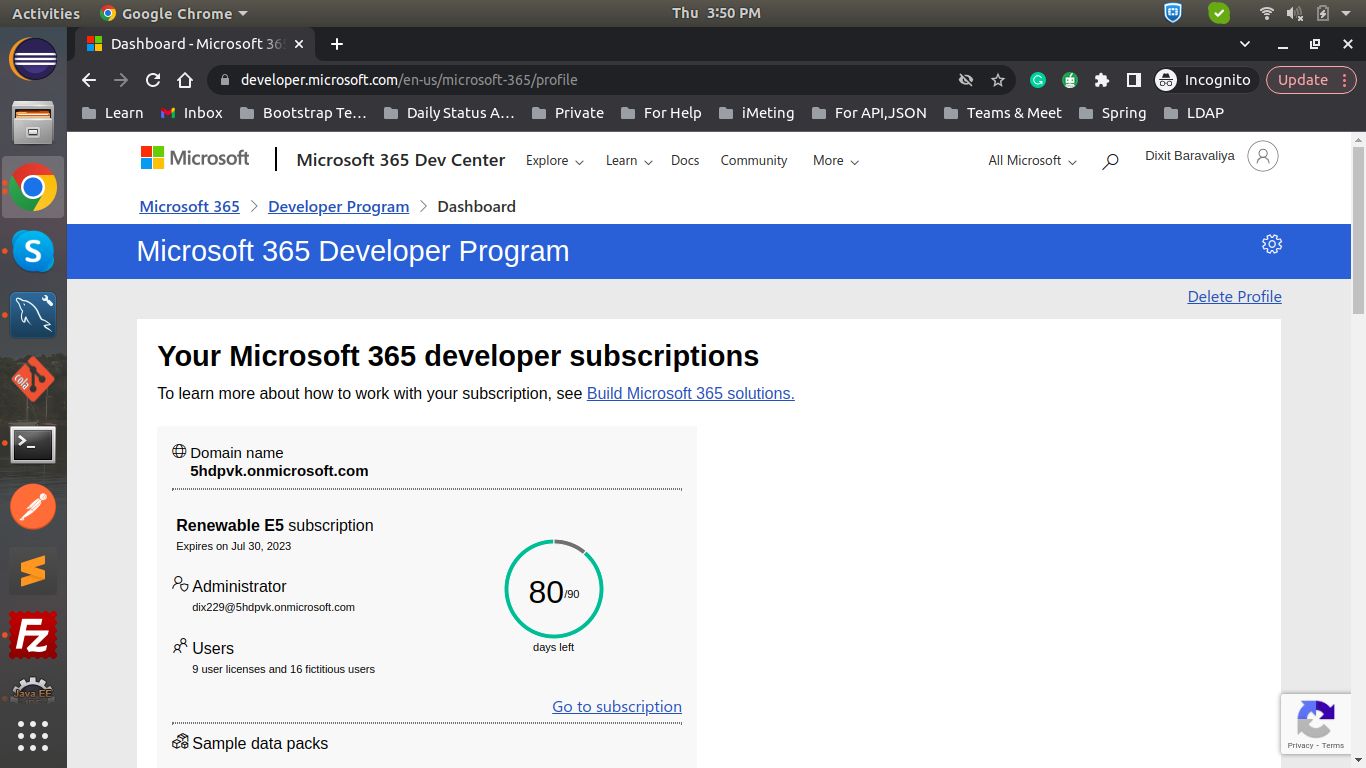
3. Here you can find your admin account email address. Just copy it and save it.
4. Now go to “https://admin.microsoft.com/” and sign in with the admin email address. If you don’t have the password then you can reset it.
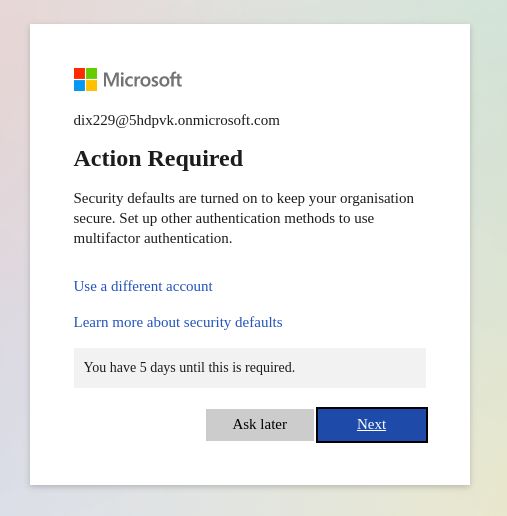
5. After signing in, you can see the below message. So, click on "Next" to set up authentication, or you can just skip for now by tapping “Ask later”.
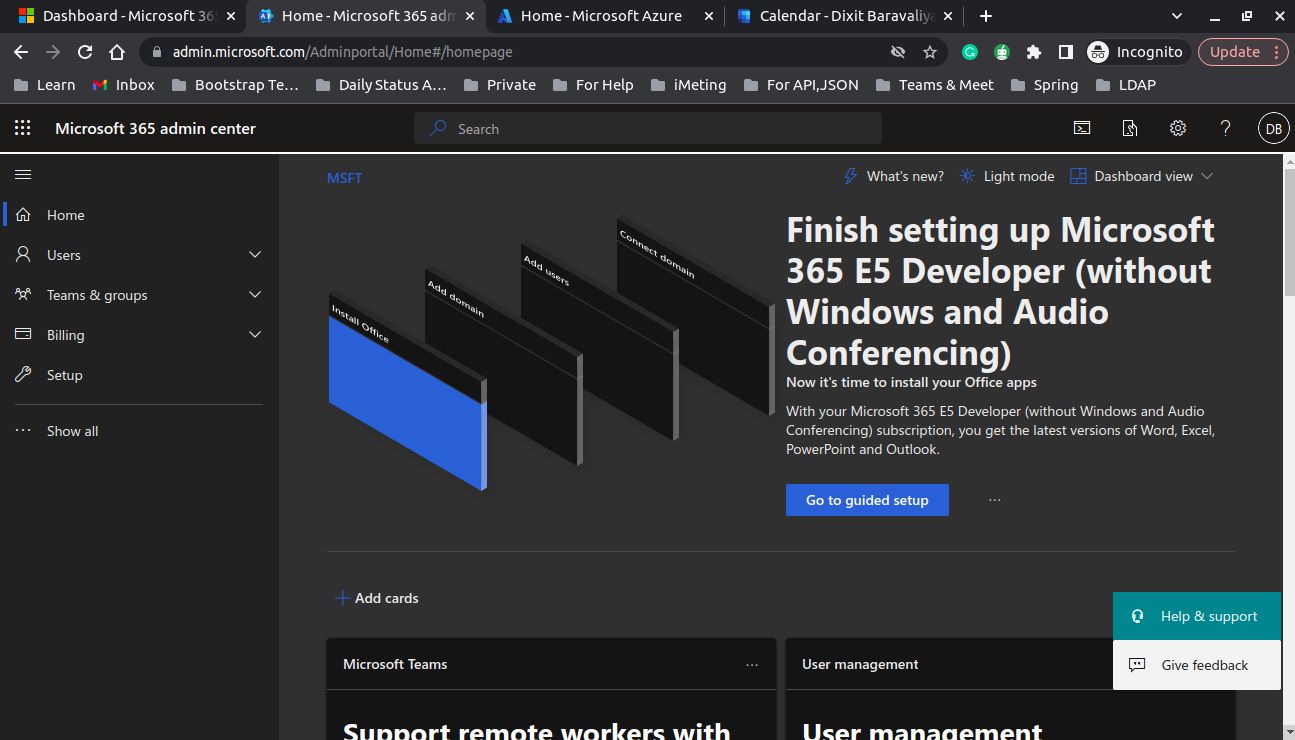
6. Now the admin dashboard looks like the below image.
7. Now go to the new tab and hit “https://azure.microsoft.com/”.
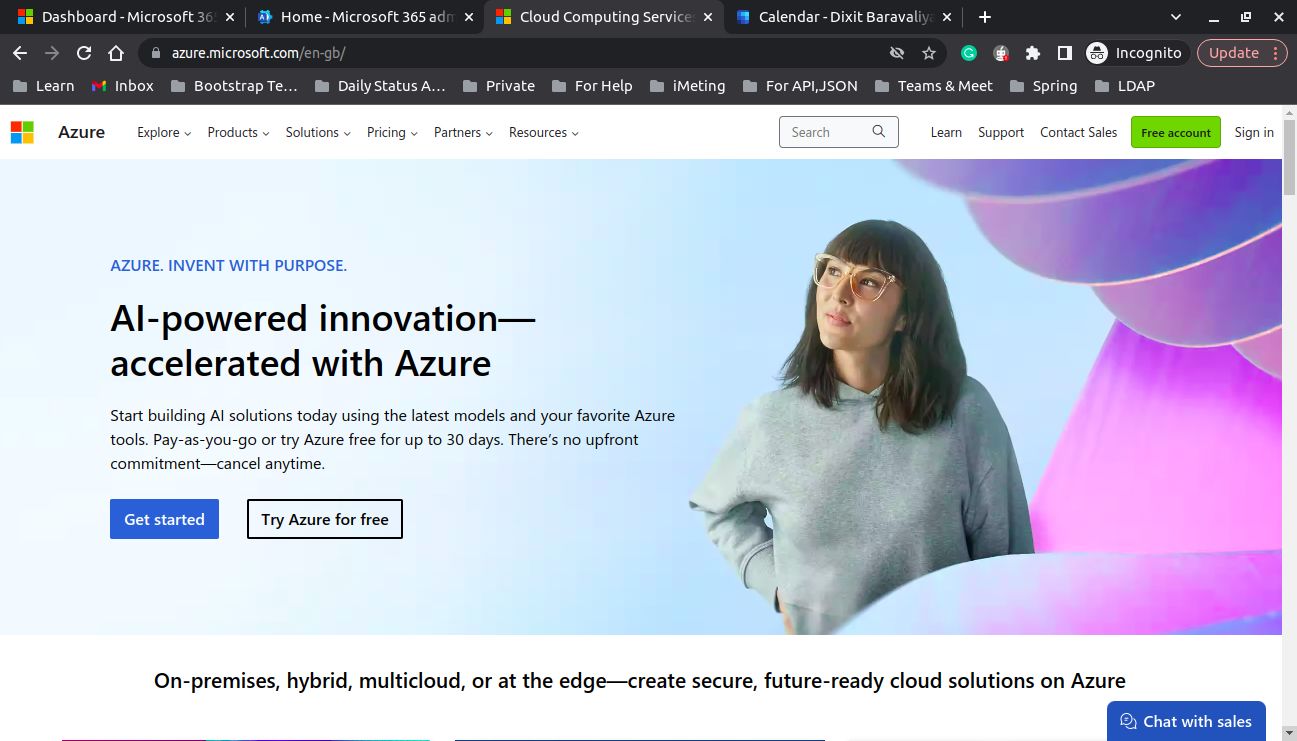
8. Now sign in using the admin email address. After signing in you can see the home page like below.
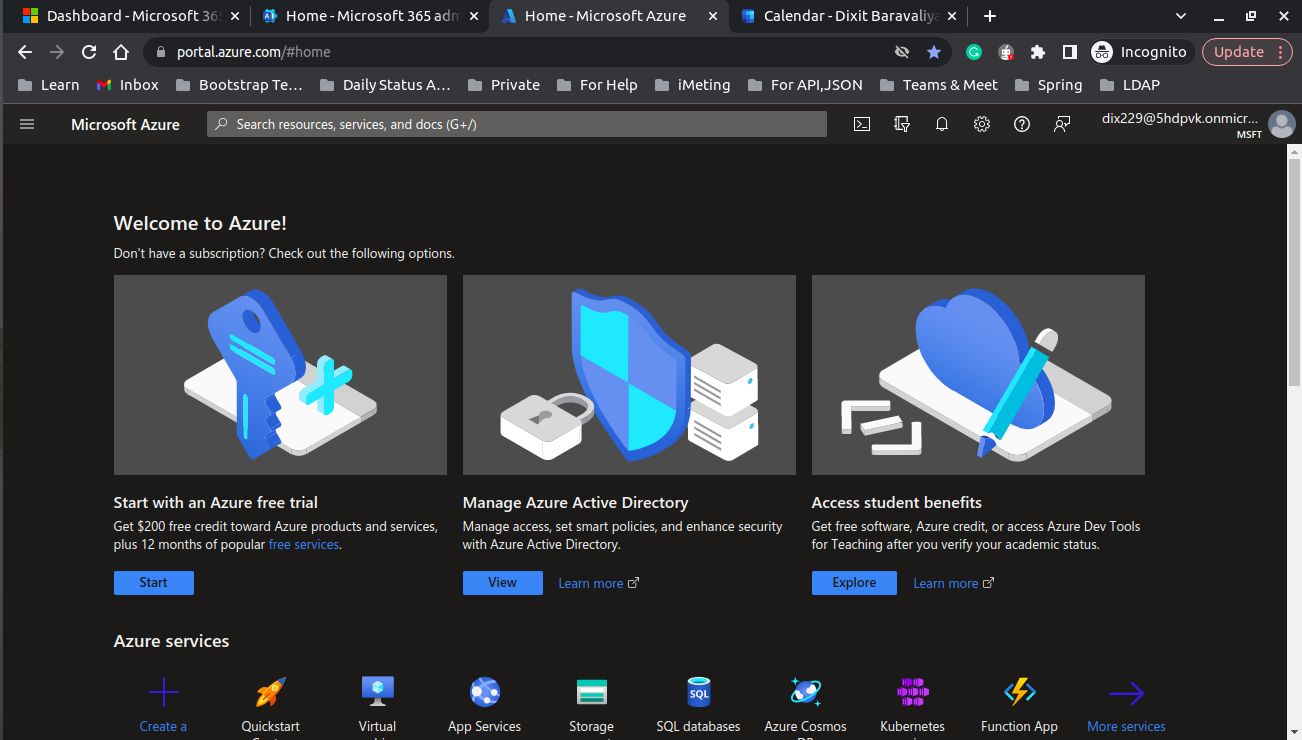
9. Now go to “Manage Azure Active Directory” using the “View” button.
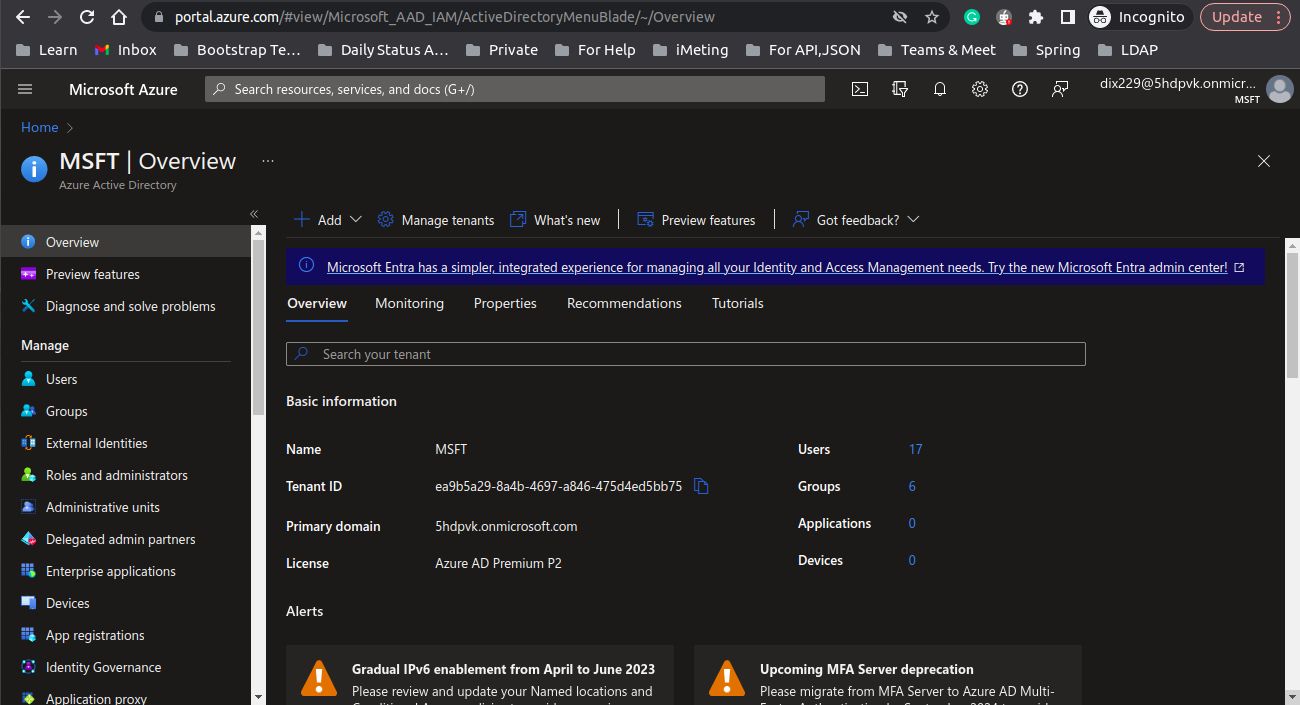
10. Now go to “App registrations”. And create an app using “New registration”.
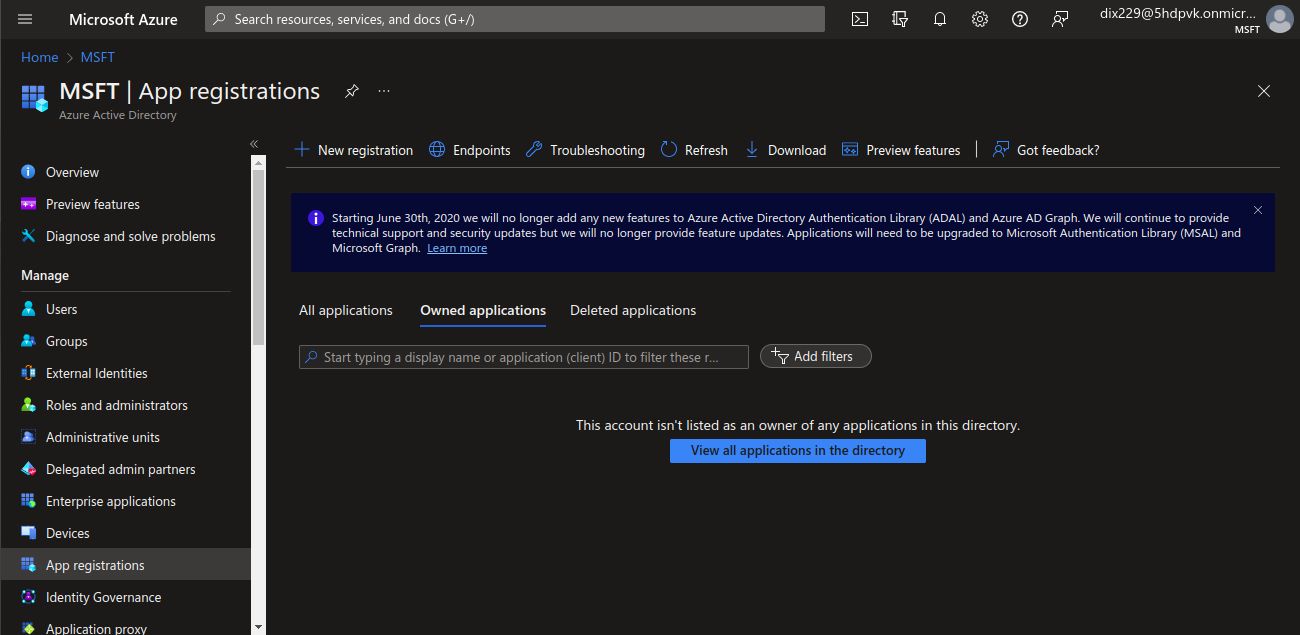
11. Now enter your app name and select Supported Account types as “Accounts in any organizational directory (Any Azure AD directory - Multitenant) and personal Microsoft accounts (e.g. Skype, Xbox)” and leave Redirect URI as blank.
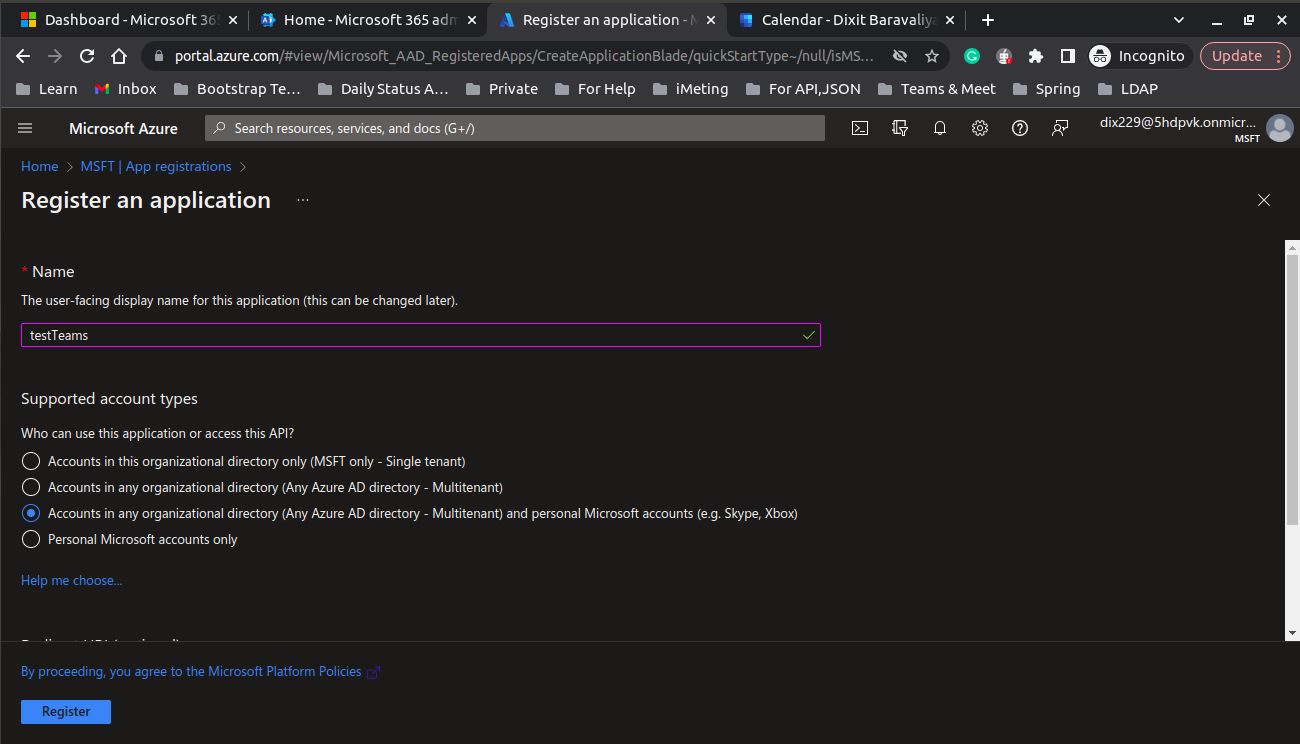
12. After successful registration, you can see the below page.
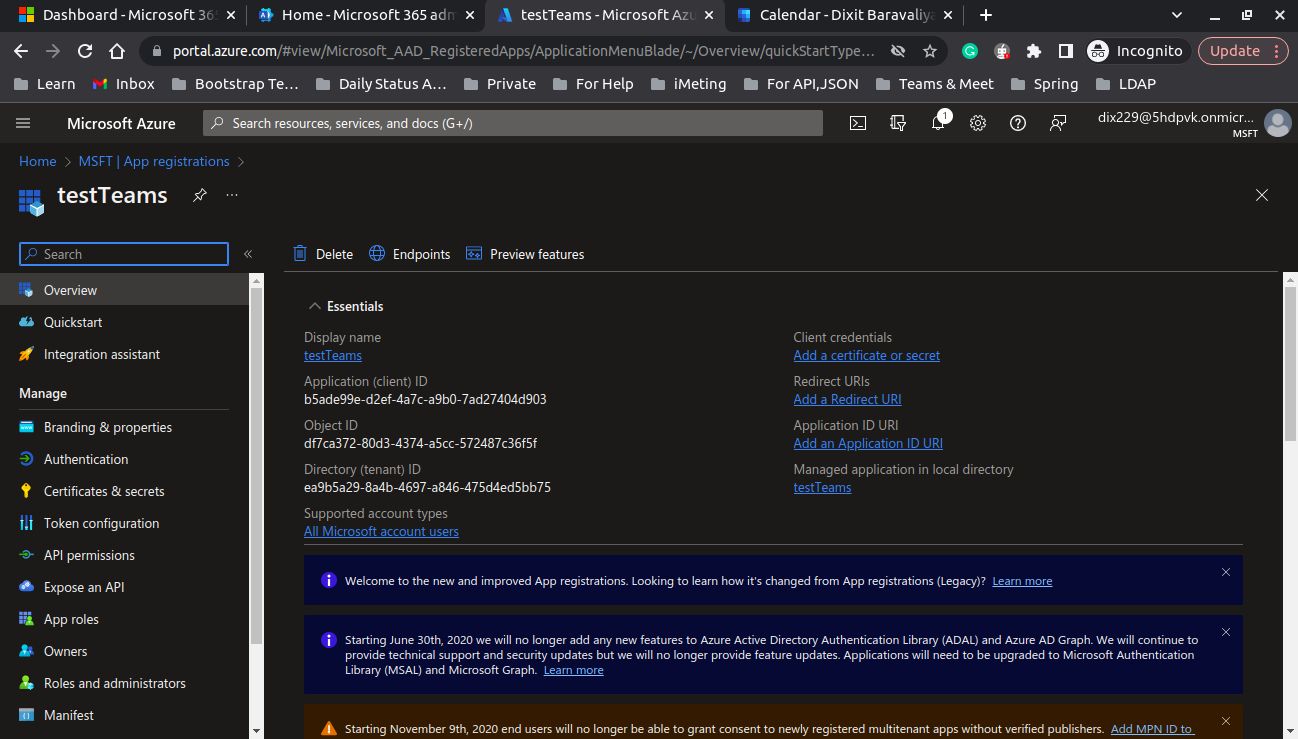
13. The next step is to collect some information and store it: ClientId and TenantId. And go to “Add a certificate or secret”.
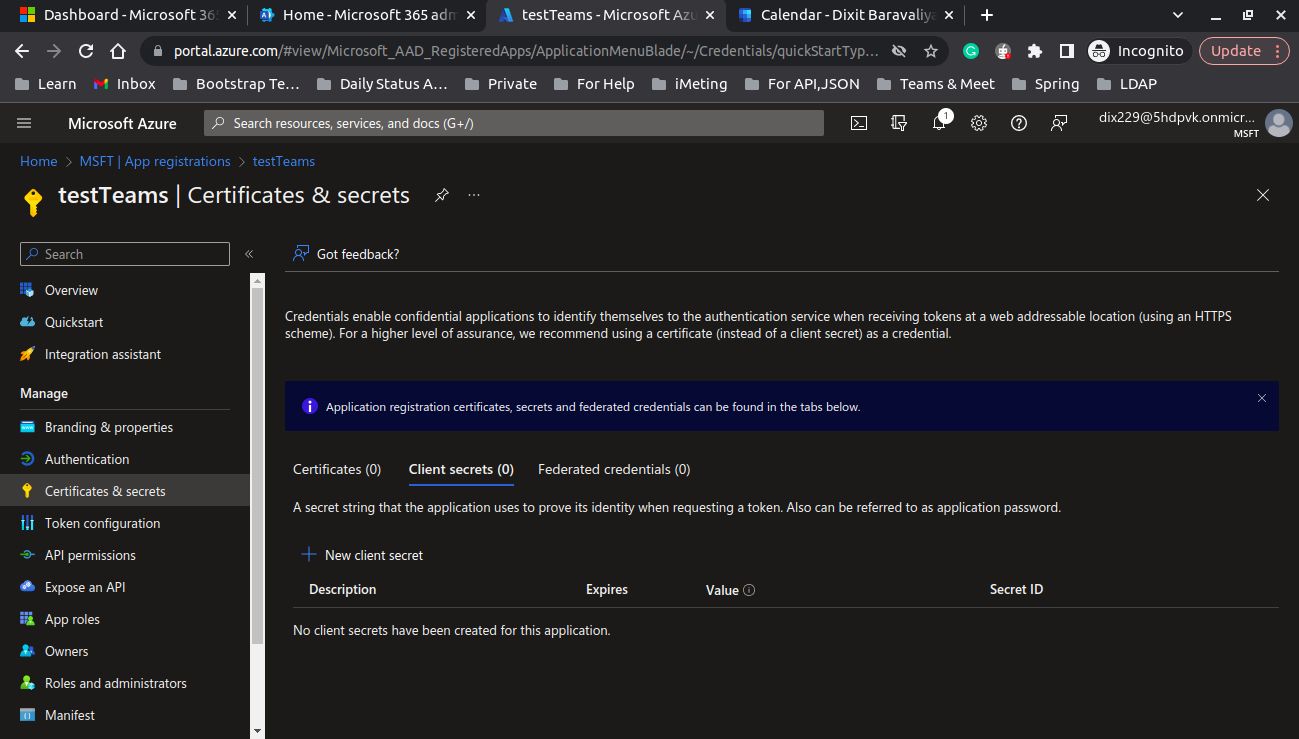
14. Now create a client secret using the “New client secret” button.
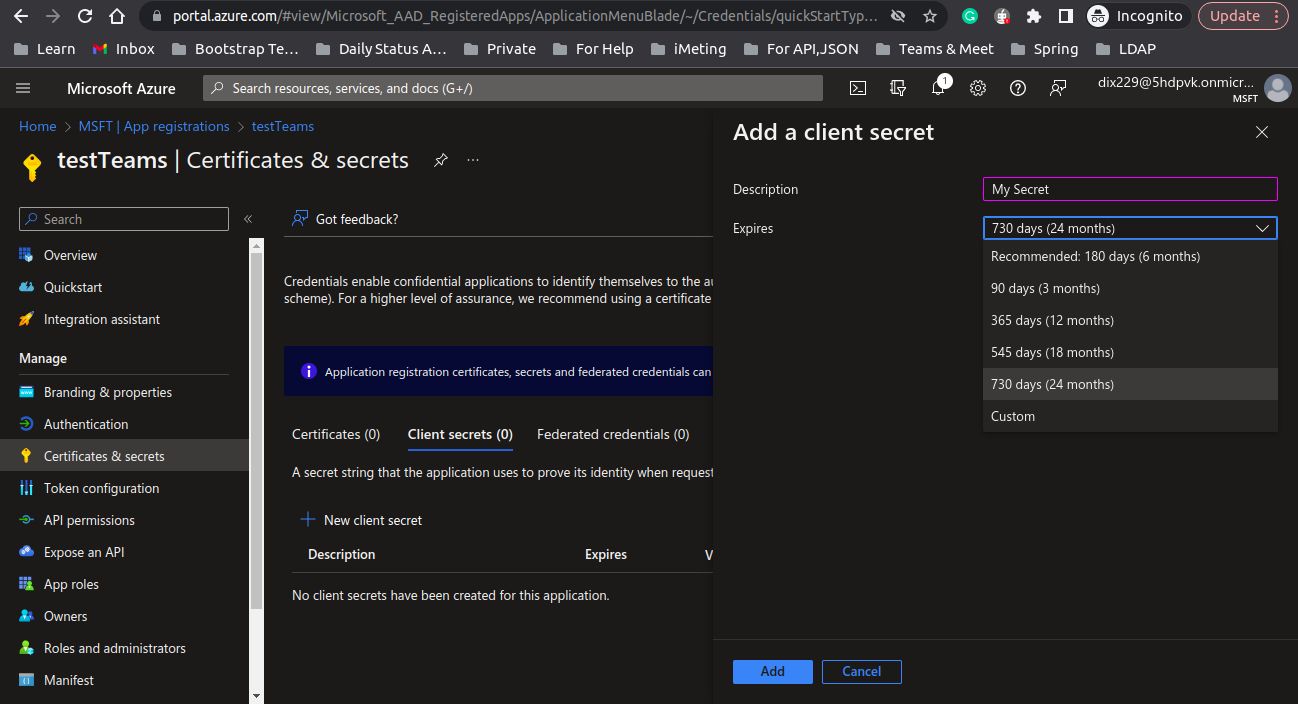
15. Fill in details as per needs. And click on add.
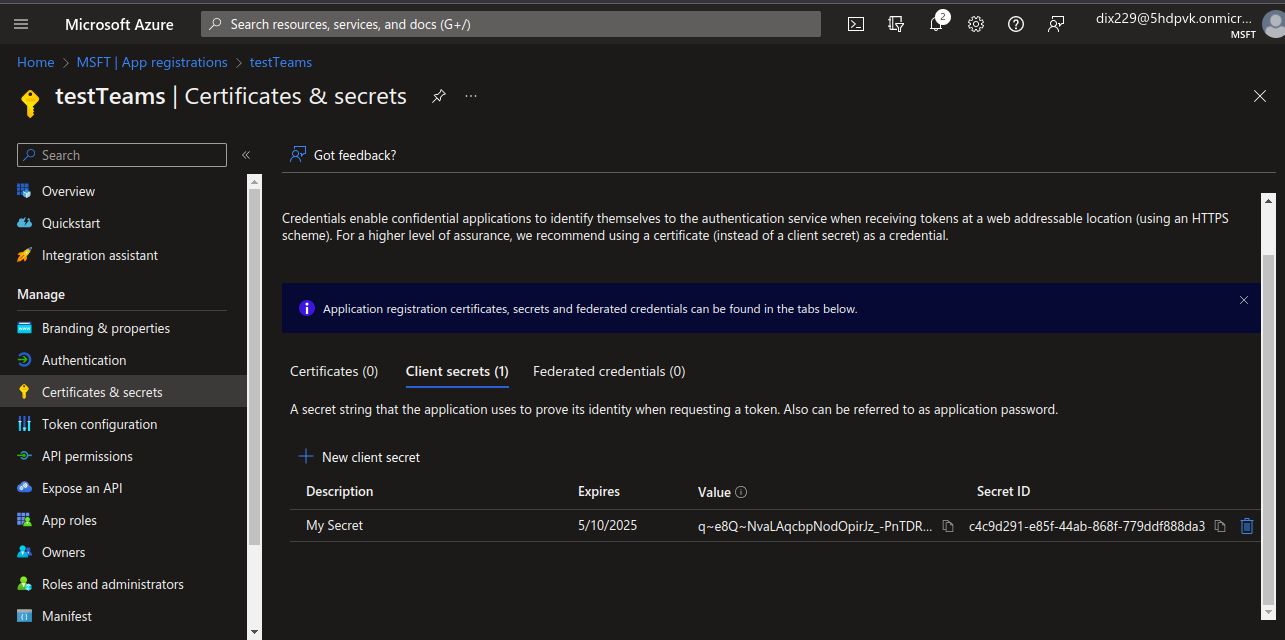
16. Now store the “value” (client secret) of the created client secret because we can’t see it after that.
17. Now go to API permissions from the side panel.
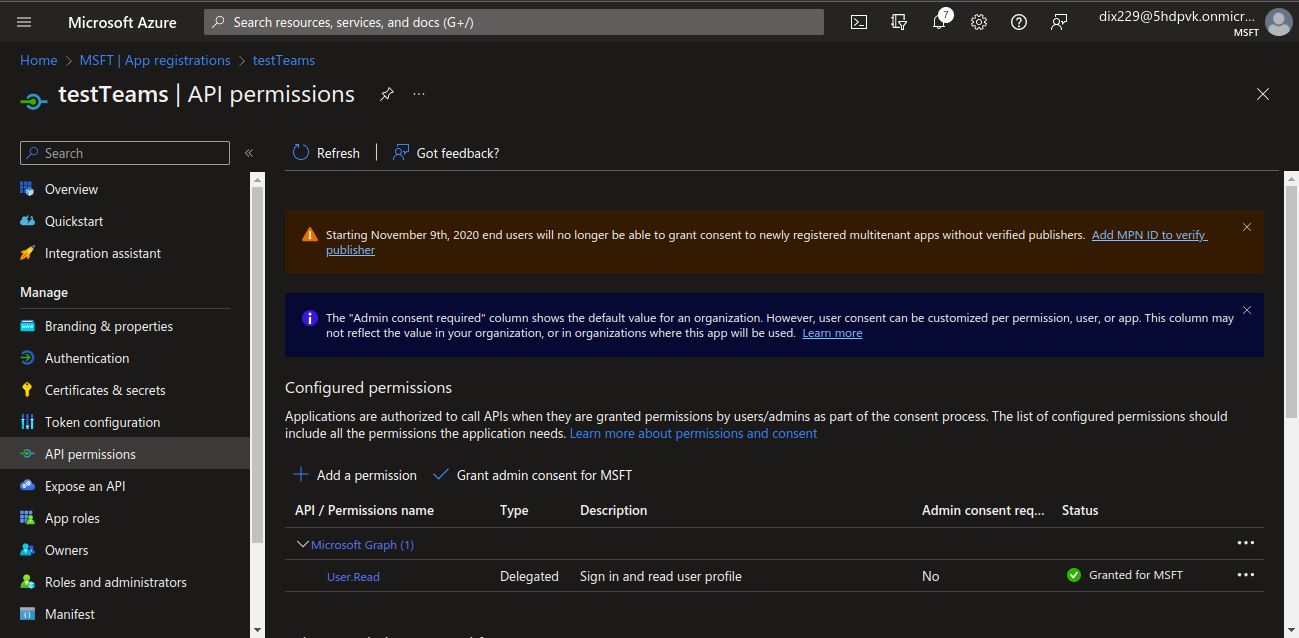
18. Click on “Add a permission”.
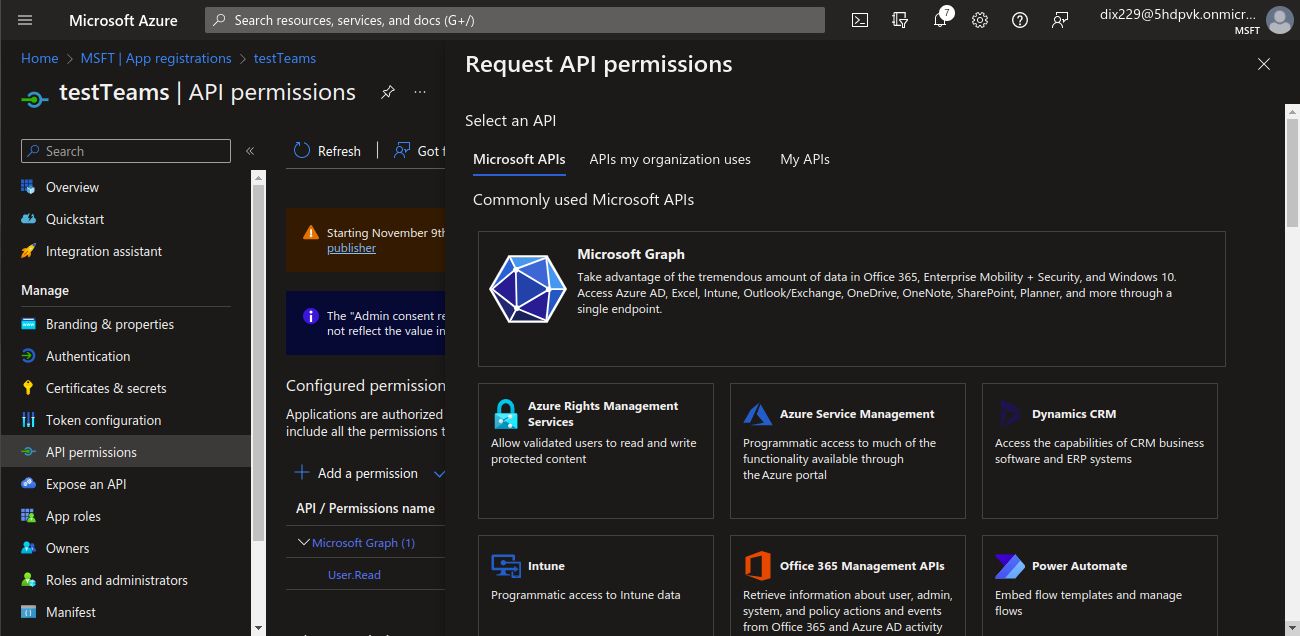
19. Click on “Microsoft Graph” and after that, click on “Delegated permissions”.
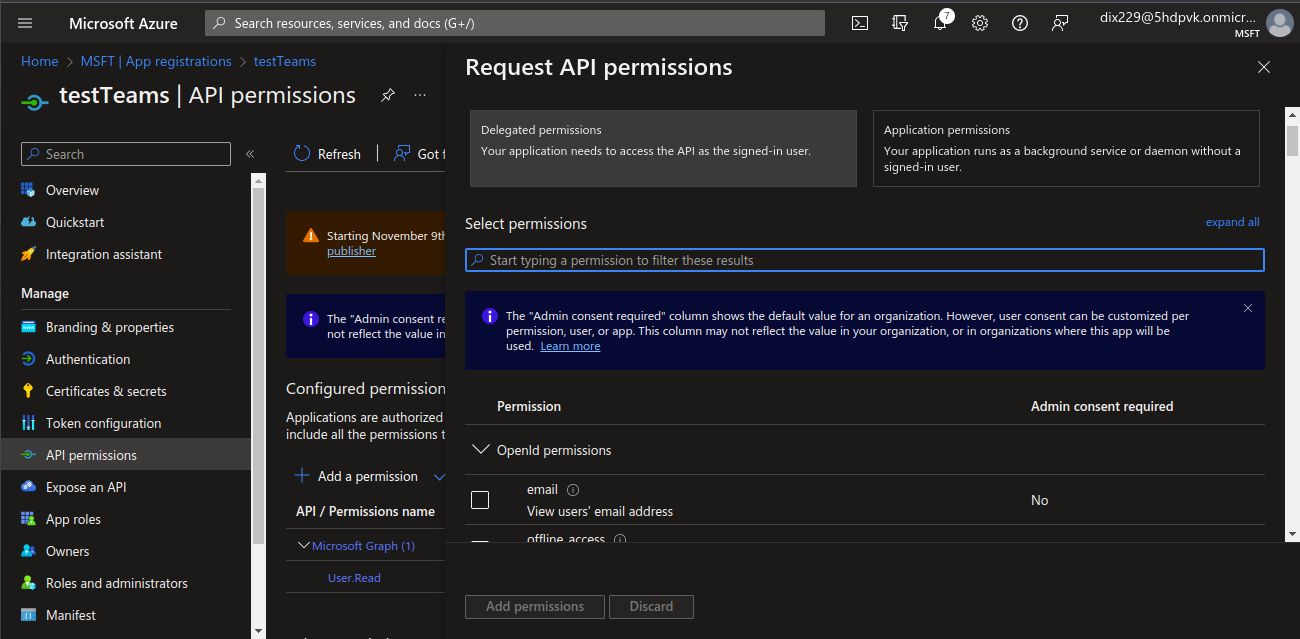
20. Search “calendars” and select all the checkboxes. And click on “Add permissions”.
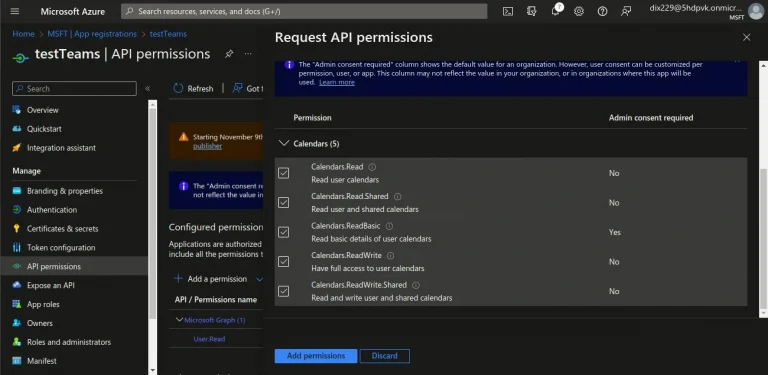
21. Like that, add all permissions as mentioned in the below list.
21.1. Delegated
- Calendars.Read
- Calendars.Read.Shared
- Calendars.ReadBasic
- Calendars.ReadWrite
- Calendars.ReadWrite.Shared
- Mail.Read
- Mail.Read.Shared
- Mail.ReadBasic
- Mail.ReadBasic.Shared
- Mail.ReadWrite
- Mail.ReadWrite.Shared
- Mail.Send
- Mail.Send.Shared
- MailboxSettings.Read
- MailboxSettings.ReadWrite
- OnlineMeetings.Read
- OnlineMeetings.ReadWrite
- User.Read
21.2. Application
- Calendars.Read
- Calendars.ReadBasic.All
- Calendars.ReadWrite
- Mail.Read
- Mail.ReadBasic.All
- Mail.ReadWrite
- Mail.Send
- MailboxSettings.Read
- MailboxSettings.ReadWrite
- OnlineMeetings.Read.All
- OnlineMeetings.ReadWrite.All
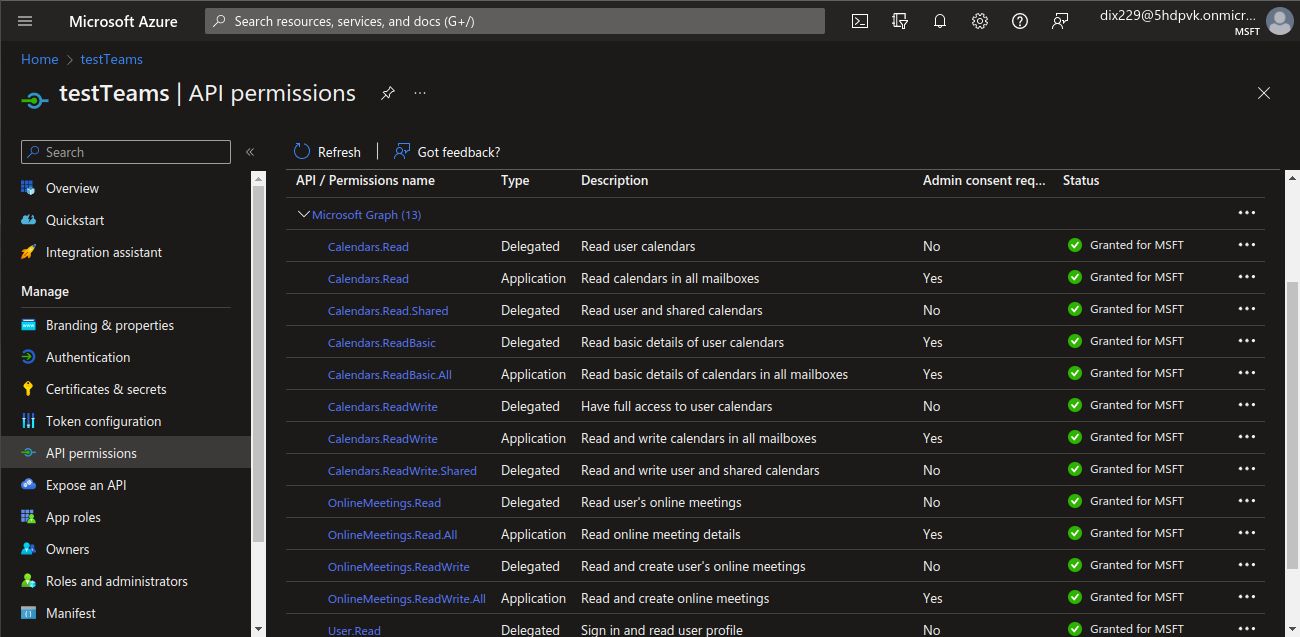
22. Then click on “Grant Admin consent for MSFT” and click on “Yes”.
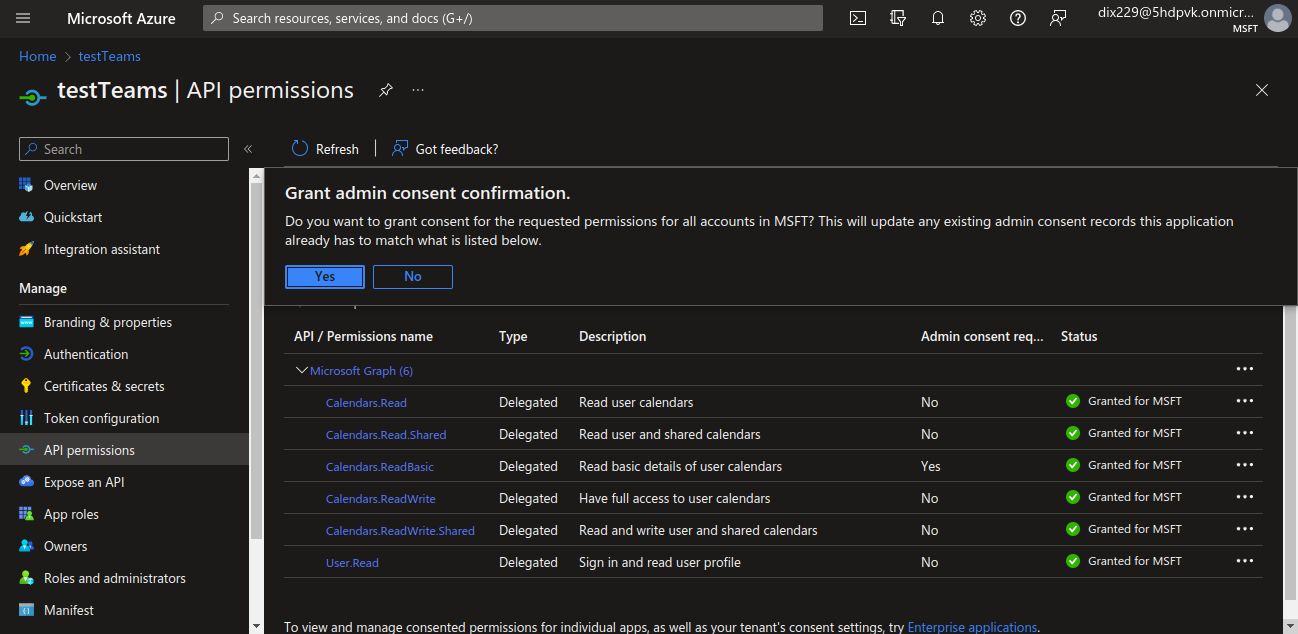
23. Go back one step and you will see the screen below.
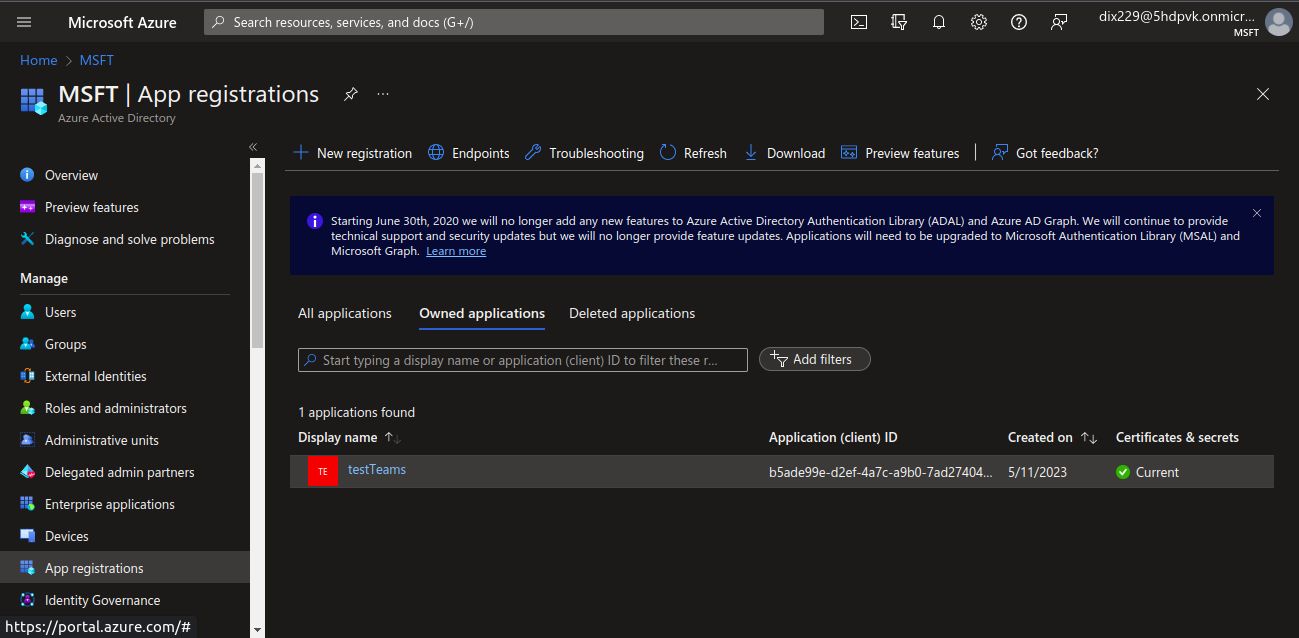
24. From the side panel, select "Users".
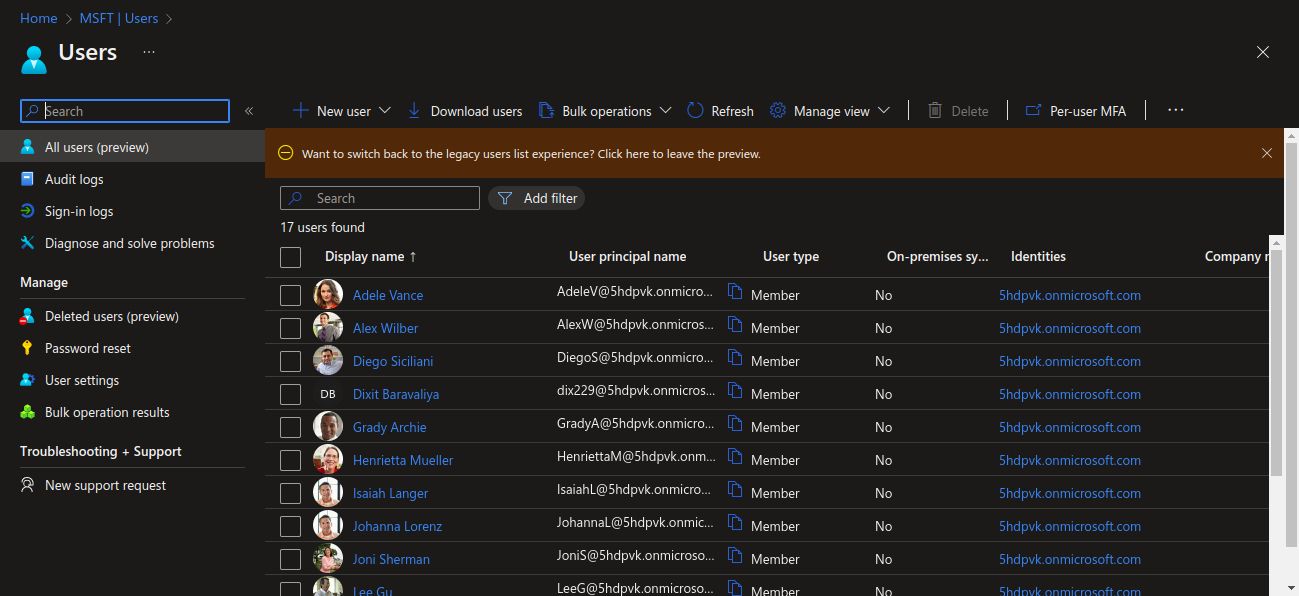
25. Here, click on your name. In my case “Dixit Baravaliya”.
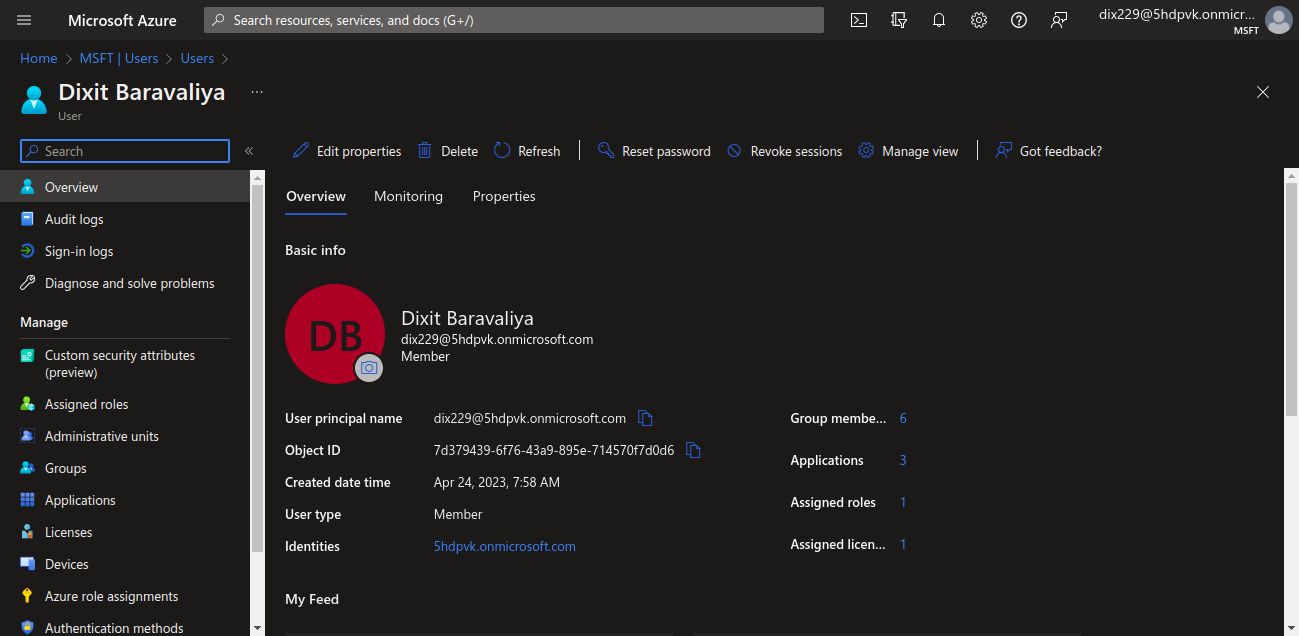
26. Here you can find “Object ID”. Just copy it and store it.
27. Now in the new tab go to “https://admin.microsoft.com/” and sign in with the admin email address.
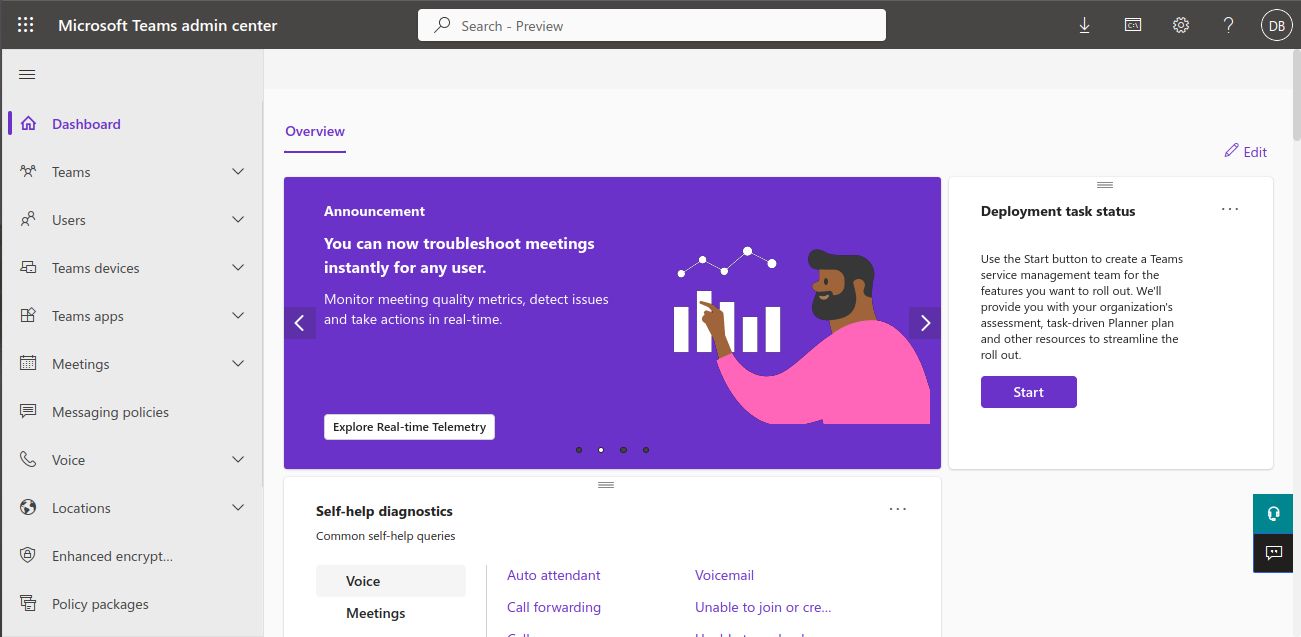
28. Go to Meetings -> Meeting Policies from the side panel.
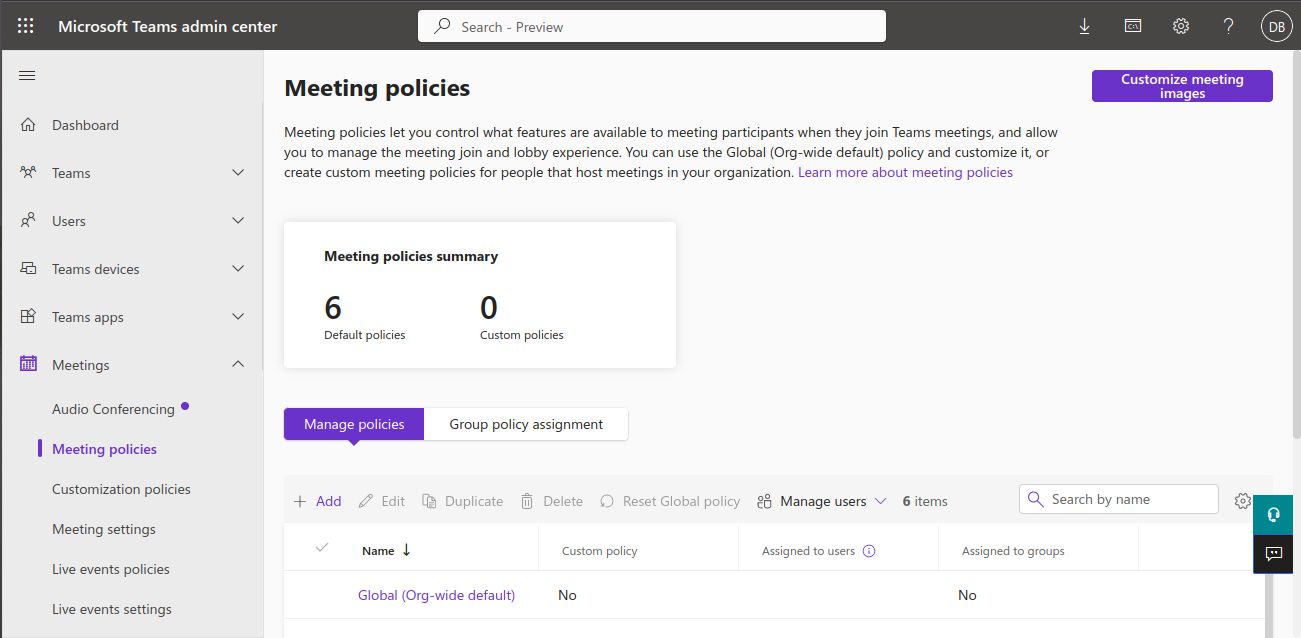
29. Choose "Global (Org-wide default)".
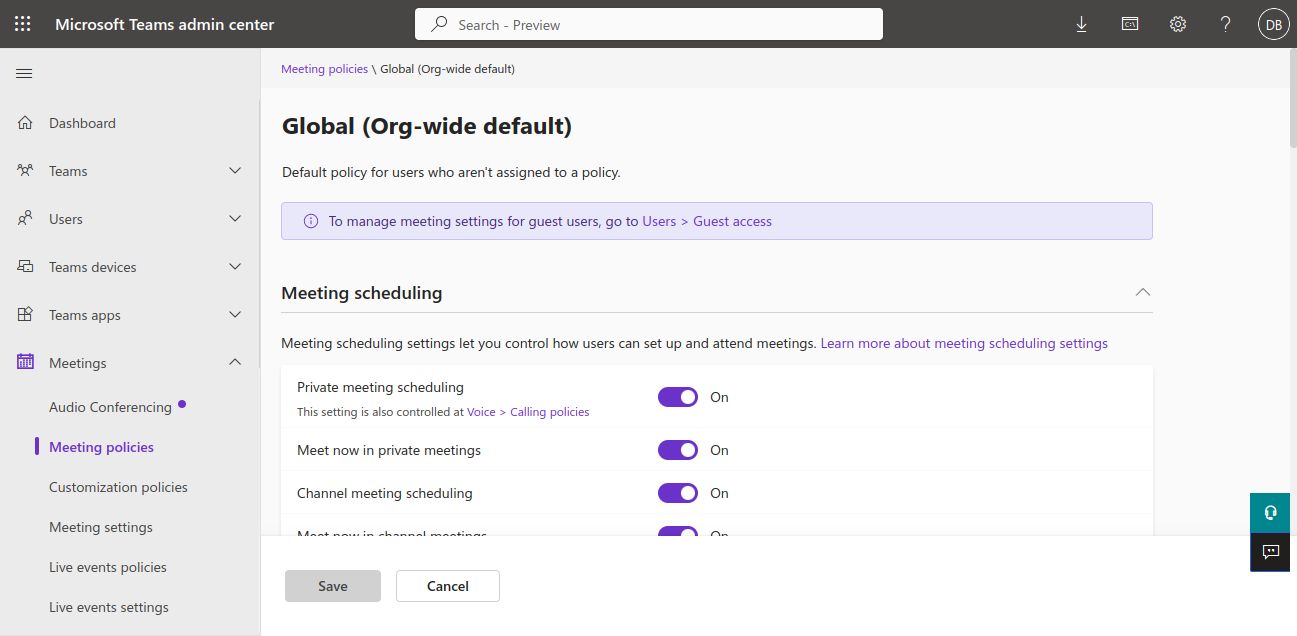
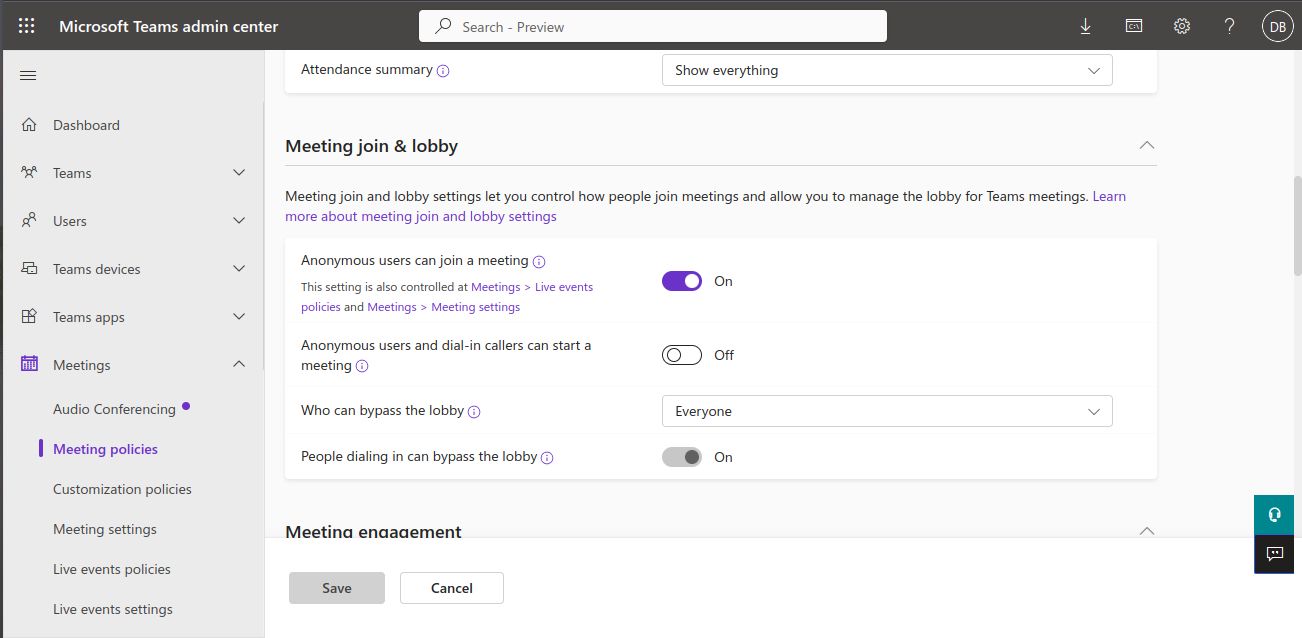
30. Then, in Meeting Join & Lobby -> Who can bypass the lobby, select Everyone. In this way, everyone can join the meeting even if the organizer hasn't given his or her permission.
31. The APIs of Microsoft Graph are ready for use.
Liferay Rest Builder
Here I'm creating one rest builder to perform create, update, get, and delete operations on Microsoft events.
Follow these steps to create a Liferay rest builder and call Microsoft APIs:
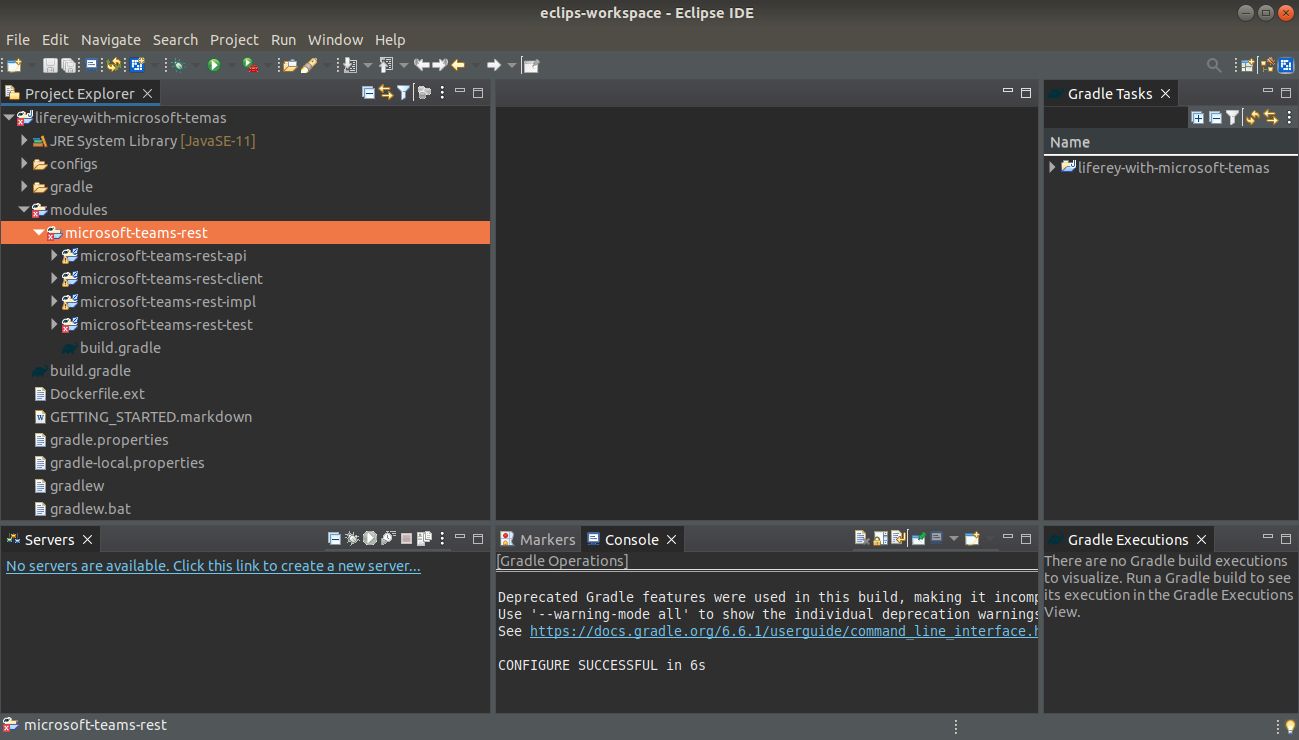
- First, Create Liferay Workspace and a rest builder (If you don’t know how to create a rest builder then take reference from here).
- Here I have created “microsoft-teams-rest” named Rest Builder.
3. Go to the microsoft-teams-rest-impl -> rest-openapi.yaml file and write the below text.
1info:
2    description: "MicrosoftTeamsRest REST API"
3    license:
4        name: "Apache 2.0"
5        url: "http://www.apache.org/licenses/LICENSE-2.0.html"
6    title: "MicrosoftTeamsRest"
7    version: v1.0
8openapi: 3.0.1
9paths:
10  "/update-microsoft-teams-link":
11    post:
12      operationId: updateMicrosoftTeamsLink
13      requestBody:
14        content:
15          application/json:
16            schema:
17              $ref: "#/components/schemas/Teams"
18          application/xml:
19            schema:
20              $ref: "#/components/schemas/Teams"
21      responses:
22        200:
23          content:
24            application/json:
25              schema:
26                $ref: "#/components/schemas/Teams"
27            application/xml:
28              schema:
29                $ref: "#/components/schemas/Teams"
30          description: ""
31      tags: ["Teams"]
32  "/get-microsoft-teams-link":
33    get:
34      operationId: getMicrosoftTeamsLink
35      parameters:
36        - in: query
37          name: eventId
38          required: true
39          schema:
40            type: string
41      responses:
42        200:
43          content:
44            application/json:
45              schema:
46                $ref: "#/components/schemas/Teams"
47            application/xml:
48              schema:
49                $ref: "#/components/schemas/Teams"
50          description: ""
51        404:
52          description: "Teams not found"
53        500:
54          description: "Internal server error"
55      tags: ["Teams"]
56  "/delete-microsoft-teams-link":
57    delete:
58      operationId: deleteMicrosoftTeamsLink
59      parameters:
60        - in: query
61          name: eventId
62          required: true
63          schema:
64            type: string
65      responses:
66        200:
67          content:
68            application/json:
69              schema:
70                $ref: "#/components/schemas/Teams"
71            application/xml:
72              schema:
73                $ref: "#/components/schemas/Teams"
74          description: ""
75      tags: ["Teams"]
76components:
77  schemas:
78    Teams:
79      description: adding or updating microsoft teams link
80      properties:
81        eventId:
82          description: The eventId.
83          type: string
84        title:
85          description: The title.
86          type: string
87        description:
88          description: The description.
89          type: string
90        setDate:
91          description: The setDate in "yyyy-MM-dd HH:mm" format.
92          type: string
93        endDate:
94          description: The endDate in "yyyy-MM-dd HH:mm" format.
95          type: string
96        timeZone:
97          description: The timeZone.
98          type: string
99        location:
100          description: The location.
101          type: string
102        teamsLink:
103          description: The teamsLink.
104          type: string
105        emailAddress:
106          description: The emailAddress.
107          type: array
108          items:
109            type: string
110        status:
111            $ref: "#/components/schemas/Status"
112    Status:
113      properties:
114        statusMessage:
115          type: string
116        statusCode:
117          type: integer
118
4. Now, build rest of it, and you will see the below files. Open the “TeamsResourceImpl” file.
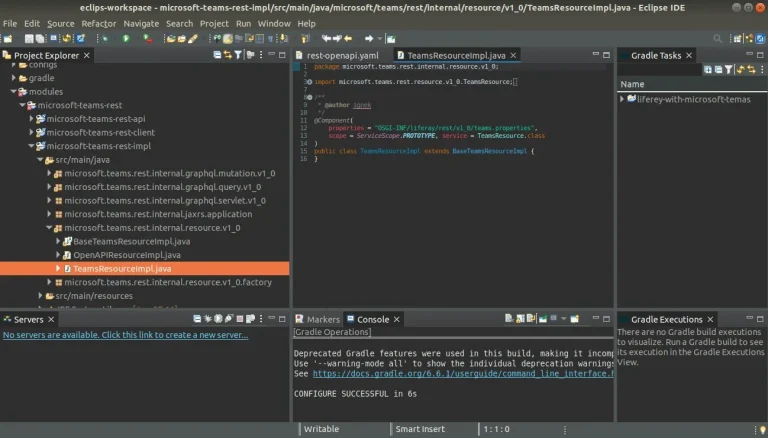
5. Add methods in the “TeamsResourceImpl” class file (updateMicrosoftTeamsLink, getMicrosoftTeamsLink, and deleteMicrosoftTeamsLink).
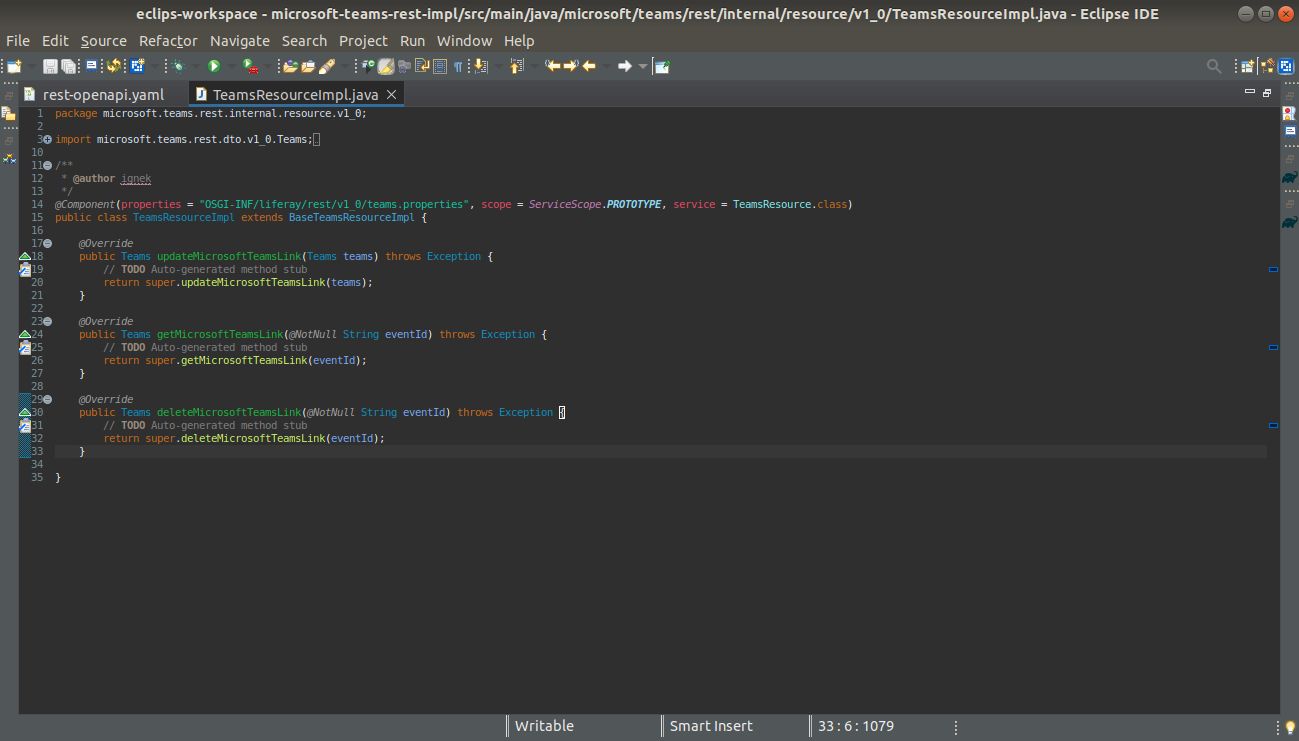
6. Now go to modules -> microsoft-teams-rest -> microsoft-teams-rest-impl -> build.gradle. And replace with below lines.
1dependencies {
2	compile project(":modules:microsoft-teams-rest:microsoft-teams-rest-api")
3
4	compileOnly group: "com.liferay.portal", name: "release.portal.api"
5	compileOnly group: "javax.annotation", name: "javax.annotation-api", version: "1.3.2"
6    compileOnly group: "javax.validation", name: "validation-api", version: "2.0.1.Final"
7    compileOnly group: "javax.ws.rs", name: "javax.ws.rs-api"
8	compile group: 'org.apache.httpcomponents', name: 'httpclient'
9	compile group: 'org.apache.httpcomponents', name: 'httpcore'
10	implementation group: 'com.google.code.gson', name: 'gson', version: '2.9.0'
11
12	restBuilder group: "com.liferay", name: "com.liferay.portal.tools.rest.builder", version: "1.0.222"
13}
14
15group = "microsoft.teams.rest"
7. Now go to modules -> microsoft-teams-rest -> microsoft-teams-rest-impl -> bnd.bnd (source) file and replace with below lines.
1Bundle-Name: microsoft-teams-rest-impl
2Bundle-SymbolicName: microsoft.teams.rest.impl
3Bundle-Version: 1.0.0
4
5-privatepackage: \
6	com.google.gson.*
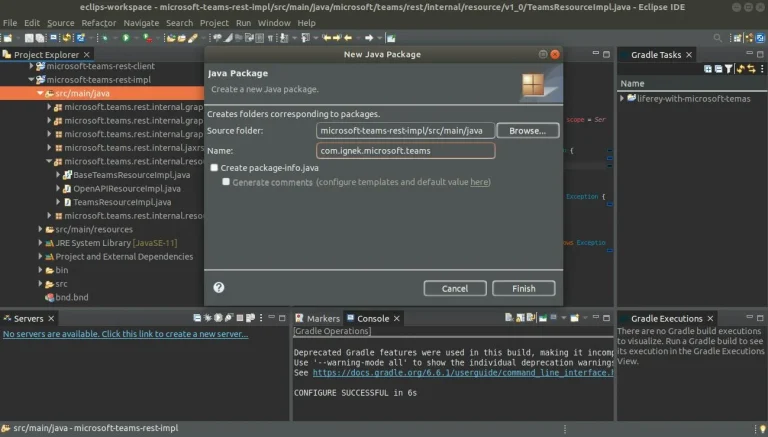
8. Now, create a package “com.ignek.microsoft.teams” in the “microsoft-teams-rest-impl/src/main/java” folder.
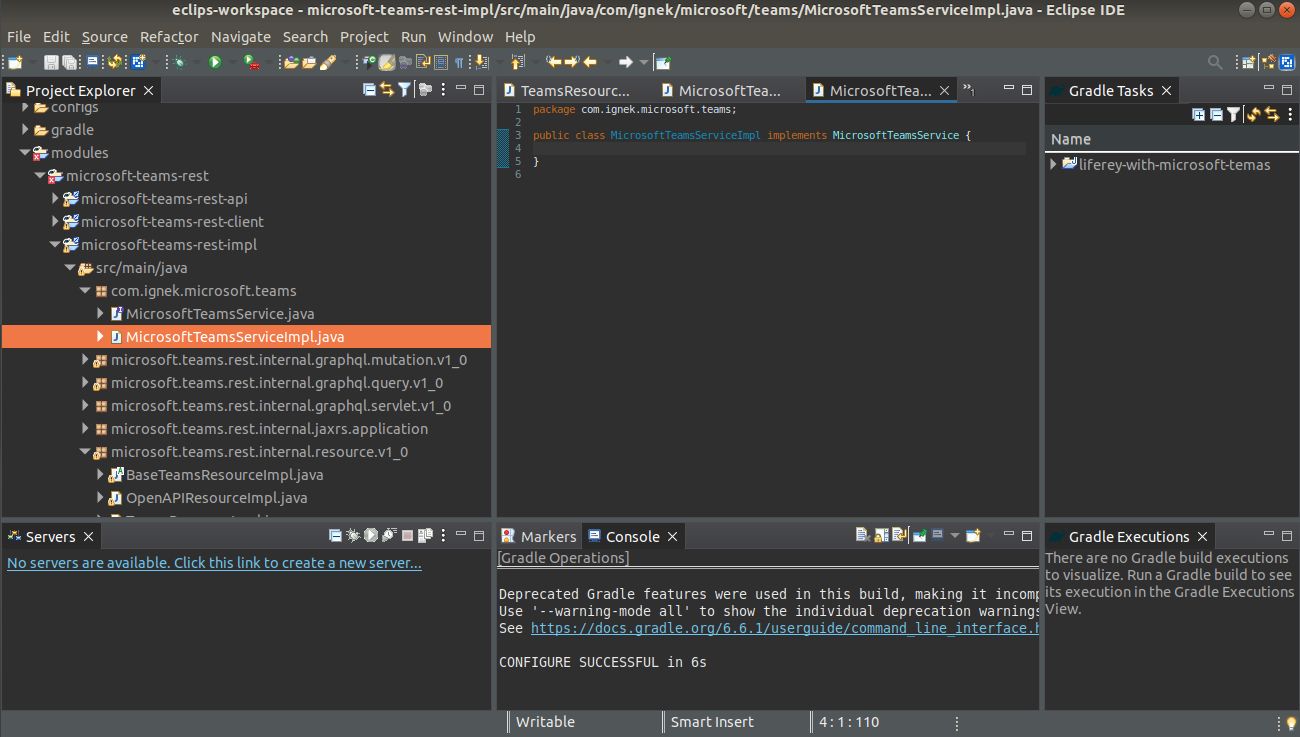
9. Now, add an interface “MicrosoftTeamsService" and a class “MicrosoftTeamsServiceImpl” which implements “MicrosoftTeamsService”.
10. Now, create a package “com.ignek.microsoft.teams.model” in the “microsoft-teams-rest-impl/src/main/java” folder. and create a class “ResponseDTO” that implements serializable.
1package com.ignek.microsoft.teams.model;
2
3import java.io.Serializable;
4
5import javax.ws.rs.core.Response;
6
7public class ResponseDTO implements Serializable {
8
9	protected static Response.Status STATUS_OK = Response.Status.OK;
10	protected static Response.Status STATUS_ERROR = Response.Status.INTERNAL_SERVER_ERROR;
11
12	private final int status;
13	private final String message;
14
15	private ResponseDTO(int status, String message) {
16		this.status = status;
17		this.message = message;
18	}
19
20	protected ResponseDTO(Response.Status status) {
21		this(status.getStatusCode(), status.getReasonPhrase());
22	}
23
24	protected ResponseDTO(Response.Status status, String message) {
25		this(status.getStatusCode(), status.getReasonPhrase() + ": " + message);
26	}
27
28	public static ResponseDTO ok() {
29		return new ResponseDTO(STATUS_OK);
30	}
31
32	public static ResponseDTO fail() {
33		return new ResponseDTO(STATUS_ERROR);
34	}
35
36	public static ResponseDTO error(String message) {
37		return new ResponseDTO(STATUS_ERROR, message);
38	}
39
40	public int getStatus() {
41		return status;
42	}
43
44	public String getMessage() {
45		return message;
46	}
47
48}
11. Now, In the same package “com.ignek.microsoft.teams.model” create a class “MicrosoftTeamsResponse” that extends ResponseDTO.
1package com.ignek.microsoft.teams.model;
2
3import com.liferay.petra.string.StringPool;
4
5public class MicrosoftTeamsResponse extends ResponseDTO {
6
7	private final String eventId;
8	private final String link;
9
10	private MicrosoftTeamsResponse(String link, String eventId) {
11		super(STATUS_OK);
12		this.eventId = eventId;
13		this.link = link;
14	}
15
16	private MicrosoftTeamsResponse(String message) {
17		super(STATUS_ERROR, message);
18		this.eventId = StringPool.BLANK;
19		this.link = StringPool.BLANK;
20	}
21
22	public static MicrosoftTeamsResponse of(String link, String eventId) {
23		return new MicrosoftTeamsResponse(link, eventId);
24	}
25
26	public static MicrosoftTeamsResponse fail(String message) {
27		return new MicrosoftTeamsResponse(message);
28	}
29
30	public String getEventId() {
31		return eventId;
32	}
33
34	public String getLink() {
35		return link;
36	}
37
38}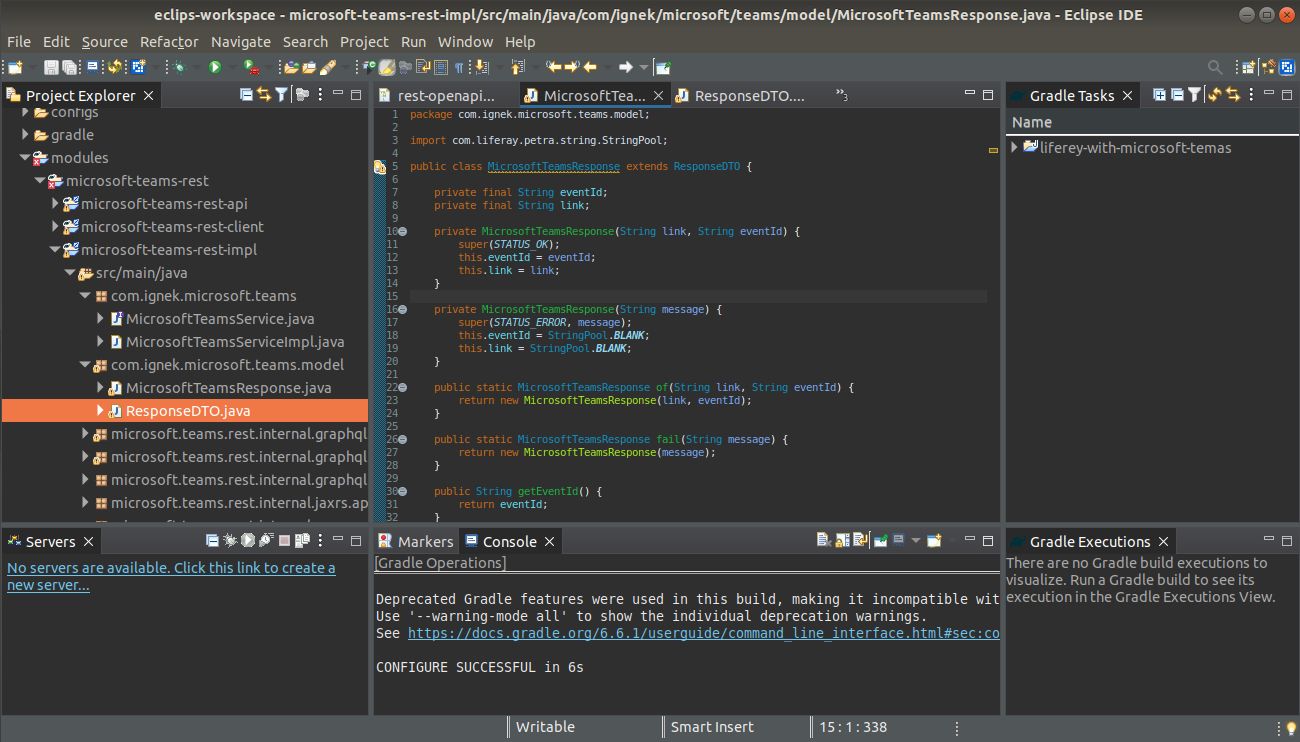
12. Now, create a package “com.ignek.http.client.methods” in the “microsoft-teams-rest-impl/src/main/java” folder. and create an interface “HTTPRequestService” and a class “HTTPRequestServiceImpl” that implements “HTTPRequestService”.
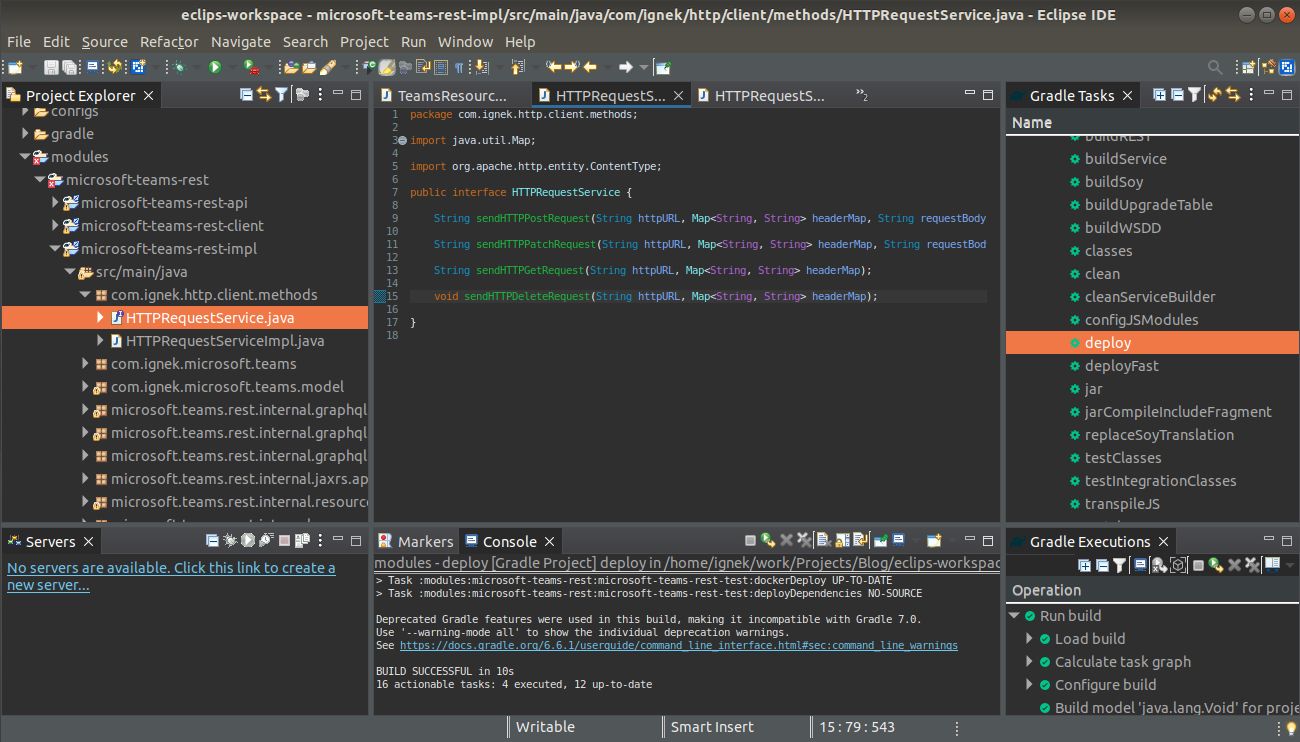
13. In "HTTPRequestService”, add the below code.
1package com.ignek.http.client.methods;
2
3import java.util.Map;
4
5import org.apache.http.entity.ContentType;
6
7public interface HTTPRequestService {
8
9	String sendHTTPPostRequest(String httpURL, Map<String, String> headerMap, String requestBody, ContentType contentType);
10
11	String sendHTTPPatchRequest(String httpURL, Map<String, String> headerMap, String requestBody, ContentType contentType);
12
13	String sendHTTPGetRequest(String httpURL, Map<String, String> headerMap);
14
15	void sendHTTPDeleteRequest(String httpURL, Map<String, String> headerMap);
16
17}
14. In "HTTPRequestServiceImpl”, add the below code.
1package com.ignek.http.client.methods;
2
3import java.util.Map;
4
5import org.apache.http.HttpEntity;
6import org.apache.http.HttpResponse;
7import org.apache.http.client.methods.HttpDelete;
8import org.apache.http.client.methods.HttpGet;
9import org.apache.http.client.methods.HttpPatch;
10import org.apache.http.client.methods.HttpPost;
11import org.apache.http.client.methods.HttpUriRequest;
12import org.apache.http.entity.ContentType;
13import org.apache.http.entity.StringEntity;
14import org.apache.http.impl.client.CloseableHttpClient;
15import org.apache.http.impl.client.HttpClientBuilder;
16import org.apache.http.util.EntityUtils;
17import org.osgi.service.component.annotations.Component;
18
19import com.liferay.petra.string.StringPool;
20import com.liferay.portal.kernel.log.Log;
21import com.liferay.portal.kernel.log.LogFactoryUtil;
22import com.liferay.portal.kernel.util.Validator;
23
24@Component(immediate = true, service = HTTPRequestService.class)
25public class HTTPRequestServiceImpl implements HTTPRequestService {
26
27	@Override
28	public String sendHTTPPostRequest(String httpURL, Map<String, String> headerMap, String requestBody, ContentType contentType) {
29		HttpPost httpPost = new HttpPost(httpURL);
30		HttpEntity entity = new StringEntity(requestBody, contentType);
31		httpPost.setEntity(entity);
32		return sendHTTPRequest(httpPost, headerMap);
33	}
34
35	@Override
36	public String sendHTTPPatchRequest(String httpURL, Map<String, String> headerMap, String requestBody, ContentType contentType) {
37		HttpPatch httpPatch = new HttpPatch(httpURL);
38		HttpEntity entity = new StringEntity(requestBody, contentType);
39		httpPatch.setEntity(entity);
40		return sendHTTPRequest(httpPatch, headerMap);
41	}
42
43	@Override
44	public String sendHTTPGetRequest(String httpURL, Map<String, String> headerMap) {
45		HttpGet httpGet = new HttpGet(httpURL);
46		return sendHTTPRequest(httpGet, headerMap);
47	}
48
49	@Override
50	public void sendHTTPDeleteRequest(String httpURL, Map<String, String> headerMap) {
51		HttpDelete httpDelete = new HttpDelete(httpURL);
52		sendHTTPRequest(httpDelete, headerMap);
53	}
54
55	private String sendHTTPRequest(HttpUriRequest httpUriRequest, Map<String, String> headerMap) {
56		try (CloseableHttpClient client = HttpClientBuilder.create().build()) {
57			headerMap.forEach((key, value) -> {
58				httpUriRequest.setHeader(key, value);
59			});
60			HttpResponse response = client.execute(httpUriRequest);
61			return Validator.isNotNull(response) ? EntityUtils.toString(response.getEntity()) : StringPool.BLANK;
62		} catch (Exception e) {
63			log.error(e.getMessage(), e);
64		}
65		return StringPool.BLANK;
66	}
67
68	private static final Log log = LogFactoryUtil.getLog(HTTPRequestServiceImpl.class);
69
70}
15. Now, go to the “MicrosoftTeamsService” file. And write the below code.
1package com.ignek.microsoft.teams;
2
3import com.ignek.microsoft.teams.model.MicrosoftTeamsResponse;
4
5public interface MicrosoftTeamsService {
6
7	MicrosoftTeamsResponse updateMicrosoftTeamsEvent(String eventId, String title, String location, String[] emails, String description, String startTime, String endTime, String timeZone);
8
9	String getMicrosoftTeamsLink(String eventId);
10
11	void deleteMicrosoftTeamsEvent(String eventId);
12
13}
16. Now, go to the “MicrosoftTeamsServiceImpl” file. And write the below code.
1package com.ignek.microsoft.teams;
2
3import java.io.Serializable;
4import java.util.Arrays;
5import java.util.HashMap;
6import java.util.Map;
7
8import org.apache.http.entity.ContentType;
9import org.osgi.service.component.annotations.Component;
10import org.osgi.service.component.annotations.Reference;
11
12import com.google.gson.Gson;
13import com.google.gson.JsonObject;
14import com.ignek.http.client.methods.HTTPRequestService;
15import com.ignek.microsoft.teams.model.MicrosoftTeamsResponse;
16import com.liferay.petra.string.StringPool;
17import com.liferay.portal.kernel.json.JSONArray;
18import com.liferay.portal.kernel.json.JSONFactoryUtil;
19import com.liferay.portal.kernel.json.JSONObject;
20import com.liferay.portal.kernel.log.Log;
21import com.liferay.portal.kernel.log.LogFactoryUtil;
22import com.liferay.portal.kernel.util.Validator;
23
24@Component(immediate = true, service = MicrosoftTeamsService.class)
25public class MicrosoftTeamsServiceImpl implements MicrosoftTeamsService {
26
27	@Reference
28	private HTTPRequestService httpRequestService;
29
30	@Override
31	public MicrosoftTeamsResponse updateMicrosoftTeamsEvent(String eventId, String title, String location, String[] emails, String description, String startTime, String endTime, String timeZone) {
32		Map<String, String> headerMap = new HashMap<>();
33		try {
34			eventId = eventId.replace(StringPool.QUOTE, StringPool.BLANK);
35			String accessToken = getAccessToken();
36			String httpURL = MICROSOFT_CREATE_EVENT_URL.replace("${objectId}", OBJECT_ID)
37					+ (Validator.isNotNull(eventId) ? StringPool.SLASH + eventId : StringPool.BLANK);
38			headerMap.put("Host", "graph.microsoft.com");
39			headerMap.put("Authorization", "Bearer " + accessToken.replace(StringPool.QUOTE, StringPool.BLANK));
40			headerMap.put("Content-type", ContentType.APPLICATION_JSON.toString());
41			String requestBody = createRequestBody(title, location, emails, description, startTime, endTime, timeZone);
42
43			String responceBody = Validator.isNotNull(eventId)
44				? httpRequestService.sendHTTPPatchRequest(httpURL, headerMap, requestBody, ContentType.APPLICATION_JSON)
45				: httpRequestService.sendHTTPPostRequest(httpURL, headerMap, requestBody, ContentType.APPLICATION_JSON);
46
47			eventId = getEntityValueFromStringJson(responceBody, "id").replace(StringPool.QUOTE, StringPool.BLANK);
48			String joinURL = getEntityValueFromStringJson(getEntityValueFromStringJson(responceBody, "onlineMeeting"), "joinUrl").replace(StringPool.QUOTE, StringPool.BLANK);
49
50			return MicrosoftTeamsResponse.of(joinURL, eventId);
51		} catch (Exception e) {
52			log.error(e.getMessage(), e);
53			return MicrosoftTeamsResponse.fail(e.getMessage());
54		}
55	}
56
57	@Override
58	public String getMicrosoftTeamsLink(String eventId) {
59		String httpURL = MICROSOFT_CREATE_EVENT_URL.replace("${objectId}", OBJECT_ID) + StringPool.SLASH + eventId;
60		String accessToken = getAccessToken();
61		Map<String, String> headerMap = new HashMap<>();
62		headerMap.put("Host", "graph.microsoft.com");
63		headerMap.put("Authorization", "Bearer " + accessToken.replace(StringPool.QUOTE, StringPool.BLANK));
64		String responceBody = httpRequestService.sendHTTPGetRequest(httpURL, headerMap);
65		return getEntityValueFromStringJson(getEntityValueFromStringJson(responceBody, "onlineMeeting"), "joinUrl").replace(StringPool.QUOTE, StringPool.BLANK);
66	}
67
68	@Override
69	public void deleteMicrosoftTeamsEvent(String eventId) {
70		String httpURL = MICROSOFT_CREATE_EVENT_URL.replace("${objectId}", OBJECT_ID) + StringPool.SLASH + eventId;
71		String accessToken = getAccessToken();
72		Map<String, String> headerMap = new HashMap<>();
73		headerMap.put("Host", "graph.microsoft.com");
74		headerMap.put("Authorization", "Bearer " + accessToken.replace(StringPool.QUOTE, StringPool.BLANK));
75		httpRequestService.sendHTTPDeleteRequest(httpURL, headerMap);
76	}
77
78	private String createRequestBody(String title, String location, String[] emails, String description, String startDate, String endDate, String timeZone) {
79		JSONObject jsonObject = JSONFactoryUtil.createJSONObject();
80		jsonObject.put("subject", title);
81		jsonObject.put("body", createJSONObject(new String[] { "contentType", "content" }, new String[] { "HTML", description }));
82		jsonObject.put("start", createJSONObject(new String[] { "dateTime", "timeZone" }, new String[] { startDate, timeZone }));
83		jsonObject.put("end", createJSONObject(new String[] { "dateTime", "timeZone" }, new String[] { endDate, timeZone }));
84		jsonObject.put("location", createJSONObject(new String[] { "displayName" }, new String[] { location }));
85		jsonObject.put("isOnlineMeeting", Boolean.TRUE.toString());
86		jsonObject.put("onlineMeetingProvider", "teamsForBusiness");
87		JSONArray array = JSONFactoryUtil.createJSONArray();
88		for (String email : emails) {
89			JSONObject emailAddressObject = JSONFactoryUtil.createJSONObject();
90			emailAddressObject.put("emailAddress", createJSONObject(new String[] { "address" }, new String[] { email }));
91			array.put(emailAddressObject);
92		}
93		jsonObject.put("attendees", array);
94		return jsonObject.toString();
95	}
96
97	private JSONObject createJSONObject(String[] keys, String[] values) {
98		JSONObject jsonObject = JSONFactoryUtil.createJSONObject();
99		for (String key : keys) {
100			jsonObject.put(key, values[Arrays.asList(keys).indexOf(key)]);
101		}
102		return jsonObject;
103	}
104
105	private String getAccessToken() {
106		Map<String, Serializable> requestBodyMap = new HashMap<>();
107		requestBodyMap.put("client_id", CLIENT_ID);
108		requestBodyMap.put("client_secret", CLIENT_SECRET);
109		requestBodyMap.put("grant_type", "client_credentials");
110		requestBodyMap.put("scope", "https://graph.microsoft.com/.default");
111		String postURL = MICROSOFT_TOKEN_URL.replace("${tenantId}", TENANT_ID);
112		Map<String, String> headerMap = new HashMap<>();
113		headerMap.put("Content-type", ContentType.APPLICATION_FORM_URLENCODED.toString());
114		headerMap.put("Host", "login.microsoftonline.com");
115
116		String response = httpRequestService.sendHTTPPostRequest(postURL, headerMap, getRequestBody(requestBodyMap), ContentType.APPLICATION_FORM_URLENCODED);
117		return getEntityValueFromStringJson(response, "access_token");
118	}
119
120	private static String getRequestBody(Map<String, Serializable> map) {
121		return map.toString().replace(StringPool.OPEN_CURLY_BRACE, StringPool.BLANK)
122				.replace(StringPool.CLOSE_CURLY_BRACE, StringPool.BLANK)
123				.replace(StringPool.COMMA + StringPool.SPACE, StringPool.AMPERSAND);
124	}
125
126	private String getEntityValueFromStringJson(String json, String entityName) {
127		Gson gson = new Gson();
128		JsonObject object = gson.fromJson(json, JsonObject.class);
129		return object.get(entityName).toString();
130	}
131
132	private static final String CLIENT_ID = "b5ade99e-d2ef-4a7c-a9b0-7ad27xxxxx";
133	private static final String CLIENT_SECRET = "q~e8Q~NvaLAqcbpNodOpirJz_-PnTDxxxxxx";
134	private static final String TENANT_ID = "ea9b5a29-8a4b-4697-a846-475xxxxx";
135	private static final String OBJECT_ID = "7d379439-6f76-43a9-895e-71xxxxxxx";
136	private static final String MICROSOFT_TOKEN_URL = "https://login.microsoftonline.com/${tenantId}/oauth2/v2.0/token";
137	private static final String MICROSOFT_CREATE_EVENT_URL = "https://graph.microsoft.com/v1.0/users/${objectId}/events";
138	private static final Log log = LogFactoryUtil.getLog(MicrosoftTeamsServiceImpl.class);
139}
17. In above file please change the value of CLIENT_ID, CLIENT_SECRET, TENANT_ID, and OBJECT_ID with your data which we have stored while creating the microsoft account and application.
18. Now, go to the “TeamsResourceImpl” file. And write the below code.
1package microsoft.teams.rest.internal.resource.v1_0;
2
3import javax.validation.constraints.NotNull;
4import javax.ws.rs.core.Response;
5
6import org.osgi.service.component.annotations.Component;
7import org.osgi.service.component.annotations.Reference;
8import org.osgi.service.component.annotations.ServiceScope;
9
10import com.ignek.microsoft.teams.MicrosoftTeamsService;
11import com.ignek.microsoft.teams.model.MicrosoftTeamsResponse;
12
13import microsoft.teams.rest.dto.v1_0.Status;
14import microsoft.teams.rest.dto.v1_0.Teams;
15import microsoft.teams.rest.resource.v1_0.TeamsResource;
16
17/**
18 * @author ignek
19 */
20@Component(properties = "OSGI-INF/liferay/rest/v1_0/teams.properties", scope = ServiceScope.PROTOTYPE, service = TeamsResource.class)
21public class TeamsResourceImpl extends BaseTeamsResourceImpl {
22
23	@Reference
24	private MicrosoftTeamsService microsoftTeamsService;
25
26	@Override
27	public Teams updateMicrosoftTeamsLink(Teams teams) throws Exception {
28
29		String eventId = teams.getEventId();
30		String title = teams.getTitle();
31		String description = teams.getDescription();
32		String location = teams.getLocation();
33		String setDate = teams.getSetDate();
34		String endDate = teams.getEndDate();
35		String timeZone = teams.getTimeZone();
36		String[] emailAddresses = teams.getEmailAddress();
37
38		MicrosoftTeamsResponse microsoftTeamsResponse = microsoftTeamsService.updateMicrosoftTeamsEvent(eventId, title, location, emailAddresses, description, setDate, endDate, timeZone);
39		String teamsLink = microsoftTeamsResponse.getLink();
40		eventId = microsoftTeamsResponse.getEventId();
41
42		Status status = new Status();
43		status.setStatusCode(microsoftTeamsResponse.getStatus());
44		status.setStatusMessage(microsoftTeamsResponse.getMessage());
45		teams.setStatus(status);
46		teams.setEventId(eventId);
47		teams.setTeamsLink(teamsLink);
48
49		return teams;
50	}
51
52	@Override
53	public Teams getMicrosoftTeamsLink(@NotNull String eventId) throws Exception {
54		Teams teams = new Teams();
55		String teamsLink = microsoftTeamsService.getMicrosoftTeamsLink(eventId);
56		teams.setTeamsLink(teamsLink);
57		teams.setEventId(eventId);
58
59		return teams;
60	}
61
62	@Override
63	public Teams deleteMicrosoftTeamsLink(@NotNull String eventId) throws Exception {
64		Teams teams = new Teams();
65		Status status = new Status();
66		try {
67			microsoftTeamsService.deleteMicrosoftTeamsEvent(eventId);
68			status.setStatusCode(Response.Status.OK.getStatusCode());
69			status.setStatusMessage("Deleted Successfully");
70		} catch (Exception e) {
71			status.setStatusCode(Response.Status.INTERNAL_SERVER_ERROR.getStatusCode());
72			status.setStatusMessage(e.getMessage());
73		}
74		teams.setStatus(status);
75
76		return teams;
77	}
78
79}
19. Now, deploy the rest module and you can test the above rest-apis using graphQL.
20. Here, you can find graphQL for adding or updating Microsoft events. For adding an event you have to pass "eventId" as blank and for updating an event you have to pass the eventId of that event.
1mutation ($teams: InputTeams!) {
2  updateMicrosoftTeamsLink(teams: $teams) {
3    eventId
4    teamsLink
5    status {
6      statusCode
7      statusMessage
8    }
9  }
10}
11
12/* Query Variables */
13
14{
15  "teams": {
16    "title": "My first teams link",
17    "description": "test microsoft teams link",
18    "emailAddress": [
19      "test@yopmail.com",
20      "test1@yopmail.com"
21    ],
22    "setDate": "2023-05-16 13:15",
23    "endDate": "2023-05-16 14:15",
24    "eventId": "",
25    "location": "my house",
26    "timeZone": "Pacific Standard Time"
27  }
28}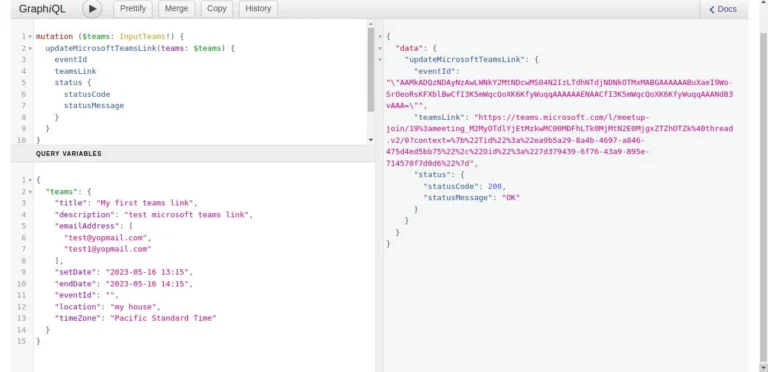
21. Here, you can find graphQL for getting Microsoft event and teams link.
1{
2  microsoftTeamsLink(eventId: "") {
3    teamsLink
4    eventId
5  }
6}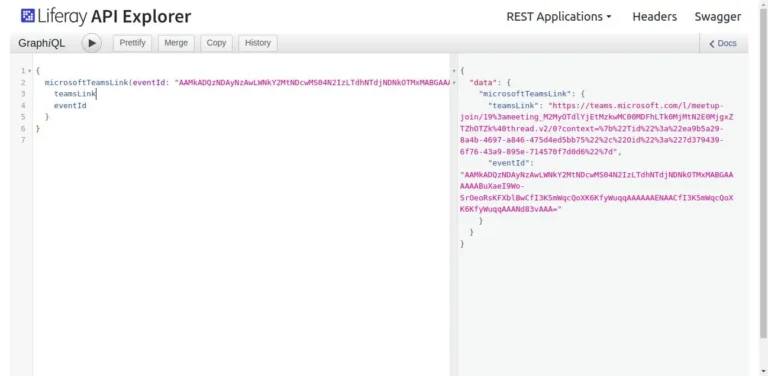
22. Here, you can find graphQL for deleting Microsoft events.
1mutation {
2  deleteMicrosoftTeamsLink(eventId: "") {
3    status {
4      statusCode
5      statusMessage
6    }
7  }
8}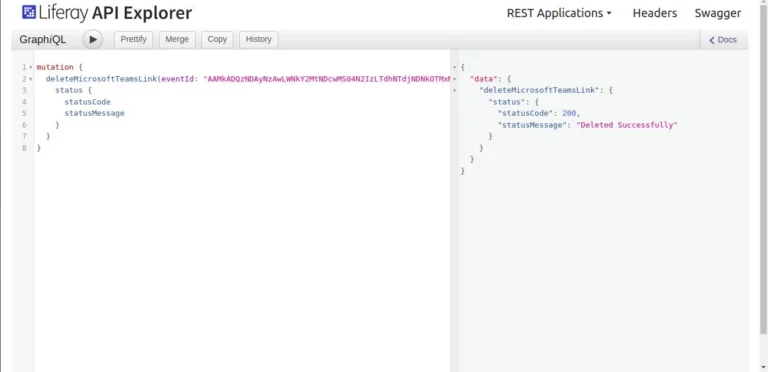
Note*: Microsoft APIs return many parameters in their responses. As an eventId, we are taking "id" and as a team link, we are taking "joinUrl".
Here is an example response:
1{
2    "@odata.context":"https://graph.microsoft.com/v1.0/$metadata#users('cd209b0b-3f83-4c35-82d2-d88a61820480')/events/$entity",
3    "@odata.etag":"W/\"ZlnW4RIAV06KYYwlrfNZvQAALfZeRQ==\"",
4    "id":"AAMkAGI1AAAt8AHjAAA=",
5    "createdDateTime":"2017-04-15T03:00:50.7579581Z",
6    "lastModifiedDateTime":"2017-04-15T03:00:51.245372Z",
7    "changeKey":"ZlnW4RIAV06KYYwlrfNZvQAALfZeRQ==",
8    "categories":[
9    ],
10    "originalStartTimeZone":"Pacific Standard Time",
11    "originalEndTimeZone":"Pacific Standard Time",
12    "iCalUId":"040000008200E00074C5B7101A82E00800000000DA2B357D94B5D201000000000000000010000000EC4597557F0CB34EA4CC2887EA7B17C3",
13    "reminderMinutesBeforeStart":15,
14    "isReminderOn":true,
15    "hasAttachments":false,
16    "hideAttendees": false,
17    "subject":"Let's go brunch",
18    "bodyPreview":"Does noon work for you?",
19    "importance":"normal",
20    "sensitivity":"normal",
21    "isAllDay":false,
22    "isCancelled":false,
23    "isDraft": false,
24    "isOrganizer":true,
25    "responseRequested":true,
26    "seriesMasterId":null,
27    "showAs":"busy",
28    "type":"singleInstance",
29    "webLink":"https://outlook.office365.com/owa/?itemid=AAMkAGI1AAAt9AHjAAA%3D&exvsurl=1&path=/calendar/item",
30    "onlineMeetingUrl":null,
31    "isOnlineMeeting": true,
32    "onlineMeetingProvider": "teamsForBusiness",
33    "allowNewTimeProposals": true,
34    "responseStatus":{
35        "response":"organizer",
36        "time":"0001-01-01T00:00:00Z"
37    },
38    "body":{
39        "contentType":"html",
40        "content":"<html><head></head><body>Does late morning work for you?</body></html>"
41    },
42    "start":{
43        "dateTime":"2017-04-15T11:00:00.0000000",
44        "timeZone":"Pacific Standard Time"
45    },
46    "end":{
47        "dateTime":"2017-04-15T12:00:00.0000000",
48        "timeZone":"Pacific Standard Time"
49    },
50    "location": {
51        "displayName": "Harry's Bar",
52        "locationType": "default",
53        "uniqueId": "Harry's Bar",
54        "uniqueIdType": "private"
55    },
56    "locations": [
57        {
58            "displayName": "Harry's Bar",
59            "locationType": "default",
60            "uniqueIdType": "unknown"
61        }
62    ],
63    "recurrence":null,
64    "attendees":[
65        {
66            "type":"required",
67            "status":{
68                "response":"none",
69                "time":"0001-01-01T00:00:00Z"
70            },
71            "emailAddress":{
72                "name":"Samantha Booth",
73                "address":"samanthab@contoso.onmicrosoft.com"
74            }
75        }
76    ],
77    "organizer":{
78        "emailAddress":{
79            "name":"Dana Swope",
80            "address":"danas@contoso.onmicrosoft.com"
81        }
82    },
83    "onlineMeeting": {
84        "joinUrl": "https://teams.microsoft.com/l/meetup-join/19%3ameeting_NzIyNzhlMGEtM2YyZC00ZmY0LTlhNzUtZmZjNWFmZGNlNzE2%40thread.v2/0?context=%7b%22Tid%22%3a%2272f988bf-86f1-41af-91ab-2d7cd011db47%22%2c%22Oid%22%3a%22bc55b173-cff6-457d-b7a1-64bda7d7581a%22%7d"
85    }
86}


