Liferay React Portlet

Introduction
ReactJS is an open-source JavaScript library for building user interfaces. It's maintained by Facebook and a community of individual developers and companies. It allows us to create reusable UI components. ReactJS can be used as a base in the development of single-page or mobile applications. Nowadays, ReactJS become the most popular JavaScript framework to create web apps which is integrate with Liferay to create react-portlet.
This blog post describes how to create an npm-react-portlet which can be deployed as a Liferay OSGi module.
Prerequisites
- Java
- Liferay Portal 7/7.x
- React
Environment Requirement
- JDK 8
- Eclipse
- Liferay Portal
- Blade CLI (read more)
- Node.Js (read more)
Assuming that you have already created a Liferay-workspace project in eclipse IDE.
Create React-Portlet in Liferay
In Liferay Development, “npm-react-portlet” is a template for creating react module project. There are two ways to create react portlet :
1) Using Blade CLI:
You can use below blade command to create react portlet :
1blade create -t npm-react-portlet [-p packageName] [-c className] projectName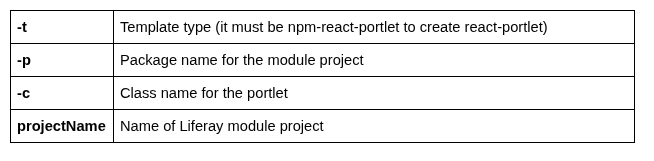
For example,
- Navigate to the directory of your Liferay-workspace-project
- Then fire the below command :
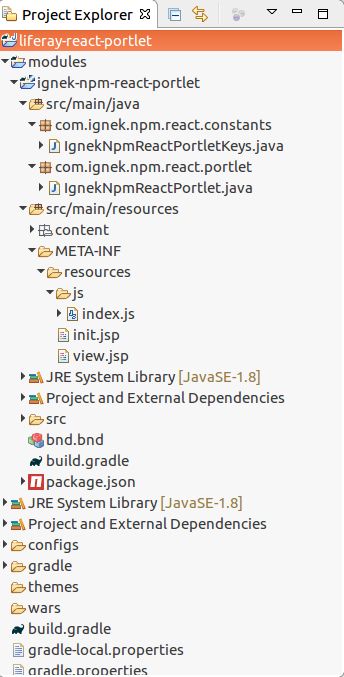
1blade create -t npm-react-portlet -p com.ignek.npm.react -c IgnekNpmReact ignek-npm-react-portletThe necessary file structure for react-portlet will automatically be created.
2) Using Eclipse IDE:
You can follow the below steps in Eclipse to create npm-react-portlet :
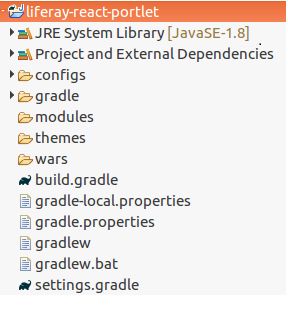
- Import or create the Liferay-workspace-project in which you want to create react-portlet (Liferay-workspace look like below image)
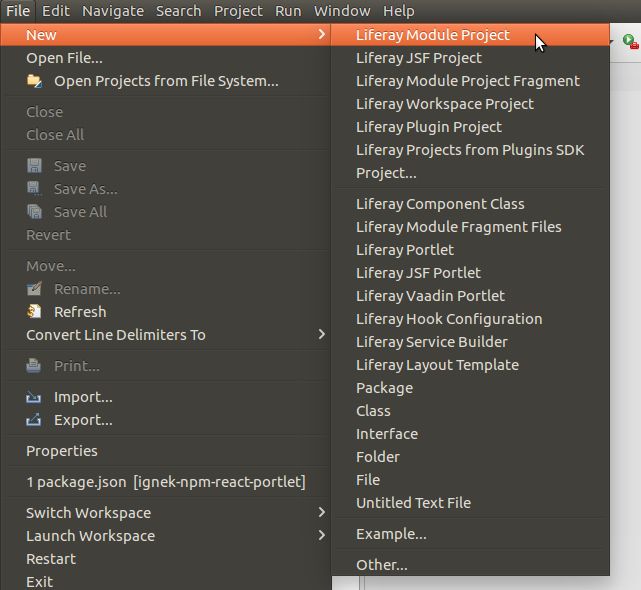
- Go to File → New → Liferay Module Project.
- Enter the Project name
- Select Project template name as npm-react-portlet
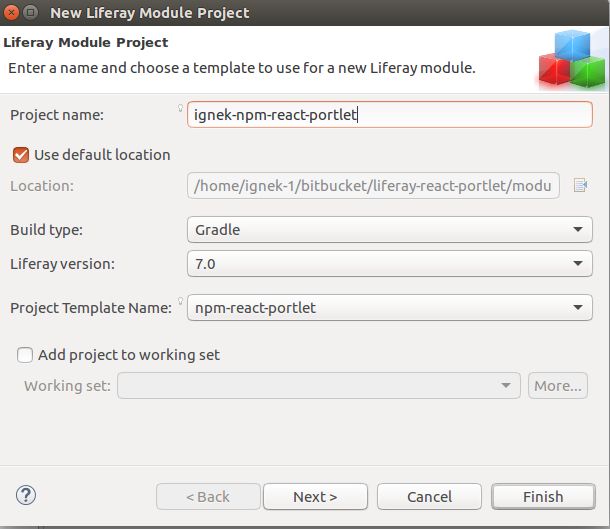
- Click on Next button.
- Enter the Component Class Name & Package name
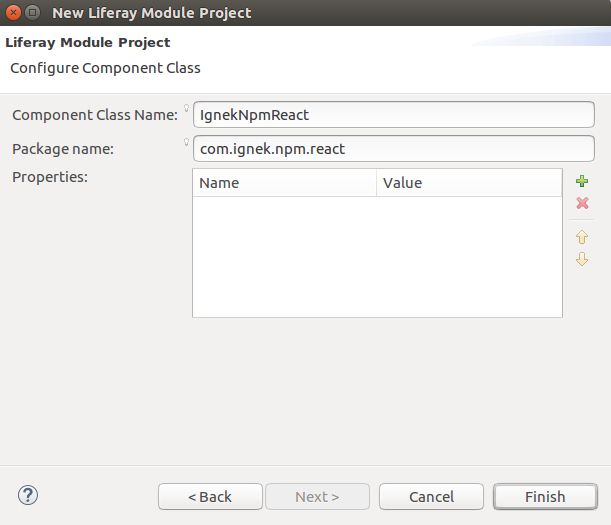
- Click on Finish button
The necessary file structure for react-portlet will automatically be created.
Add the dependency in react-portlet
By default, the dependencies for React and Liferay module being added in package.json when you have created the react-portlet. If you want to use other react component you must have to register the component in project dependency. You can add the dependency in the react/react-portlet by below step:
1npm install [--save] [packagename]Note: This command is fired where the package.json file is located.

For example,
- Navigate to the directory of your Liferay-module-project.
- Then fire the below command to add react-router-dom:
1npm install --save react-router-dom


