Create/Override the language key using Liferay OOTB

Problem
Change the data language in Liferay without creating a language hook.
Solution
We can use Liferay’s OOTB feature to override/create the language translations.
Prerequisites
- Liferay portal 7.4 GA8 +
- Liferay dxp 7.4 U4 +
- Basic knowledge of Liferay
Environment Requirements
- Liferay Portal
There are main two steps:
- Override Liferay’s language keys
- Create new language keys
1) Override Liferay’s language keys:
Following are the steps to override language key with value.
a. Open the Global Menu (◧) .Then navigate to Control Panel → Configuration → Language Override.
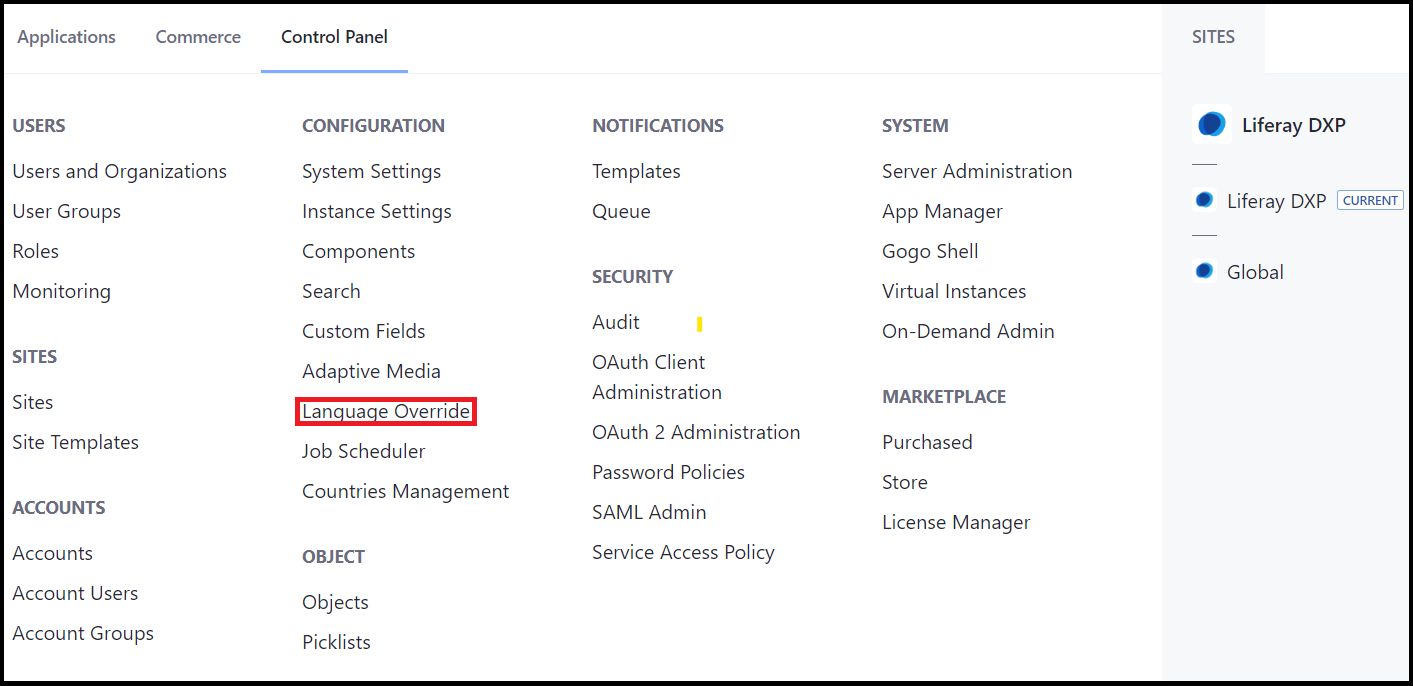
b. Click on Language Override and Tab will be open like below.
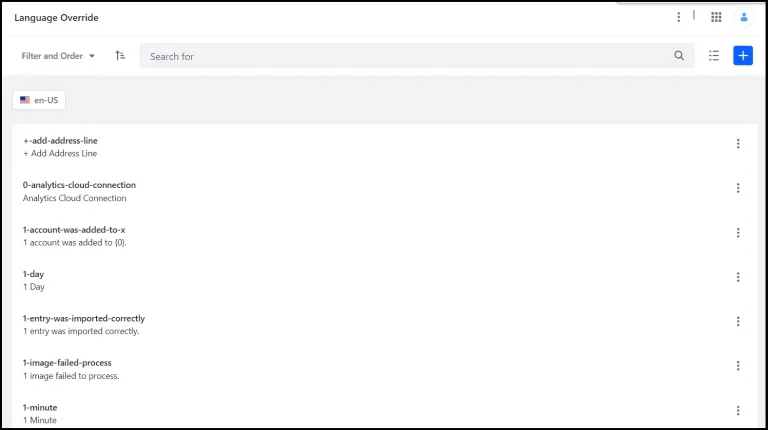
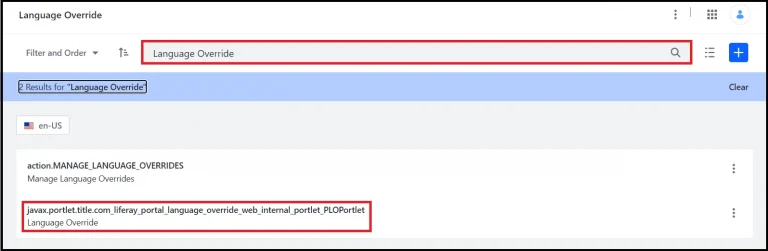
c. You can use either key or translation value to search from the list.
For example, If you want to override the “language override” at the top of the Language Override tab, search for it like below.
d. When selecting the desired option in the menu which you want to override, opens one new window.
Also select the Action Menu(⁝) → Edit to the right of the translation.
e. Enter the translation for each language you want to override. Then click on the Save button which is located at the bottom of the page.
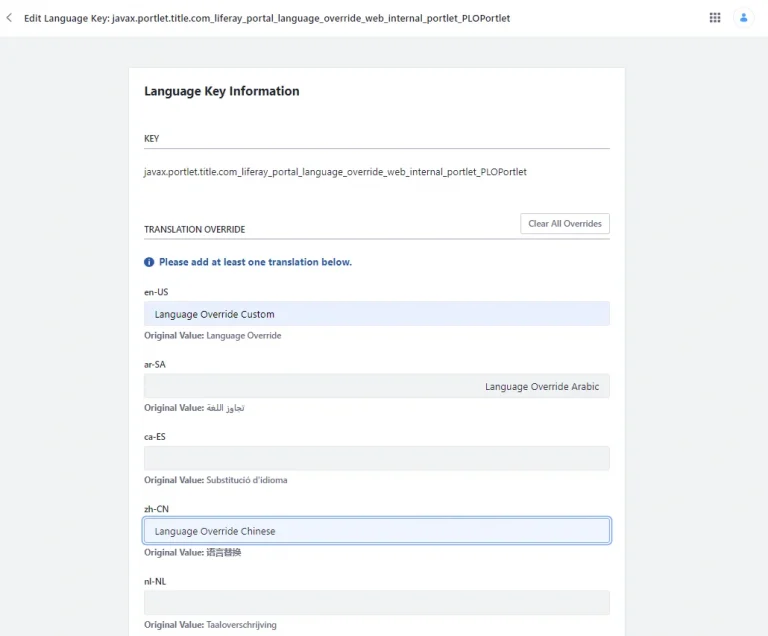
f. Now you can see the translation for Language Override overridden.
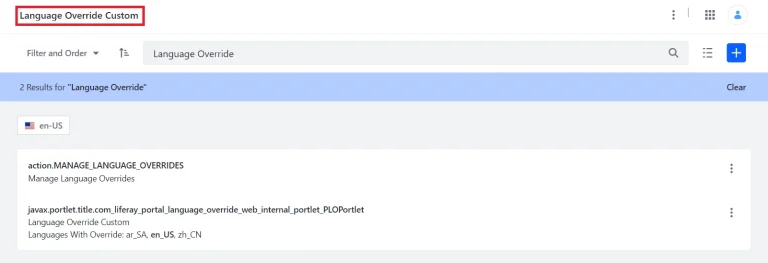
Note: If you want to check the translation in other languages then select the desire language and check it.
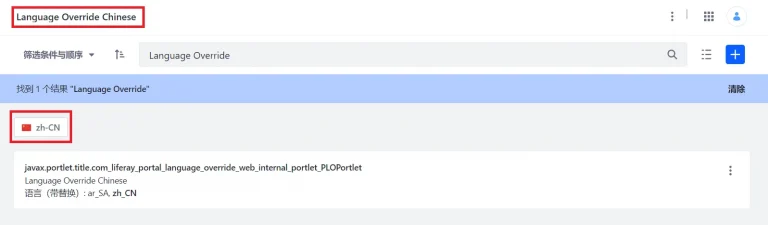
2) Create new language keys
Following the below steps to add new language key and value:
1. Open the Global Menu (◧) .Then navigate to Control Panel → Configuration → Language Override.
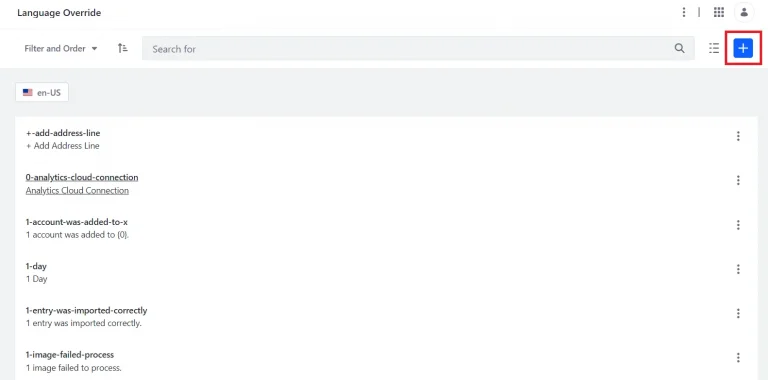
2. Click on Add(╂)button. A new tab opens.
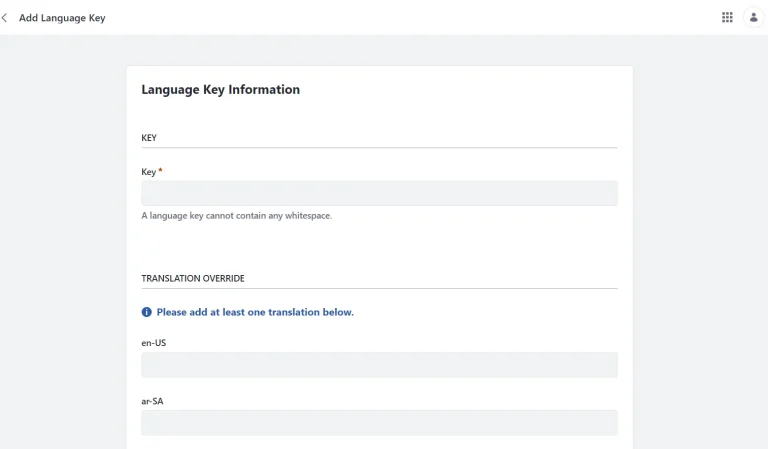
3. Enter a key and at least one translation value.
Note: Maximum characters length in key is 1000.
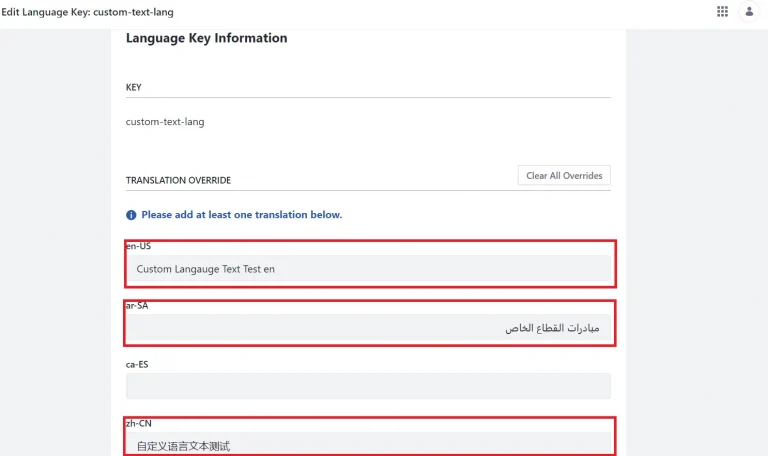
4. Click on Save when finished.
5. Let’s just quickly use the languages we have created or overridden :
For Fragment, follow the below code line :-
1[@liferay.language key=”custom-text-lang”/]For Liferay Template as well as You can use the same in liferay theme as well :-
1<@liferay.language key="custom-text-lang"/>For JSP :-
1<@liferay.language key="custom-text-lang"/>


