Bulk data upload for Liferay objects using CSV

Introduction
When confronted with the task of uploading a substantial volume of data into a Liferay object, it can become a time-consuming process due to the necessity of manually inputting all the data.In a professional context, consider the scenario where thousands of individuals fill out a form, and the objective is to store this data within a Liferay object.
In this case, the efficient approach is to read the data from a CSV file, extract the relevant information, and subsequently populate it into the Liferay object.
Prerequisites:
- CSV File
- Java JDK 11
- Entry Object
Target
- Retrieve the Object and add the dependencies to your module.
- Read the CSV File and convert its entries into a JSON object.
- Retrieve the Entries from the JSON object.
- Add the JSON object's data entries to the Liferay Object.
Implementation
- Retrieve the Object and add the dependencies to your module:
Here we are using an MVC portlet to do this.
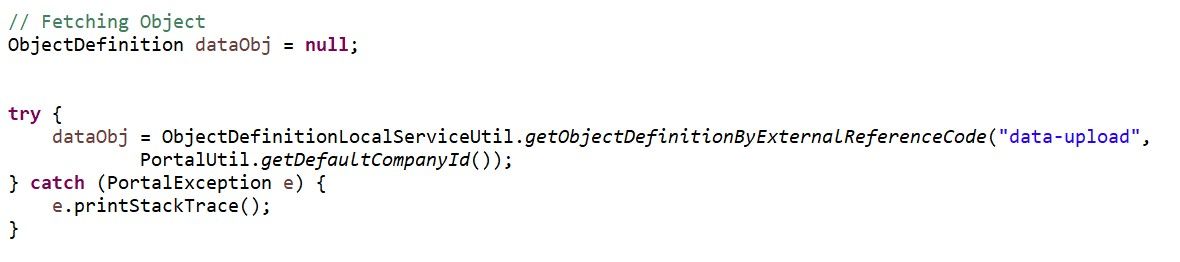
We have an object named 'Data Upload.' In this step, we are retrieving the Object Definition.
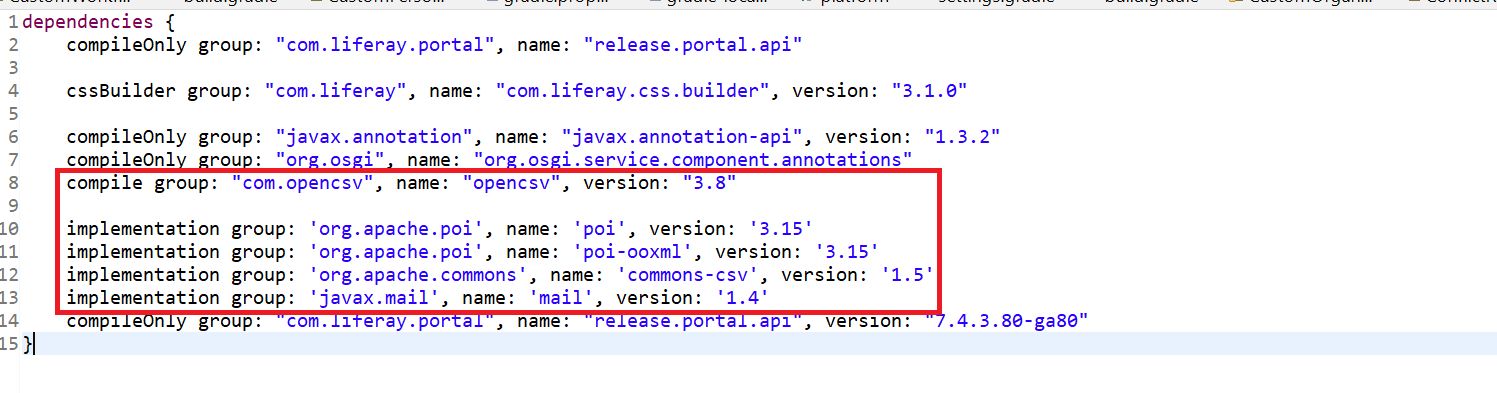
> Add these dependencies to your build.gradle file.
- Read the CSV File and convert its entries into a JSON object:
Before reading the CSV, we need to create a File Object and specify the file path within it.

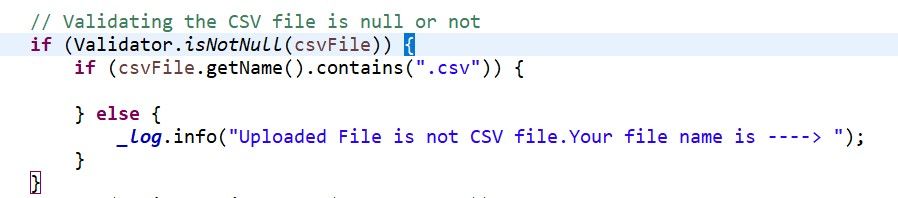
After obtaining the file, we proceed to validate whether the fetched path is a valid CSV file path and ensure that it is not null.
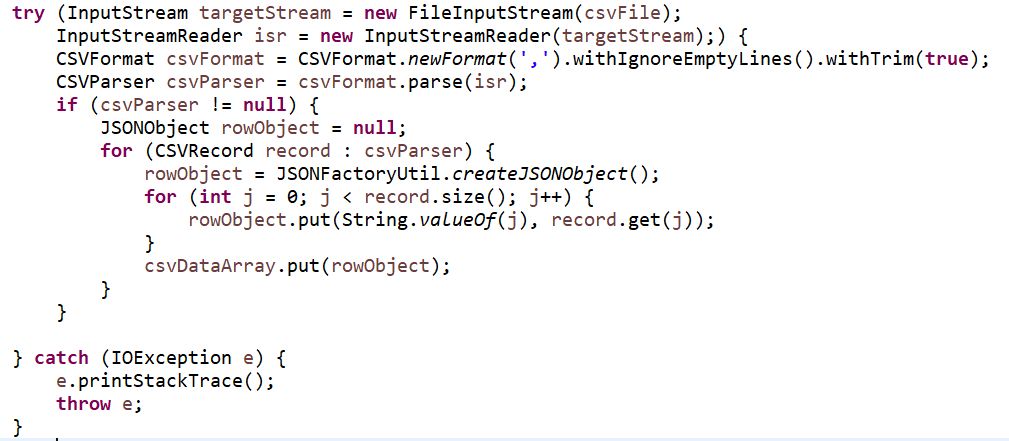
We are now creating the FileInputStream object and passing it to the InputStreamReader object.
The InputStreamReader object will be instrumental in creating a CSV Parser. With the assistance of the CSVParser, we read the records from the CSV file.
During each iteration, we utilize the createJsonObject method to generate a JSON object for each row in the CSV file.

- Retrieve the Entries from the JSON object:
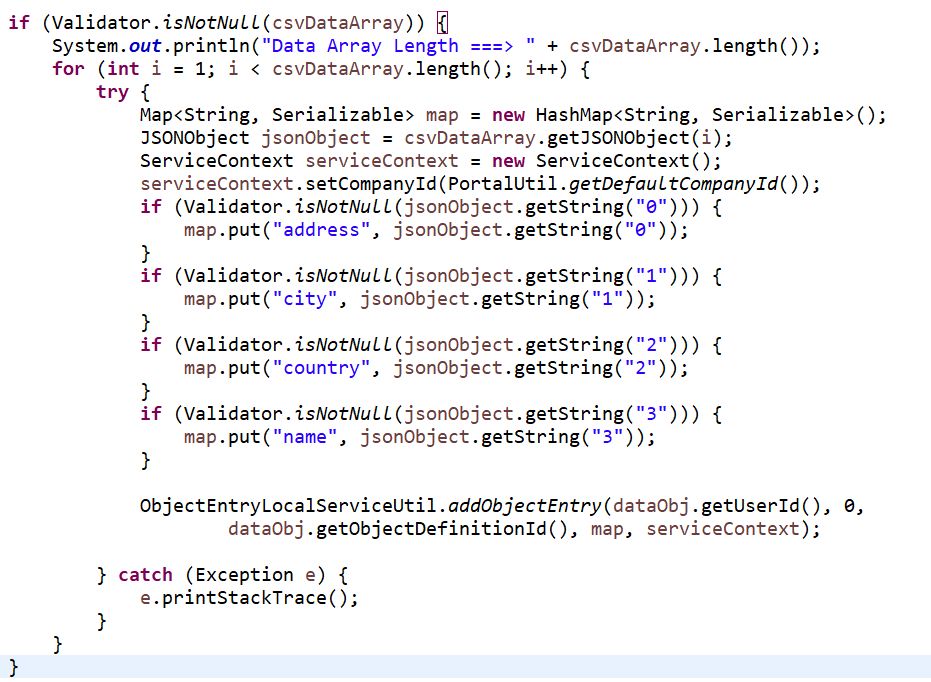
Suppose we have only four desired fields. To retrieve the entries from the JSON object, we simply iterate through the JSON object in a loop and store all the entries in a HashMap.
- Add the JSON object's data entries to the Liferay Object:

Now, we are adding the JSON object entries to our Liferay object.
We previously fetched the Liferay object in the first step, where we intended to add the entries.
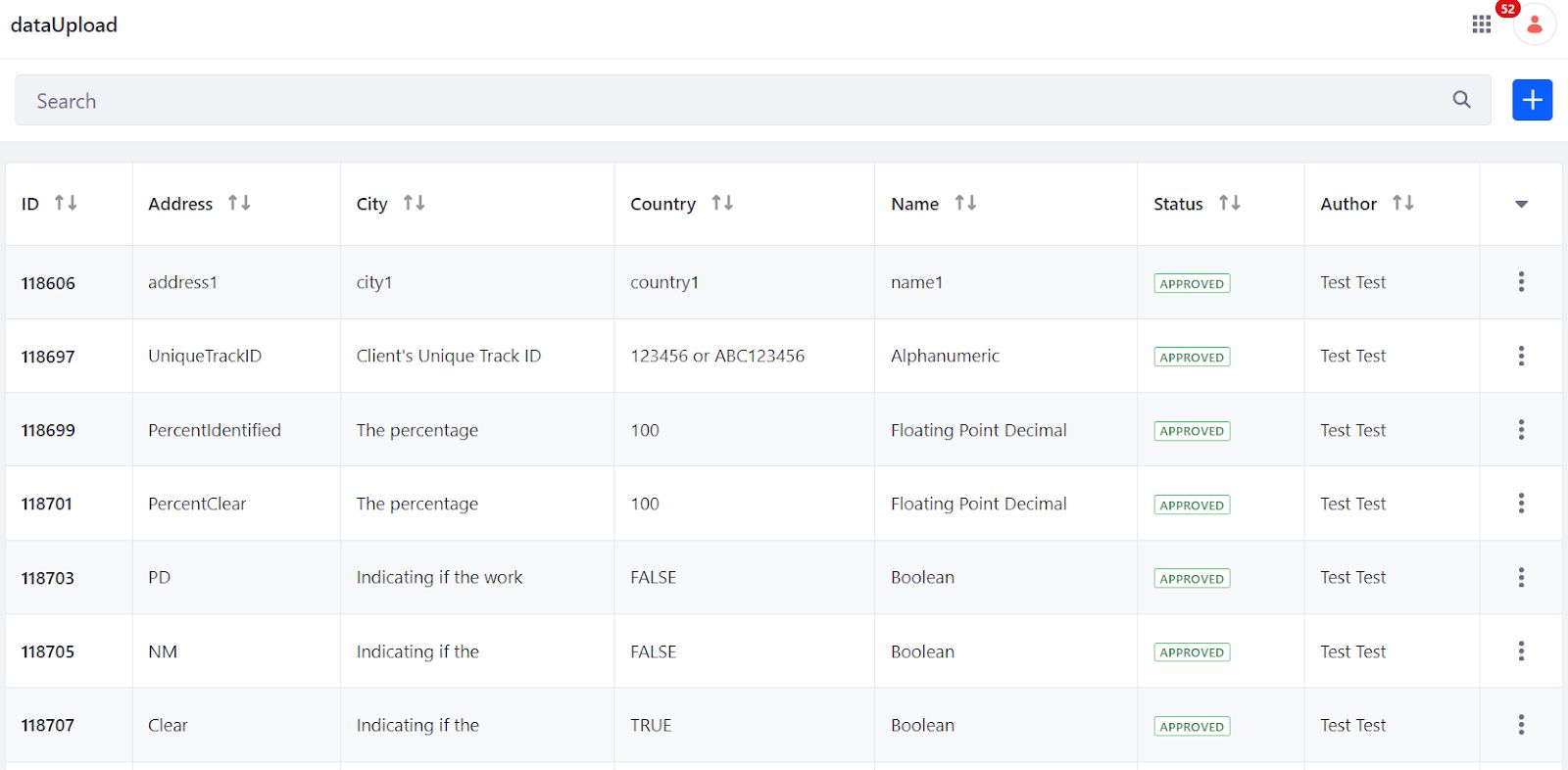
After completing this process, you will find the result in the Object as follows: