How To Add Extra Properties To Oauth2 Tokens In Liferay

Introduction
In applications authentication is not just about checking if a user is real it is also about giving useful information to different services. OAuth2 tokens are very important because they carry information about who the user's what they are allowed to do.
When Liferay creates access tokens it normally includes things like the access token how long it lasts and what the user can do. A lot of times we need to add our own information like what role a user has their email address or information about the group they belong to.
This is where changing the BearerTokenProvider is helpful. It lets developers add details to the token before it is given out. The OAuth2 tokens are still very important because they carry information, about who the user's what they are allowed to do. Customizing the BearerTokenProvider makes it possible to add information to the OAuth2 tokens.
Prerequisites
- Liferay DXP/Community
Environment Requirements
- Java
- Liferay
- Liferay Workspace
How to Implement
Liferay provides the BearerTokenProvider interface, which allows you to customize token creation and validation.
Step 1 : Create a Service module
Create a Service module using LDS or Eclipse.
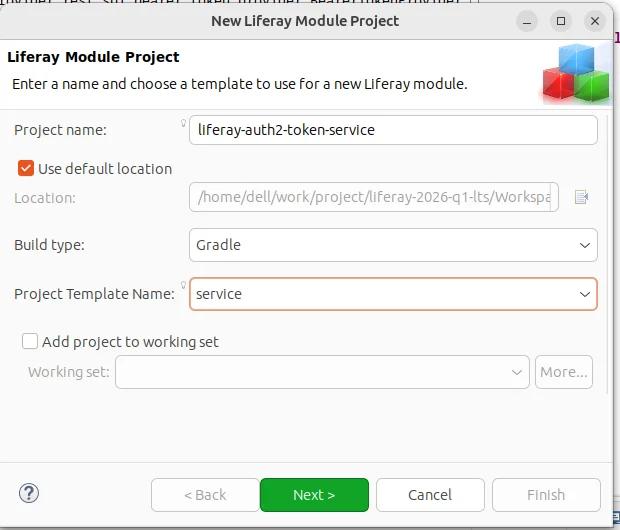
Step 2 : Create a class to Add Extra Properties
1//The service.ranking ensures your implementation overrides the default one.
2@Component(property = { "name=default", "service.ranking:Integer=100" }, service = BearerTokenProvider.class)
3public class LiferayAuth2Token implements BearerTokenProvider {
4	@Override
5	public boolean isValid(AccessToken accessToken) {
6		return isValid(accessToken.getExpiresIn(), accessToken.getIssuedAt());
7	}
8	//Override the onBeforeCreate method to inject custom values
9	@Override
10	public void onBeforeCreate(AccessToken accessToken) {
11		Map<String, String> extraProperties = accessToken.getExtraProperties();
12
13		if (extraProperties == null) {
14			extraProperties = new HashMap<>();
15		}
16
17		extraProperties.put("userId", String.valueOf(accessToken.getUserId()));
18		extraProperties.put("mailID", "test@liferay.com");
19		extraProperties.put("role", "ADMIN");
20
21		accessToken.setExtraProperties(extraProperties);
22
23	}
24//You also override validation logic:
25	protected boolean isValid(long expiresIn, long issuedAt) {
26		long expiresInMillis = expiresIn * 1000;
27
28		if (expiresInMillis < 0) {
29			return false;
30		}
31		long issuedAtMillis = issuedAt * 1000;
32
33		if ((issuedAtMillis > System.currentTimeMillis())
34				|| ((issuedAtMillis + expiresInMillis) <      System.currentTimeMillis())) {
35
36			return false;
37		}
38
39		return true;
40	}
41}
Step 3 : How to Check auth2 access token
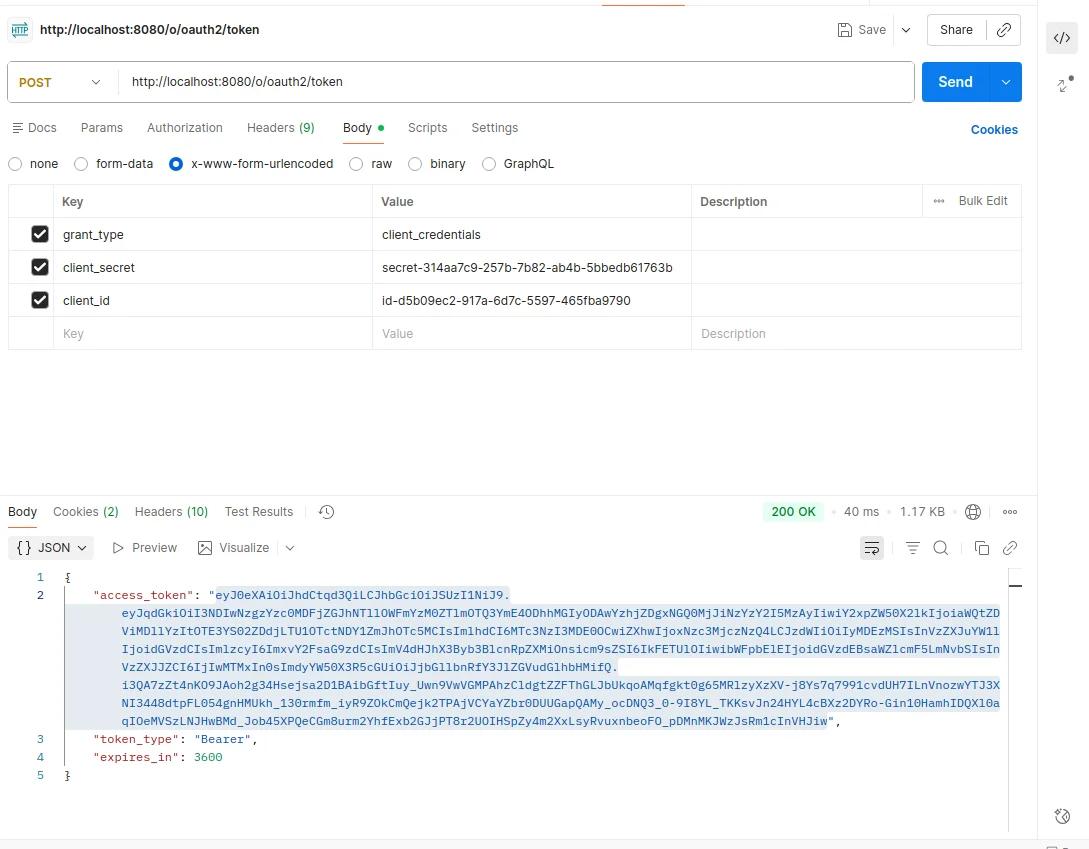
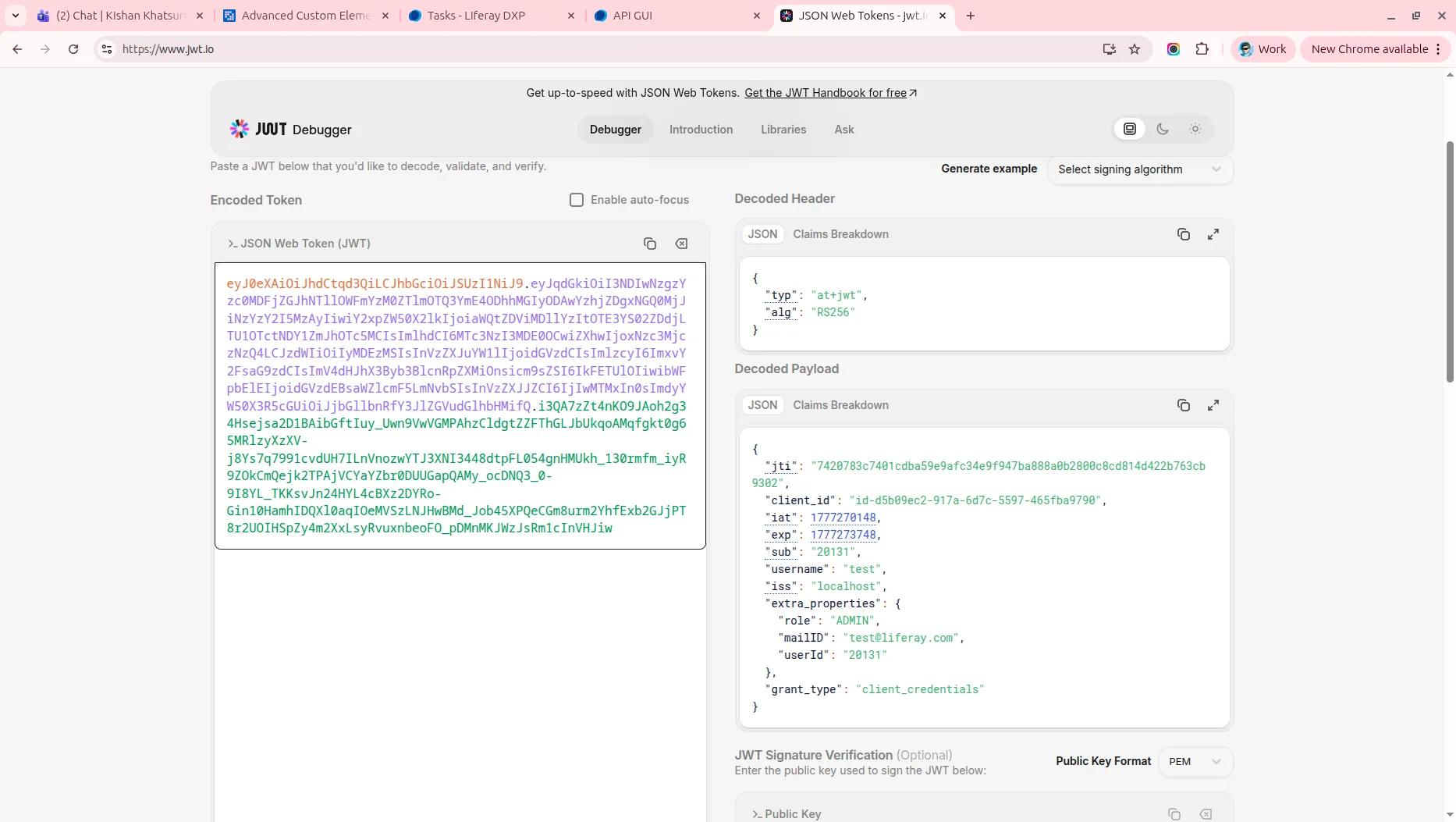
Conclusion
Customizing OAuth2 tokens in Liferay provides a powerful way to enhance authentication workflows. By implementing BearerTokenProvider, you can inject meaningful metadata into tokens, enabling :
- Better performance (fewer DB calls).
- Cleaner microservice communication.
- More flexible authorization strategies.


