Liferay AI Hub: Integrating AI Into Your Digital Platform

Introduction
Alongside customer, partner, and employee services, a lot of business is now digitized. Despite this, there continue to be areas where people must undertake activities such as searching for information and collating and analyzing information. Liferay AI Hub enables an organization to integrate Artificial Intelligence (AI) with its Liferay DXP platform and therefore identify further automation and information management possibilities.
What Is Liferay AI Hub?
Liferay AI Hub is a standalone Software as a Service (SaaS) product that integrates AI into Liferay DXP. It helps companies explore Liferay AI integration across their digital services, including websites and portals.
Companies can then create AI ‘agents’ that can research, analyze, and produce information and also carry out particular processes. This can help to automate business processes and enhance digital provision.
Key Capabilities
Liferay AI Hub offers tools to build and manage AI agents, including:
- Agent Builder: Create and manage agents.
- Agent Workflows: Combine steps to complete tasks.
- LLM: Interpret and respond to information.
- Data Sources and RAG: Retrieve relevant data for context.
- Instructions and Guardrails: Set limits for agent actions and responses.
- AI Assistant and Chatbot: Interact with agents through chat.
- Built-in AI Functions: Compose, summarize, translate, and refine content in Liferay CMS.
Liferay AI Hub Integration Guide: Connecting AI Hub with Liferay DXP
Organizations need a Liferay AI Hub account, an accessible Liferay DXP environment, and administrator access to complete the Liferay AI Hub integration.
There are 4 main integration steps:
Step 1: Configure AI Hub Account
Liferay generates a Liferay AI Hub account for an organization and gives login details so that it can be integrated with DXP.
Step 2: Enter DXP Environment
Sign in to Liferay AI Hub. Within Configurations, enter the DXP environment address into Environment URLs and submit.
Liferay AI Hub accesses the entered DXP environment.
Step 3: Activate AI Hub within Liferay DXP
Sign in to Liferay DXP with admin access and go to:
Global Menu → Control Panel → Instance Settings → Feature Flags → Release.
Locate and activate the LPD-62272 ‘AI Hub’ feature flag.
Step 4: Finalize Integration
Navigate within Instance Settings to Platform and then AI Hub.
Input the Client ID, Client Secret, and AI Hub Service URL details that have been given by Liferay.
Submit to finalize the integration.
Having integrated AI Hub, organizations can then begin to utilize the inbuilt AI functions and develop bespoke agents for their business.
Reference from: Integrating AI Hub with Liferay DXP
MCP: Connecting AI with Liferay Data
Model Context Protocol (MCP) connects AI apps with external systems and data, allowing agents to access information and perform authorized actions without custom integrations.
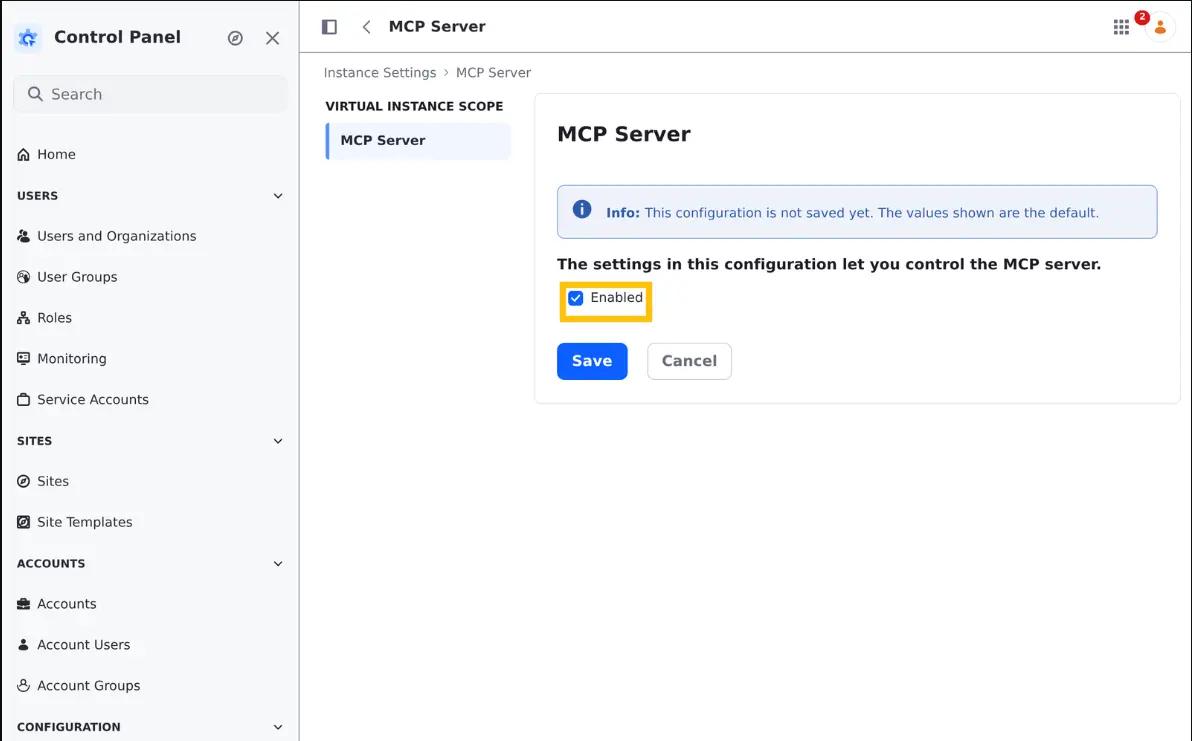
Liferay DXP can also act as an MCP server, connecting AI apps to its Headless APIs.
- Search: Access approved Liferay content and data.
- Update: Create or modify data.
- Permissions: Follow the Liferay user's access rights.
Areas Where Liferay AI Hub Can Be Utilized
AI agents can be employed in various ways in business portals. Below are 4 examples of where they can be applied:
1. Invoice Processing
| Business issue | Functionality of AI agent |
|---|---|
| Employees manually input invoice details | Agent analyses invoices (using OCR) and isolates essential data. |
| Unclear or inaccurate information is highlighted for human assessment. | Benefits with Reduced manual data input and quicker invoice processing. |
Business value: Less manual data entry and faster invoice processing.
2. Portal Assistance
| Business issue | Functionality of AI agent |
|---|---|
| Partners seek basic support information. | AI agent searches for and retrieves approved contract and account data. |
| Users require support to formulate requests. | AI agent can advise and facilitate creation of user requests. |
IGNEK's Partner Portal solution includes role-specific dashboards, contract information, and related information. An AI assistant could be utilized to further simplify access to these services.
3. Grievance Management
From complaint to resolution:
Issue → Categorisation → Duplicate identification → Department allocation → Issue resolution monitoring
Benefits: Improved issue resolution. Reduced duplication. Enhanced monitoring of outstanding issues.
4. Website Relocation
Current website → Liferay development version
Website analysis → Component mapping → Draft page creation → Developer review
Benefits: Reduced manual work in preparing web pages. Structured relocation procedure.
Utilizing AI for Content and Personalization
AI can help content professionals automate common tasks through Liferay content generation and provide more relevant digital experiences for portal users.
1. Faster Content Management
Within Liferay CMS, Liferay AI Hub facilitates the following content functions:
| Task | How AI Helps |
|---|---|
| Content writing | Formulates and refines content. |
| Translation | Translates content |
| Summarisation | Produces concise content versions. |
| Image creation | Generates images, according to textual description |
| Content tagging | Recommends suitable categorisation and tags for content to aid organisation. |
Content professionals are able to assess and amend output from AI before publication.
2. More Relevant Portal Experiences
AI agents use user queries, relevant data, and permissions to provide suitable information to customers, partners, and employees.
For example:
- Partners: Search approved contract data.
- Employees: Check leave application details.
- Customers: Find available products and services.
This improves portal use and keeps business information secure.
Control and Human Oversight
Businesses need to manage the data that is available and the actions that AI can take.
Liferay AI Hub allows you to:
- Manage access by role.
- Manage Data Sources, which is data that an agent can use.
- Set guard rails for both data and outputs.
- Monitor so that you can observe and analyze an agent’s behavior.
- Human review to ensure humans are involved in key business processes.
These features allow a balance to be struck between the use of AI and human involvement.
The Future of Liferay AI Hub
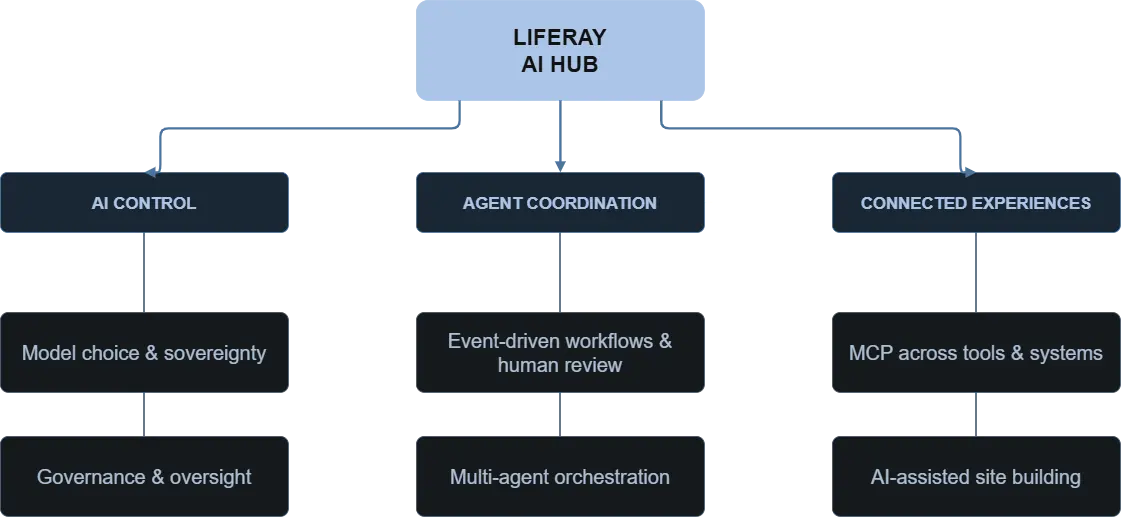
The Liferay AI Hub may also see further developments, including greater management of AI, inter-agent collaboration, and increased integration with MCP. Innovations such as these have the potential to open up new methods for organizations to design and manage AI-enabled solutions on Liferay.
Conclusion
Artificial intelligence is an ever-evolving digital tool that continues to provide innovative solutions. The Liferay AI Hub enables organizations to create smart and flexible digital services and ensures that their utilization of AI is in line with their business aims.


