Zoom integration with Liferay

Introduction:
Integrate Zoom into Liferay to perform meeting operations and boost work efficiency. Embed Zoom on Liferay sites or online workspaces for a smooth experience. Enable team members to work together in real-time through quality video calls, no matter where they are.
Prerequisites:
- Liferay 7.4+
- A Google account
- Zoom application
- Eclipse IDE
Step 1: Build a Server-to-Server app
- Navigate to the Zoom marketplace by following the below link.
- https://marketplace.zoom.us/
- Note: Signing in to the Zoom marketplace is a must.
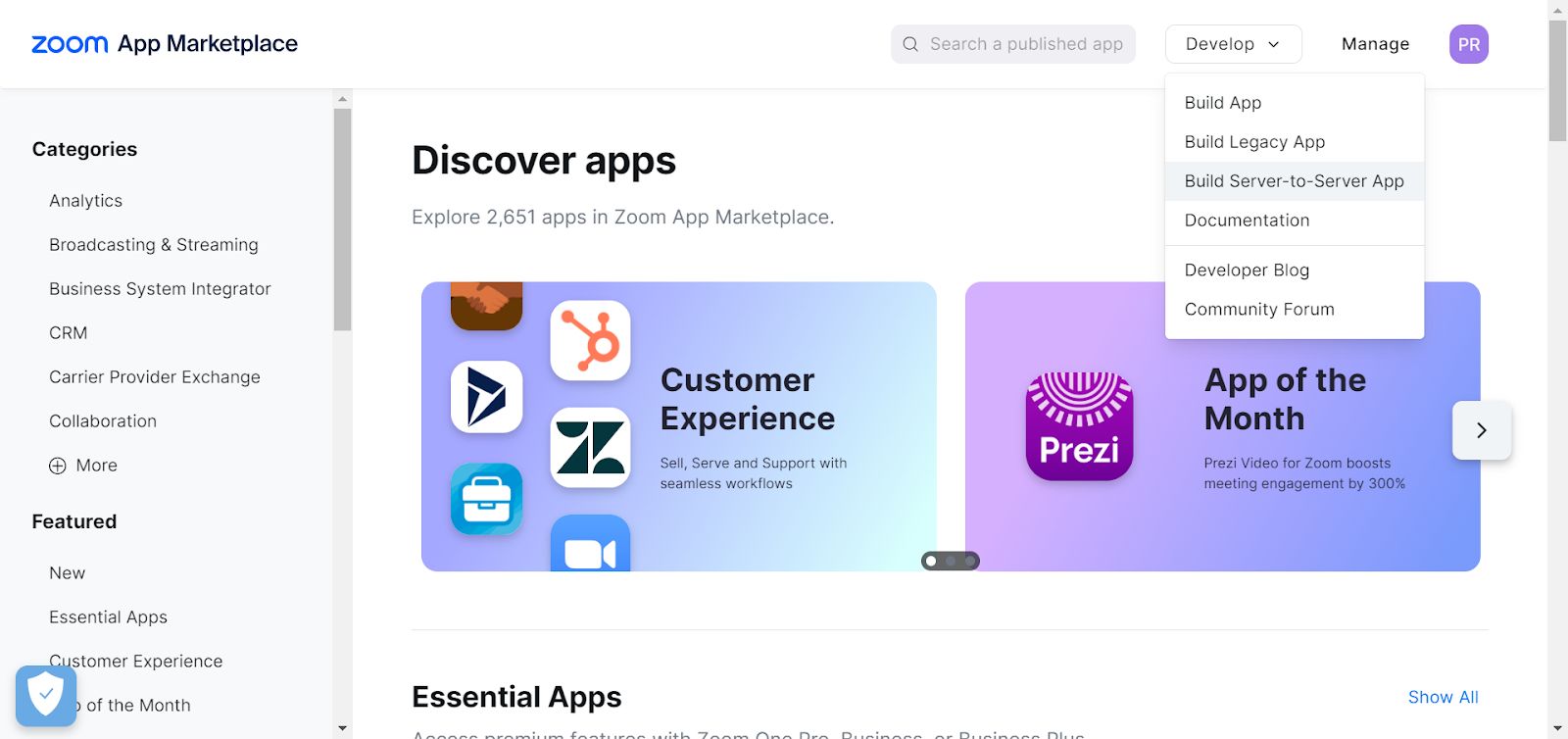
Click the Develop dropdown menu on the right side of the screen, then choose the Build Server-to-Server App.
- Provide the app name and click on the Create button.
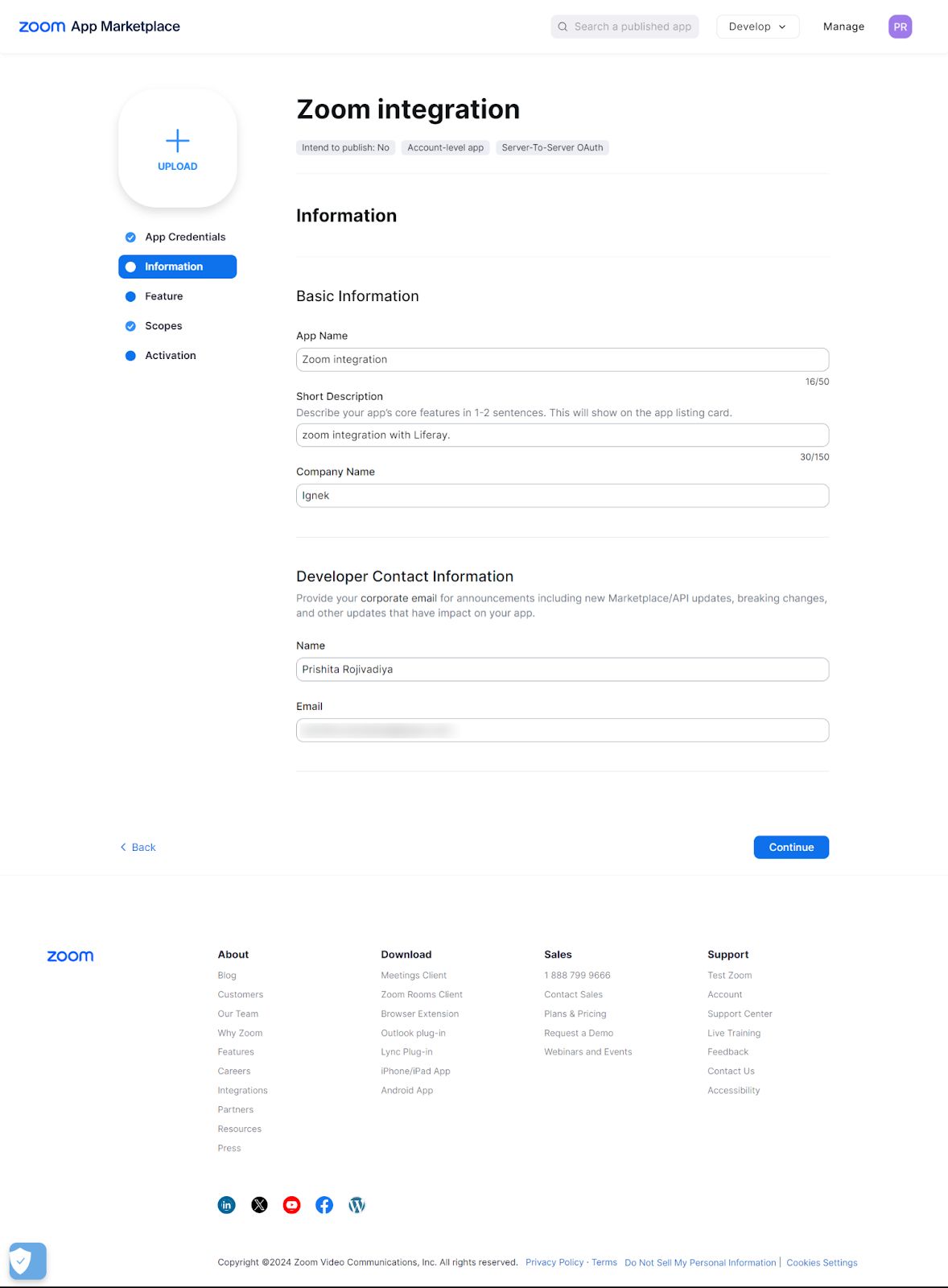
- Add basic information and developer contact information to the server-to-server app.
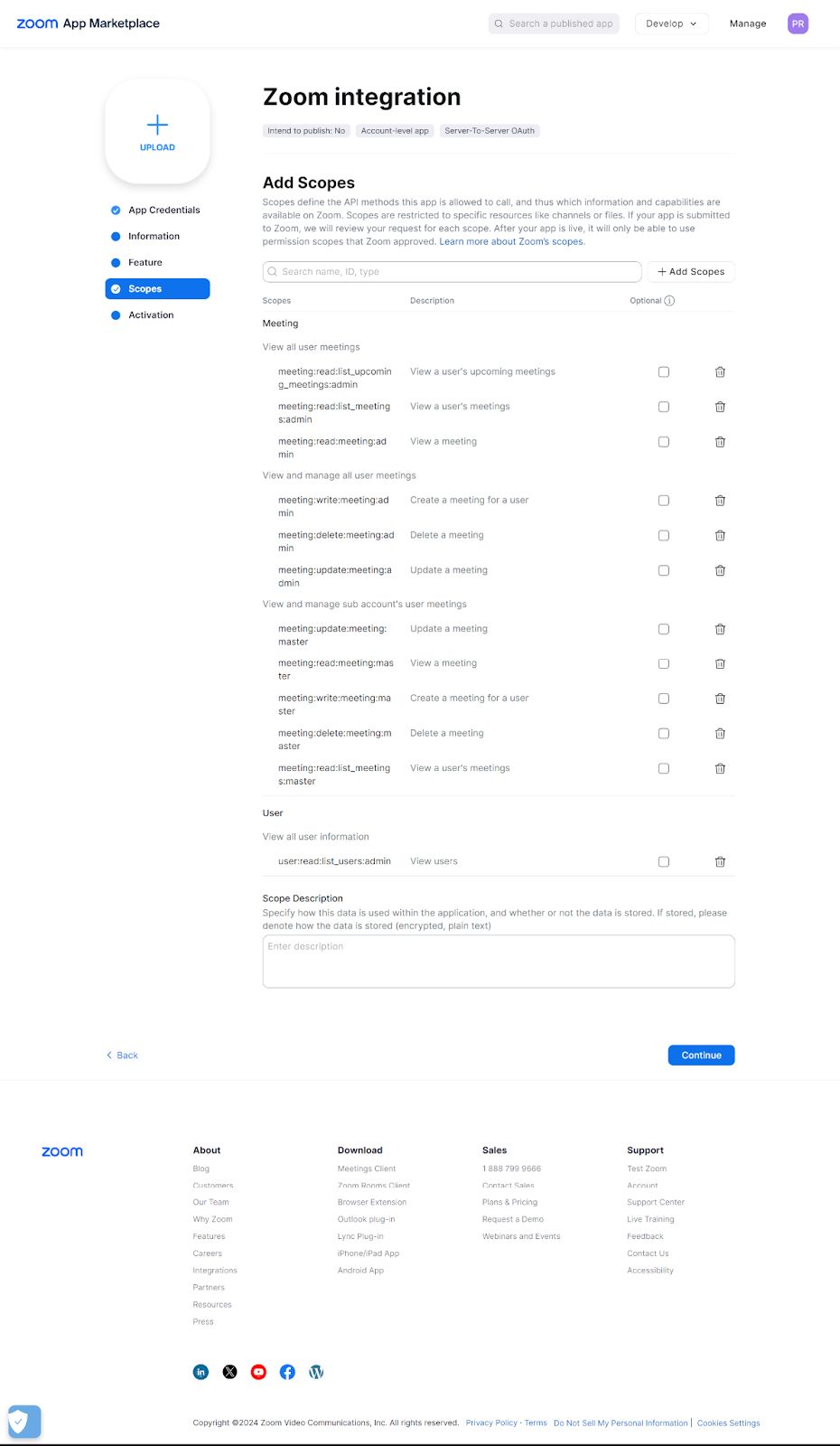
- Add scopes to perform operations using generated credentials.
- Activate the app.
Step 2: Create a Zoom meeting
- Get an authorization token.
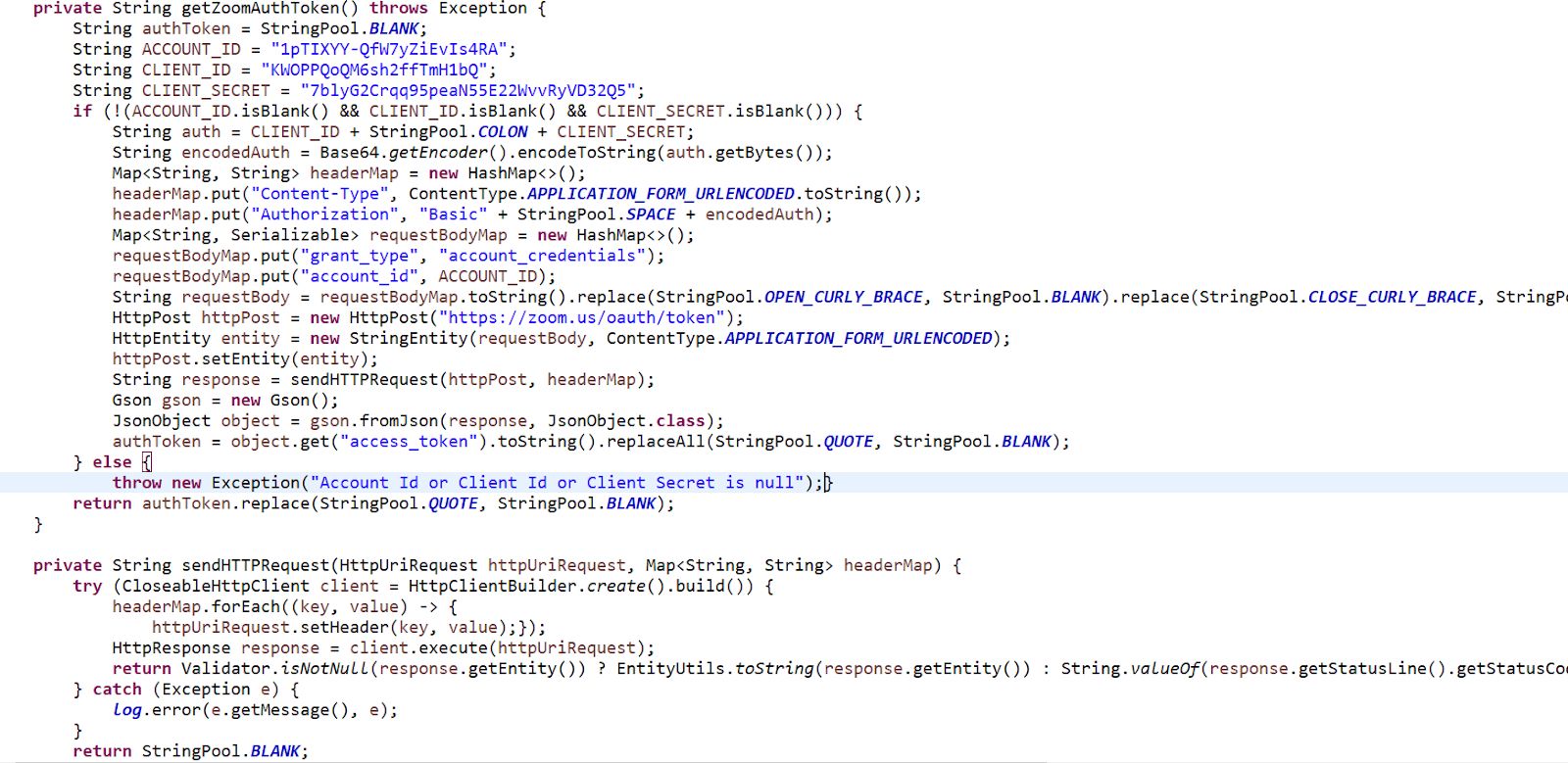
- The getZoomAuthToken() method will generate an authorization token.
- Update ACCOUNT_ID, CLIENT_ID, and CLIENT_SECRET values according to the Zoom server to server app credential. Make sure the value of these fields is not null.
2. Create a Zoom meeting.
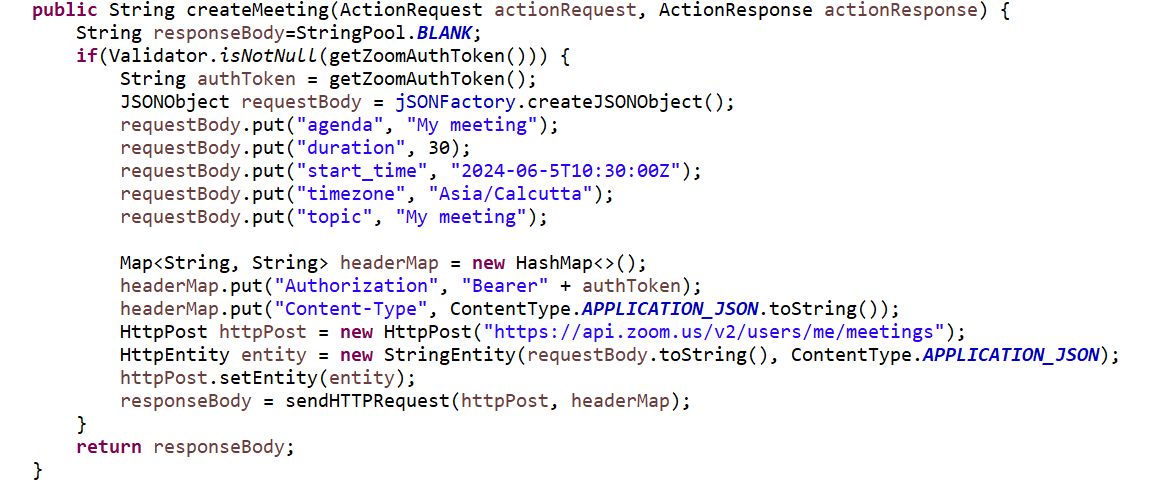
- sendHTTPRequest(httpPost, headerMap) method will create a meeting.
3. Add the below dependency to the build.gradle file.
1compileOnly group: "com.google.code.gson", name: "gson", version: "2.10"4. Add below package to zoomintegration-impl -> bnd.bnd file.
1-privatepackage: com.google.gson.*- Add the private package com.google.gson.* in bnd.bnd file to convert response into the JSON format.
1import zoom.integration.constants.ZoomIntegrationPortletKeys;
2
3import com.google.gson.Gson;
4import com.google.gson.JsonObject;
5import com.liferay.petra.string.StringPool;
6import com.liferay.portal.kernel.json.JSONFactory;
7import com.liferay.portal.kernel.json.JSONObject;
8import com.liferay.portal.kernel.log.Log;
9import com.liferay.portal.kernel.log.LogFactoryUtil;
10import com.liferay.portal.kernel.portlet.bridges.mvc.MVCPortlet;
11import com.liferay.portal.kernel.util.Validator;
12
13import java.io.Serializable;
14import java.util.Base64;
15import java.util.HashMap;
16import java.util.Map;
17
18import javax.portlet.ActionRequest;
19import javax.portlet.ActionResponse;
20import javax.portlet.Portlet;
21import javax.portlet.ProcessAction;
22import org.apache.http.HttpEntity;
23import org.apache.http.HttpResponse;
24import org.apache.http.client.methods.HttpPost;
25import org.apache.http.client.methods.HttpUriRequest;
26import org.apache.http.entity.ContentType;
27import org.apache.http.entity.StringEntity;
28import org.apache.http.impl.client.CloseableHttpClient;
29import org.apache.http.impl.client.HttpClientBuilder;
30import org.apache.http.util.EntityUtils;
31import org.osgi.service.component.annotations.Component;
32import org.osgi.service.component.annotations.Reference;
33
34@Component(immediate = true, property = { "com.liferay.portlet.display-category=category.sample",
35		"com.liferay.portlet.header-portlet-css=/css/main.css", "com.liferay.portlet.instanceable=true",
36		"javax.portlet.display-name=ZoomIntegration", "javax.portlet.init-param.template-path=/",
37		"javax.portlet.init-param.view-template=/view.jsp",
38		"javax.portlet.name=" + ZoomIntegrationPortletKeys.ZOOMINTEGRATION,
39		"javax.portlet.resource-bundle=content.Language",
40		"javax.portlet.security-role-ref=power-user,user" }, service = Portlet.class)
41public class ZoomIntegrationPortlet extends MVCPortlet {
42
43	@ProcessAction(name = "createMeeting")
44	public String createMeeting(ActionRequest actionRequest, ActionResponse actionResponse) {
45		String responseBody = StringPool.BLANK;
46		if (Validator.isNotNull(getZoomAuthToken())) {
47			String authToken = getZoomAuthToken();
48			JSONObject requestBody = jSONFactory.createJSONObject();
49			requestBody.put("agenda", "My meeting");
50			requestBody.put("duration", 30);
51			requestBody.put("start_time", "2024-06-5T10:30:00Z");
52			requestBody.put("timezone", "Asia/Calcutta");
53			requestBody.put("topic", "My meeting");
54
55			Map<String, String> headerMap = new HashMap<>();
56			headerMap.put("Authorization", "Bearer" + authToken);
57			headerMap.put("Content-Type", ContentType.APPLICATION_JSON.toString());
58			HttpPost httpPost = new HttpPost("https://api.zoom.us/v2/users/me/meetings");
59			HttpEntity entity = new StringEntity(requestBody.toString(), ContentType.APPLICATION_JSON);
60			httpPost.setEntity(entity);
61			responseBody = sendHTTPRequest(httpPost, headerMap);
62		}
63		return responseBody;
64	}
65
66	private String getZoomAuthToken() {
67		String authToken = StringPool.BLANK;
68		String ACCOUNT_ID = "1pTIXYY-QfW7yZiEvIs4RA";
69		String CLIENT_ID = "KWOPPQoQM6sh2ffTmH1bQ";
70		String CLIENT_SECRET = "7blyG2Crqq95peaN55E22WvvRyVD32Q5";
71		if (!(ACCOUNT_ID.isBlank() && CLIENT_ID.isBlank() && CLIENT_SECRET.isBlank())) {
72			String auth = CLIENT_ID + StringPool.COLON + CLIENT_SECRET;
73			String encodedAuth = Base64.getEncoder().encodeToString(auth.getBytes());
74			Map<String, String> headerMap = new HashMap<>();
75			headerMap.put("Content-Type", ContentType.APPLICATION_FORM_URLENCODED.toString());
76			headerMap.put("Authorization", "Basic" + StringPool.SPACE + encodedAuth);
77			Map<String, Serializable> requestBodyMap = new HashMap<>();
78			requestBodyMap.put("grant_type", "account_credentials");
79			requestBodyMap.put("account_id", ACCOUNT_ID);
80			String requestBody = requestBodyMap.toString().replace(StringPool.OPEN_CURLY_BRACE, StringPool.BLANK)
81					.replace(StringPool.CLOSE_CURLY_BRACE, StringPool.BLANK)
82					.replace(StringPool.COMMA + StringPool.SPACE, StringPool.AMPERSAND);
83			HttpPost httpPost = new HttpPost("https://zoom.us/oauth/token");
84			HttpEntity entity = new StringEntity(requestBody, ContentType.APPLICATION_FORM_URLENCODED);
85			httpPost.setEntity(entity);
86			String response = sendHTTPRequest(httpPost, headerMap);
87			Gson gson = new Gson();
88			JsonObject object = gson.fromJson(response, JsonObject.class);
89			authToken = object.get("access_token").toString().replaceAll(StringPool.QUOTE, StringPool.BLANK);
90		}
91		return authToken;
92	}
93
94	private String sendHTTPRequest(HttpUriRequest httpUriRequest, Map<String, String> headerMap) {
95		try (CloseableHttpClient client = HttpClientBuilder.create().build()) {
96			headerMap.forEach((key, value) -> {
97				httpUriRequest.setHeader(key, value);
98			});
99			HttpResponse response = client.execute(httpUriRequest);
100			return Validator.isNotNull(response.getEntity()) ? EntityUtils.toString(response.getEntity())
101					: String.valueOf(response.getStatusLine().getStatusCode());
102		} catch (Exception e) {
103			log.error(e.getMessage(), e);
104		}
105		return StringPool.BLANK;
106	}
107
108	private static final Log log = LogFactoryUtil.getLog(ZoomIntegrationPortlet.class);
109
110	@Reference
111	JSONFactory jSONFactory;
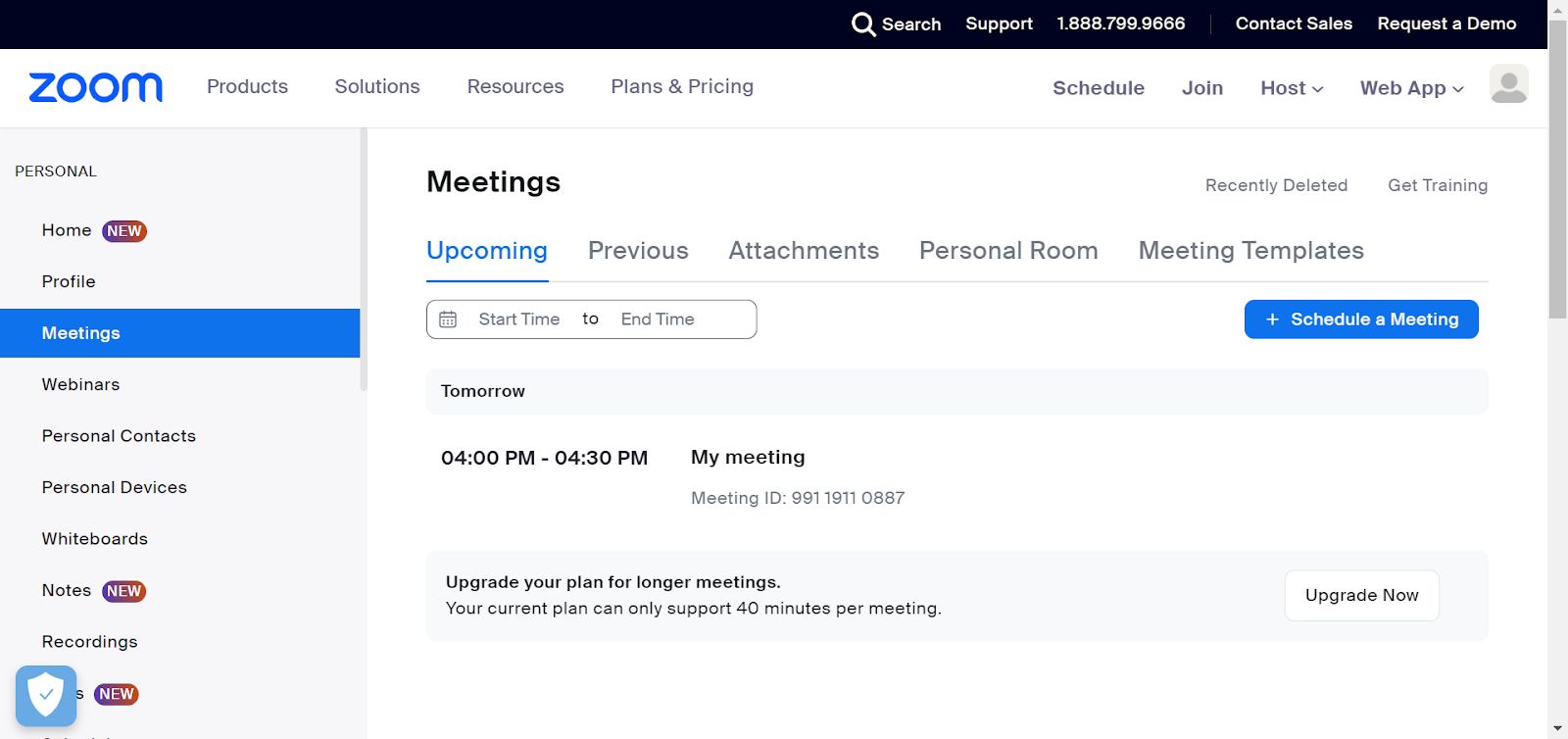
112}- Meeting will be generated in the Zoom account.
Conclusion:
Integrating Zoom with Liferay enhances productivity by enabling seamless video communication directly within the Liferay platform. This setup allows team members to collaborate effectively through high-quality video calls, regardless of location. By following the outlined steps, you can create a server-to-server app in Zoom, obtain an authorization token, and programmatically schedule Zoom meetings in Liferay, streamlining your workflow and boosting efficiency.


