Turn Your Code Into a Package: Step-by-Step NPM Publishing Guide

Why Publish an NPM Package? Use Cases & Benefits
If you’ve written the same bit of code more than once — like a helper function or a small React component — you might as well just package it. Saves time, keeps things tidy, and you won’t have to copy-paste all over the place.
Publishing to NPM isn’t some huge thing either. Once you go through it once, it’s just another step in the workflow. Build, version, push. Done. Also handy if someone else needs to use the same logic.
In this blog, I’ll go over how to structure your code, build your package, and publish it to NPM. I’ll focus on JavaScript and React, so if you’re working with either, this guide should help you get your code ready for reuse — in a clean and professional way.
When to Create a Package
- Reusable Utility Functions: You’ve got a few utility functions — stuff like capitalizeWords, formatDate, whatever — and you keep using them in every project. No point copying them over and over. Package them up once, reuse them cleanly.
- Shared UI Components: Built a Button, Modal, or some form thing in React? And now you’re using the same one across multiple apps? Probably a good time to move it into a shared package.
- Organization-Wide Standards: Your organization has internal coding standards (e.g., logging wrappers, error handlers, custom hooks).
- Open Source Contribution: You’ve built something you believe others can benefit from.
When Not to Create a Package
- Code is too specificIf the code you wrote depends directly on your app’s database or local config or even how your UI state is managed, don’t make it a package. It’s too tied to one setup.
- It’s too earlyJust because you wrote a couple of functions doesn’t mean it needs to be packaged. If it’s not reused yet, just leave it in the project.
- Trying to move a full appPutting your whole codebase or all app logic into a shared package? Not a good idea. Packages should be for smaller, reusable stuff.
Benefits of Publishing an NPM Package
- Use code in more than one placeComponents, utilities, hooks — whatever it is, if you need it in multiple projects, a package makes it easier.
- Track changesSemantic versioning helps keep updates clear. You know what changed and when.
- Work better with your teamEveryone uses the same shared code. Keeps things consistent and avoids rewriting.
- Share with othersPublishing helps others who have the same problem. You might get feedback or improvements too.
- Keeps things cleanMoving logic into its own package helps avoid clutter in your main project.
Pitfalls to Watch Out For
- Bad or missing docsIf your README doesn’t explain how to use the package, don’t expect others (or even your future self) to know what to do with it.
- Publishing just for the sake of itNot everything needs to be on NPM. If it only works in your project, maybe leave it there.
- Leaking sensitive stuffBe extra careful not to push anything like secrets, keys, or internal logic that shouldn’t be public.
- Extra work after releaseOnce it’s out there, you’re on the hook. People might open issues, ask for fixes, or expect updates. That’s part of the deal.
- Package size problemsIf you don’t trim things down, you might ship a big bundle. That slows down apps that depend on it. Keep it lean.
How to Create an NPM Package
Step 1: Initialize Your Project
1. Create a new folder for your package:
1mkdir format-utils
2cd format-utils
2. Initialize a package.json file:
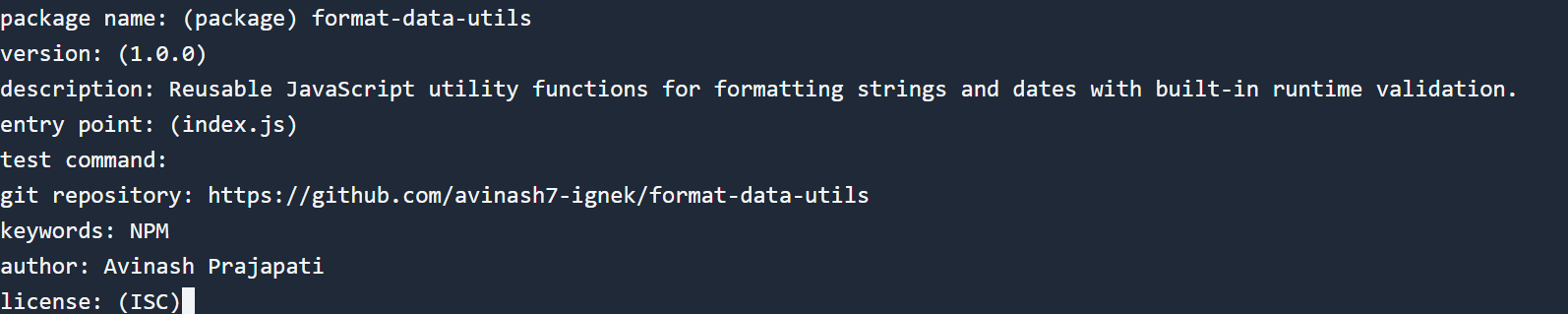
1npm initDuring setup, provide:
- Package name: Ensure it's unique (e.g., format-utils or @yourname/format-utils)
- Version: Start with 1.0.0
- Entry point: index.js
- License: MIT or your choice
- Description and keywords: Important for discoverability
Step 2: Write Utility Functions
Create an index.js file with practical formatting utilities:
1
2// Capitalizes the first letter of each word in a given string
3function capitalizeWords(str) {
4
5    // Ensure the input is a string
6    if (typeof str !== 'string') {
7        throw new TypeError(`capitalizeWords(): Expected a string, got ${typeof str}`);
8    }
9
10    // Use regex to find word boundaries and capitalize the first character of each word
11    return str.replace(/\b\w/g, char => char.toUpperCase());
12}
13
14// Converts a camelCase string to a Title Case string (e.g., 'myExampleString'  =>  'My Example String')
15function camelToTitle(str) {
16
17    // Ensure the input is a string
18    if (typeof str !== 'string') {
19        throw new TypeError(`camelToTitle(): Expected a string, got ${typeof str}`);
20    }
21
22    // Insert a space before each uppercase letter
23    const spaced = str.replace(/([A-Z])/g, ' $1');
24
25    // Trim leading/trailing spaces and capitalize the first letter of each word
26    return capitalizeWords(spaced.trim());
27}
28
29// Formats a given Date object or date string into the format 'dd/mm/yyyy'
30function formatDate(date) {
31
32    // Create a Date object from the input
33    const d = new Date(date);
34    // Ensure input is a valid Date or string that can be converted to a Date
35    if (!(date instanceof Date) && typeof date !== 'string') {
36        throw new TypeError(`formatDate(): Expected a Date object or date string, got ${typeof date}`);
37    }
38
39    // Check if the created Date is valid
40    if (isNaN(d.getTime())) {
41        throw new Error(`formatDate(): Invalid date provided`);
42    }
43
44    // Extract and pad day, month, and year
45    const day = String(d.getDate()).padStart(2, '0');
46    const month = String(d.getMonth() + 1).padStart(2, '0');
47    const year = d.getFullYear();
48
49    // Return formatted date
50    return `${day}/${month}/${year}`;
51}
52
53// Export the utility functions
54module.exports = {
55    capitalizeWords,
56    camelToTitle,
57    formatDate,
58};
Step 3: Add a README File
Create a README.md explaining:
- What the package does
- Installation instructions
- Code examples
Example:
1# format-data-utils
2
3A lightweight JavaScript utility library for formatting strings and dates with runtime validation.
4
5## Installation
6
7```bash
8npm install format-data-utils
How to Publish Your NPM Package
Step 1: Run the following and enter your credentials
1npm loginIf you don’t have an account, create one at npmjs.com.
Step 2: Publish Your Package to the NPM Registry
Make sure your package.json is correctly filled.
If using a scoped name (@yourname/format-utils), publish with public access:
1npm publish --access public
2
3Or just run
4
5npm publish
You can now view it on: https://www.npmjs.com/package/format-data-utils
How to Install and Use the Package
Step 1: Install the Package in Any Project
From NPM:
1npm install format-data-utilsOr from GitHub:
1npm install git+https://github.com/yourusername/yourpackagename.git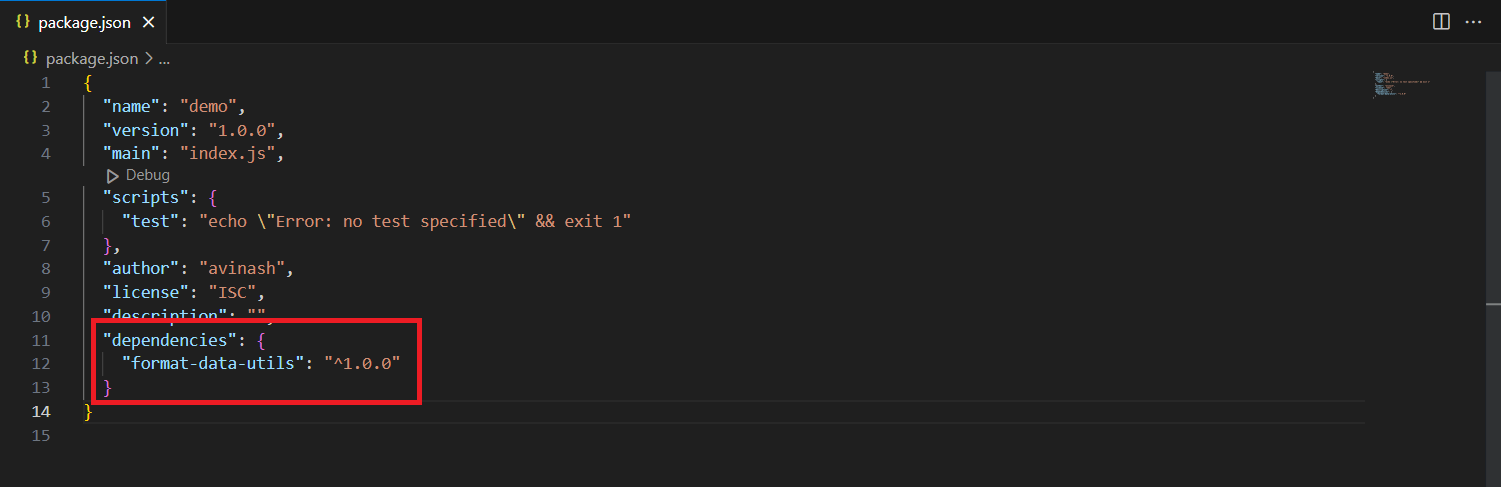
Step 2: Import and Use the Functions
1const { capitalizeWords, camelToTitle, formatDate } = require('format-utils');
2
3console.log(capitalizeWords('hello world')); // Hello World
4console.log(camelToTitle('firstName'));      // First Name
5console.log(formatDate('2025-06-23'));       // 23/06/2025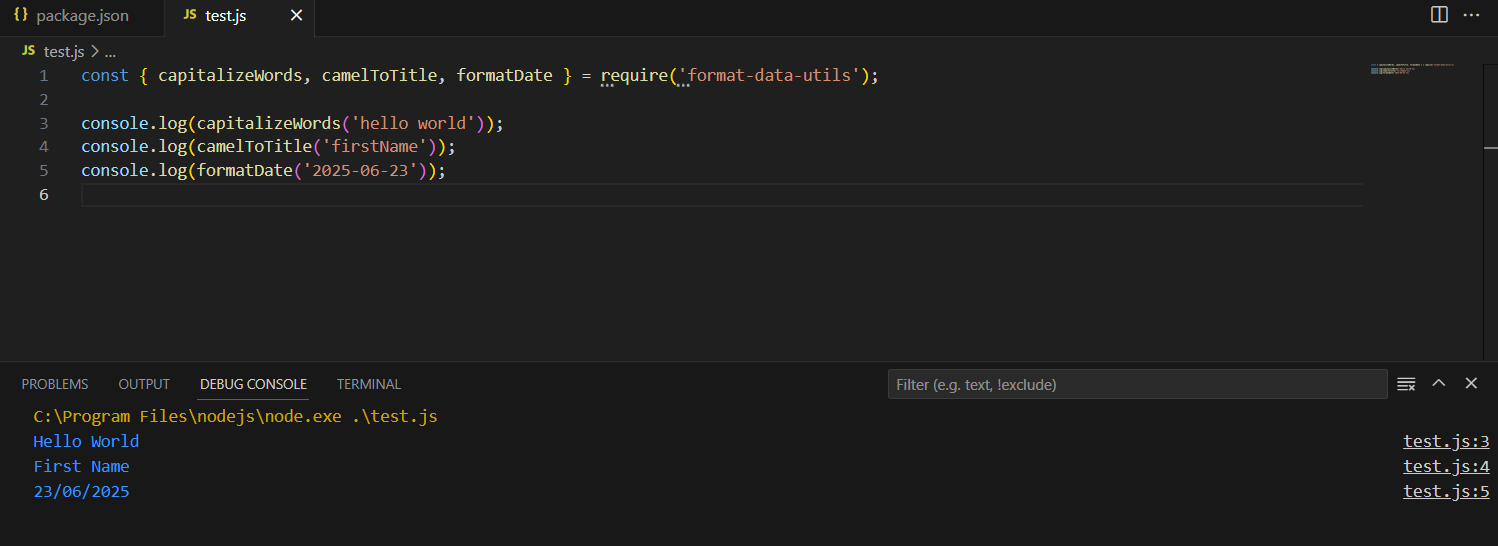
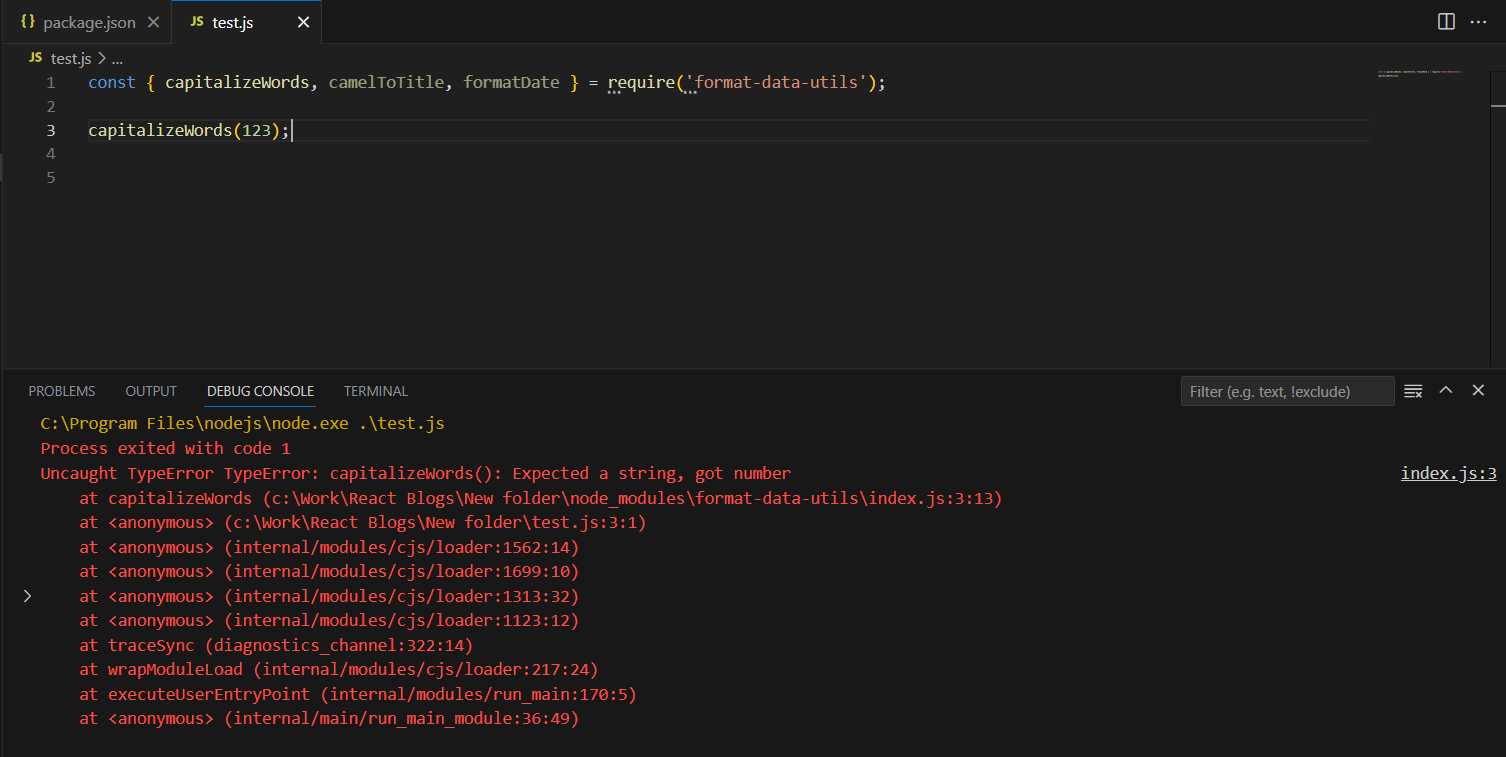
Invalid usage throws helpful errors:
1capitalizeWords(123);     // TypeError
2formatDate('bad-date');   // Error: Invalid date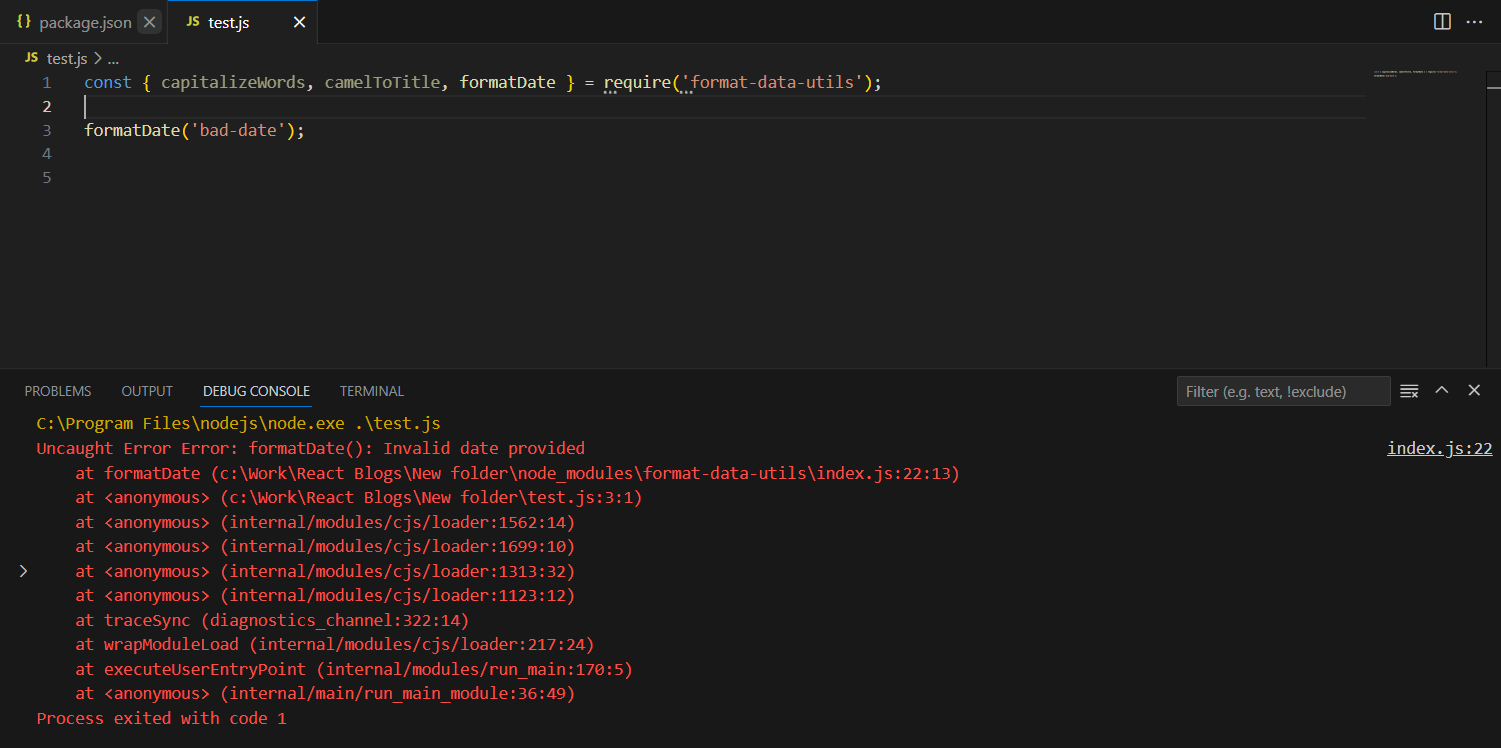
Bonus Tips & Best Practices
- Use semantic versioningFollow the usual version pattern: bug fixes = patch (1.0.1), new features = minor (1.1.0), breaking stuff = major (2.0.0). Don’t skip this — it helps anyone using your package.
- Pick a name that’s not takenBefore you publish, search npmjs.com. If your name’s already in use, tweak it. Add something specific like -js, or use scoped names — for example, @yourname/tool-name.
- Add some testsDoesn’t have to be full test coverage. A few basic checks are better than nothing. Helps catch mistakes before someone else finds them.
- Build your code if neededIf you’re using JSX or new JS features, make sure to transpile first. Babel, Rollup, Vite — any of those work. Just don’t ship raw modern code unless you’re sure it’ll run everywhere.
Conclusion:
You don’t need anything fancy to publish a useful NPM package. If you’ve got code you use often — maybe a function, maybe a small React component — turning it into a package can save time. You write it once and reuse it wherever.
Just make sure it’s easy to set up and works on its own. Add some docs. Keep the versioning clean. That’s it. It doesn’t have to be perfect — just something that does one job well.


